Meta description: Zendesk costs rise when inactive agents stay licensed. Learn practical application software management to audit usage and cut waste.
Your Zendesk renewal lands in your inbox. The number is higher than last time. Nobody is surprised, but nobody can explain it either.
A few new hires got added last quarter. A contractor needed temporary access. Someone moved to another team but kept their seat. A manager asked for extra agents during a busy stretch, and nobody went back later to clean it up. That’s how most Zendesk bills grow. Not through one bad decision, but through a hundred small ones.
If you're handling support ops, IT, or finance, you’ve probably felt this already. The license count goes up easily. It rarely comes down with the same discipline. And when you try to check usage, you end up stitching together exports, login history, ticket activity, and guesswork.
That’s where application software management stops being a vague IT term and starts being useful. Done well, it gives you a way to control software from request through retirement, with enough visibility to challenge waste before renewal day.
Is Your Zendesk Bill Creeping Up? You're Not Alone
The familiar pattern looks like this. Your support team grew fast. Then it changed shape. Some people left, some changed roles, some stopped working tickets but still had agent access.
Meanwhile, billing kept following the high-water mark.
Zendesk makes seat costs visible enough that the pain is hard to ignore. If you’re paying for Suite Team, Growth, Professional, or Enterprise seats, even a handful of inactive agents adds up quickly. You don’t need a major governance program to feel that. You just need one inflated invoice.
How the mess usually starts
In most mid-market teams, licenses get assigned during urgency and reviewed during spare time. Spare time never comes.
Common examples:
- New starters first, cleanup later: Access gets granted on day one because the team needs coverage.
- Temporary coverage becomes permanent: Contractors or seasonal staff stay licensed after the project ends.
- Role changes get missed: Team leads, QA staff, or trainers no longer need full agent access but keep it.
- Offboarding breaks down: HR removes the person from one system, but Zendesk deprovisioning gets missed.
- Shared ownership causes drift: Support owns usage, IT owns access, finance owns budget, and nobody owns the full picture.
You usually don't have a pricing problem first. You have a visibility problem.
Why it feels hard to challenge
The worst part isn't the spend. It's the uncertainty.
You suspect there’s waste, but you can’t walk into a renewal discussion with suspicion. You need evidence. Which agents are inactive. Which seats are lightly used. Which users could be downgraded or removed without affecting service.
Without that, the default decision is to renew what you already have.
That’s why this topic matters beyond one vendor bill. If you can’t govern a core tool like Zendesk, you probably have the same problem across the rest of your stack.
What Is Application Software Management Anyway?
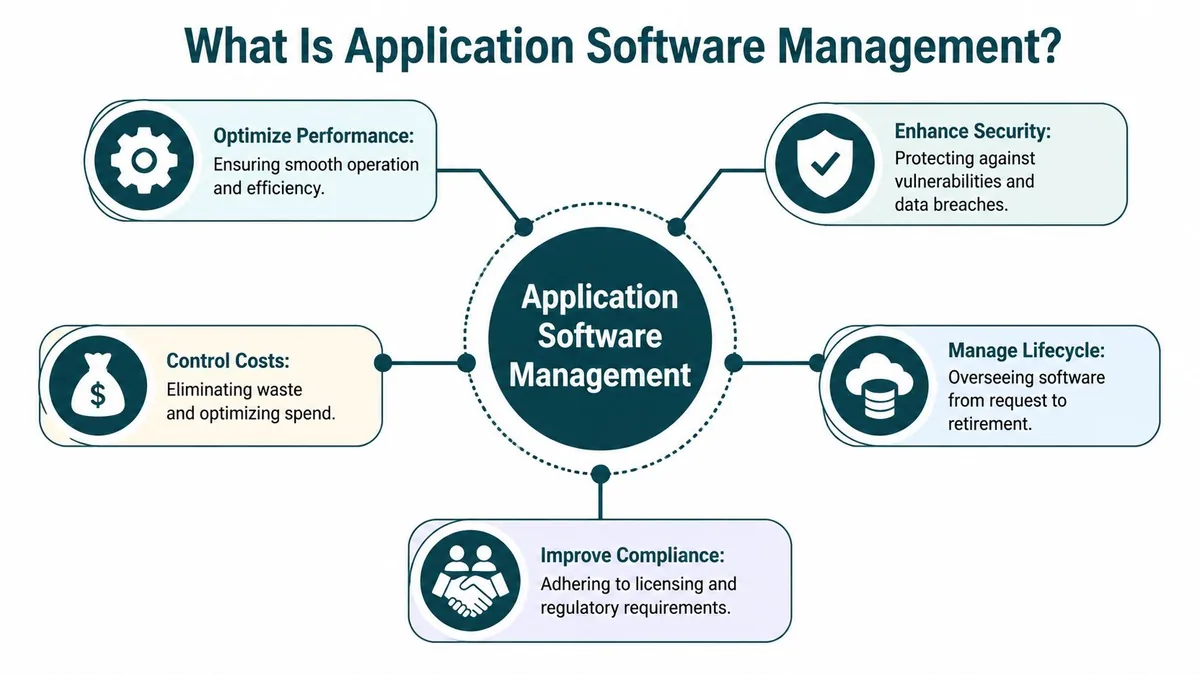
A Zendesk seat rarely looks expensive in isolation. The problem shows up when 15 of them belong to people who changed roles, stopped logging in, or left three months ago and never got removed. Application software management is the discipline that prevents that kind of quiet waste.
At a practical level, it covers the full chain of control around an app. Who requested it, who approved it, who owns it, who is still using it, and who makes sure access is removed when the job changes or the person leaves.
For Zendesk, that means answering a few operational questions with evidence, not guesswork:
- Which users need a paid agent seat right now?
- Which accounts are active but lightly used?
- Which users could be downgraded, reassigned, or removed?
- Who reviews those decisions, and how often?
- Where is the record of that review?
If you want the wider systems view, this guide to application management systems is a useful companion. In day-to-day operations, the job is simpler. Keep license counts tied to real work, keep ownership clear, and keep cleanup routine.
The three controls that matter
Teams often spend a lot of energy getting software approved and very little managing what happens after provisioning. For high-cost tools like Zendesk, that is where the money leaks out.
| Area | What it means in practice | Zendesk example |
|---|---|---|
| Financial control | Match paid seats to current demand | Remove unused agent licenses and downgrade users who no longer need full access |
| Operational control | Assign access based on actual responsibilities | Reserve agent seats for staff actively handling tickets, not adjacent roles that only need occasional visibility |
| Security and compliance | Remove stale access and maintain a clean audit trail | Deprovision former employees, expired contractors, and temporary coverage accounts on time |
Those three controls work together. Finance cares about avoiding waste. Support cares about coverage. IT cares about access, auditability, and cleanup. Zendesk gets expensive when those goals are managed separately.
What good management looks like
Good application software management does not mean slowing every request with bureaucracy. It means setting a few rules that hold up under pressure.
A workable model usually includes:
- One accountable owner for the app: Someone is responsible for usage reviews, renewal prep, and seat counts.
- Joiner, mover, leaver rules: Access changes follow role changes automatically or through a defined process.
- Regular usage reviews: Monthly or quarterly reviews catch waste earlier than renewal season.
- One system of record: Contract terms, owner, seat count, and review date live in one place.
- Usage data behind every decision: Keep or cut licenses based on login activity, role, and ticket workload.
Practical rule: If nobody can show who owns Zendesk license hygiene, you are probably paying for avoidable seats already.
That is what application software management really is. Not theory. Cost control with process behind it. For Zendesk, done well, it gives you a cleaner renewal, fewer orphaned licenses, and a straightforward path to automate the cleanup instead of arguing about it once a year.
The Hidden Risks in Your Software Lifecycle
Most waste doesn’t begin at renewal. It begins much earlier, when software moves through your company without clear controls.
That lifecycle usually follows five stages. Request, procurement, deployment, maintenance, and retirement. Zendesk license waste can show up in every one of them.
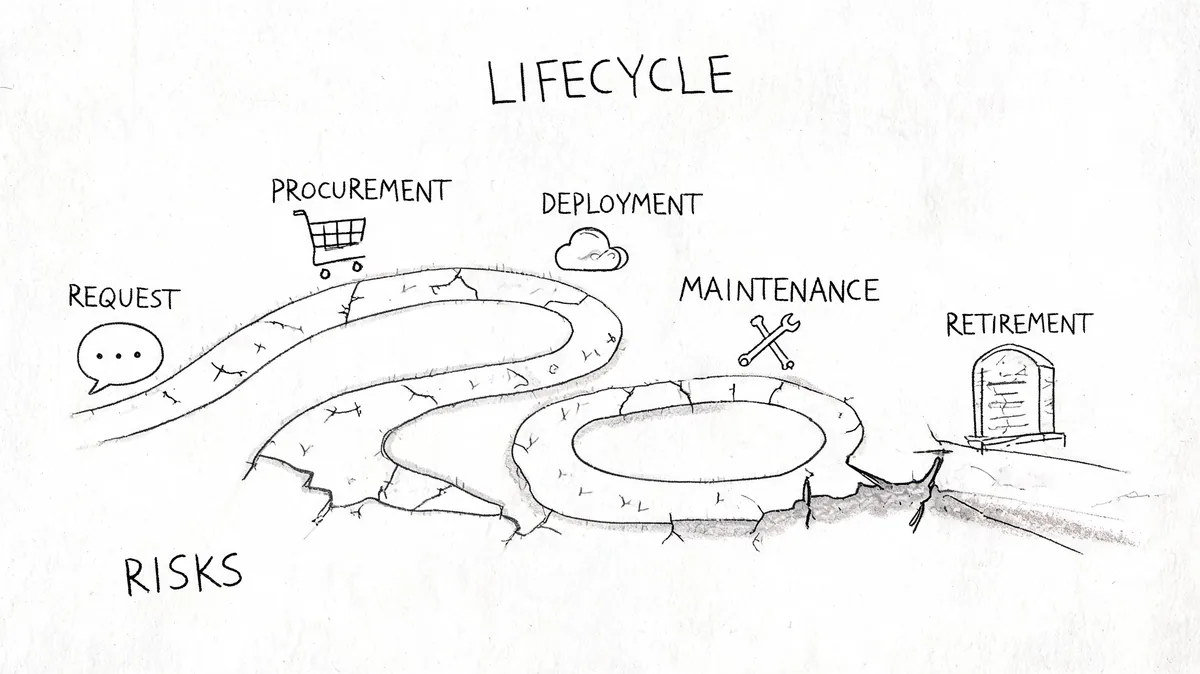
Request and procurement
Trouble starts when teams ask for seats without a clear reason tied to workload, role, or timeframe. Procurement then becomes a one-way ratchet. Seats get approved because blocking support work is risky, but nobody defines when those seats should be reviewed.
Auto-renewals make that worse. Once a count gets into the contract, it tends to persist.
What works better is boring but effective. Require an owner, a business reason, and a review date at the moment access is requested. That one extra step saves a lot of cleanup later.
Deployment and onboarding
Many companies create inactive accounts by accident. Access gets provisioned in batches. Some users log in on day one. Others never really start. A few use the platform for a week, then move to another responsibility.
Non-standardized processes make that drift expensive. As Cegeka’s review of technical application management challenges notes, weak process standardization leads to inconsistent provisioning and deprovisioning, creating orphaned licenses and wasted spend that often reaches 30-40% of the budget.
Maintenance and real usage
Maintenance isn't just uptime and settings. It also includes ongoing access hygiene.
The hard part in Zendesk is that “activity” is rarely one signal. One agent may handle tickets daily. Another works mostly in chat. Another logs in occasionally for escalations. If your review method depends on one export or one admin screen, you’ll misread usage.
Integration complexity gets in the way here. Synoptek’s analysis of software integration challenges points out that integration issues often surface late, when they're most expensive to fix. For platforms like Zendesk, that makes it harder to map activity across channels and build a unified view of agent utilization.
If you can't trust the activity data, you won't trust the cleanup decision.
Retirement and offboarding
Retirement is where companies either recover money or keep bleeding it.
A clean retirement process should remove access when an employee leaves, when a contractor engagement ends, or when a role no longer needs agent permissions. In reality, this step often depends on handoffs between HR, IT, and the support team. Handoffs fail. Seats stay assigned.
Here’s a practical checklist for the retirement stage:
- Confirm role change: Did the user stop doing support work?
- Check last meaningful activity: Don’t rely on one shallow signal.
- Review reassignment options: Can the seat move to a current team member?
- Remove or downgrade access: Match the license to the current job.
- Document the action: Keep a record for finance and renewal planning.
A mature lifecycle doesn’t stop software from changing. It stops those changes from becoming hidden waste.
Common Challenges in Application Software Management
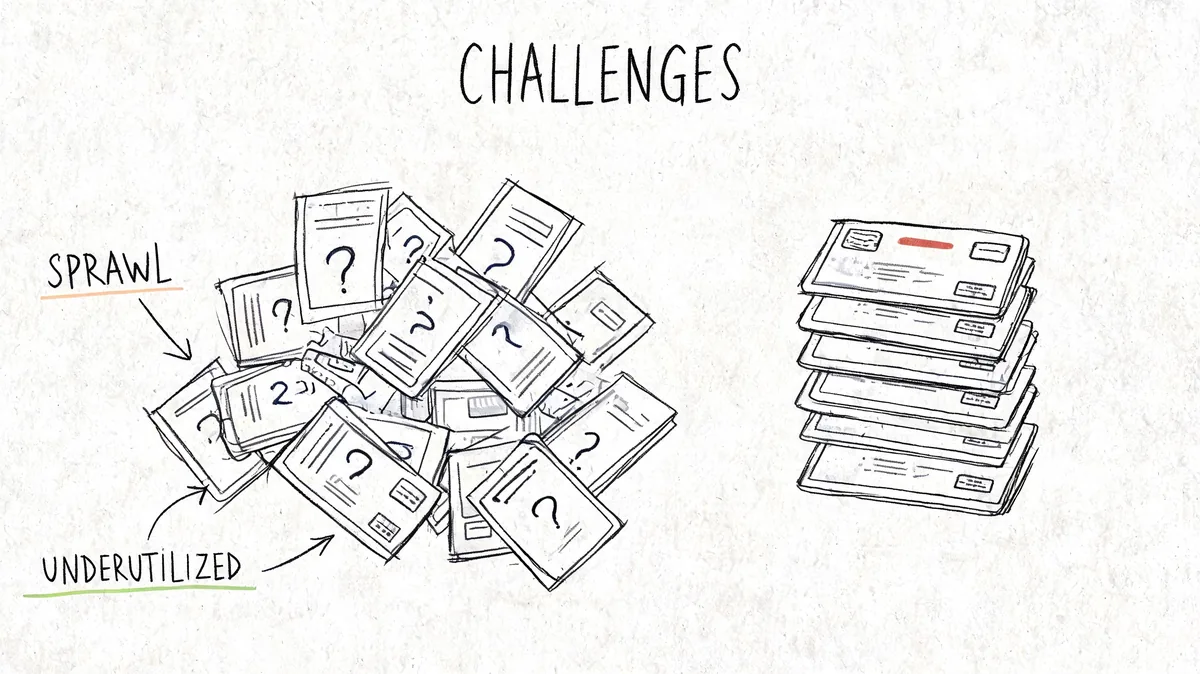
If your stack feels bigger than you can track, you're not imagining it. SaaS sprawl is now normal, and that's exactly why application software management breaks down in so many companies.
According to Zylo’s SaaS Management Index stats, the average company manages 275 to 342 applications in 2024. 53% are unmanaged. Companies add 7 new apps monthly, which risks 33% annual portfolio growth if nothing changes.
That’s the backdrop behind your Zendesk problem. One support platform sits inside a much larger pattern of tool growth, weak ownership, and patchy oversight.
License sprawl is not the same as growth
Growth is expected. License sprawl is what happens when license counts stop reflecting actual need.
You see it when:
- Seats outlive projects: Temporary users stay active after the work ends.
- Admins avoid removal risk: Nobody wants to disable the wrong account.
- Old assumptions persist: “We needed that many last year” becomes the default.
- Tier mismatch sticks: People keep expensive access levels after their role changes.
Shadow IT makes the picture worse
A lot of app growth happens outside central control. That matters even if Zendesk itself is centrally managed, because your governance habits are shared across the stack.
Zylo also reports that only 3% of IT executives have complete, real-time visibility into their SaaS tools, while 97% do not. It notes that companies often underestimate app counts by nearly 2x, and that one-third of stacks come from shadow IT and employee-expensed purchases.
That same operating model creates license blind spots in core systems. Teams get used to approving fast and reviewing late.
Unmanaged software isn't just a finance problem. It's an access problem wearing a finance label.
The real friction for Zendesk admins
Zendesk admins usually aren't failing because they don't care. They're failing because the work is awkward.
Manual reviews tend to break down in familiar ways:
| Challenge | What happens in the real world |
|---|---|
| Scattered signals | Login history, tickets, chat, and team context live in different places |
| Fear of disruption | Admins hesitate to remove seats without proof |
| Renewal timing | Usage review starts too late to influence the contract |
| Shared accountability | IT, support ops, and finance each see only part of the issue |
Why spreadsheets keep losing
A spreadsheet can track a seat count. It can’t tell you whether those users still matter.
By the time someone updates the file, the org chart has changed again. A manager has hired someone new. A contractor has rolled off. An internal transfer has happened without the Zendesk admin hearing about it.
That’s why teams with decent intentions still end up carrying waste for months. The process depends on memory, calendar reminders, and manual reconciliation.
Governance and Best Practices That Actually Work
You don’t need a huge governance framework to get control. You need a few rules that people will adhere to, plus a review method that doesn’t collapse under daily work.
The biggest gains usually come from standardization. When access decisions, reviews, and removals happen differently across teams, waste builds up. As noted earlier from Cegeka’s analysis, non-standardized application management leads to inconsistent provisioning and deprovisioning, and can waste 30-40% of software license budget.
Put one person in charge of each major app
Shared responsibility sounds collaborative. In practice, it often means no one owns the renewal data, no one validates usage, and no one challenges the license count.
For Zendesk, assign one accountable owner. That may be a support operations lead, a Zendesk admin, or an IT manager. What matters is clarity.
That owner should maintain:
- Contract awareness: Renewal date, terms, and current seat count
- Access review cadence: A recurring check before finance asks
- Change control: A process for adds, removals, and downgrades
- Escalation path: A quick way to confirm whether a questionable seat is still needed
Measure what actually influences spend
A lot of teams collect the wrong metrics because they're easy to export. Focus on signals that change a decision.
Useful KPIs include:
- License utilization rate: How many assigned seats show meaningful activity
- Cost per active user: What you’re paying for people who really use the tool
- Inactive seat count: The users most likely to be removed or downgraded
- Review completion rate: Whether your governance process is taking place
Manual vs automated license management
Here’s the trade-off teams face.
| Aspect | Manual Management (Spreadsheets) | Automated Management (Specialized Tool) |
|---|---|---|
| Data freshness | Usually out of date by the next org change | Pulled on a recurring basis |
| Effort | High admin time for every review cycle | Higher setup effort, lower ongoing work |
| Accuracy | Depends on exports and human cleanup | More consistent when tied to live usage data |
| Audit trail | Often fragmented across files and email | Centralized reporting |
| Renewal readiness | Reactive, usually late | Ongoing visibility before contract deadlines |
| Risk of bad removals | Higher if context is incomplete | Lower when inactivity rules are defined upfront |
The point of automation isn't convenience. It's getting to a decision you can defend.
The policies that tend to stick
Heavy policy documents don't survive contact with a busy support team. Short rules do.
Good examples:
- Review before renewal, not at renewal: Leave time to act on findings.
- Tie access to role, not history: Past need shouldn't justify current spend.
- Use inactivity rules consistently: Don’t make case-by-case guesses for every user.
- Check movers and leavers monthly: Don’t wait for quarterly cleanup.
- Document exceptions: If someone needs a seat despite low visible activity, note why.
If you want application software management to work, keep it close to operational reality. Fancy governance language won’t save you. Repeated habits will.
How to Cut Your Zendesk License Waste by 30 Percent
A familiar pattern plays out a few weeks before renewal. Finance asks why the Zendesk bill jumped again. Support says every seat was needed at some point. Nobody has a clean view of which agents are active now, which ones changed roles, and which accounts should have been removed months ago.
That is where the waste sits.
Zendesk pricing gives even small mistakes real cost. Current annual-billing rates are Suite Team $55, Growth $89, Professional $115, and Enterprise $169+ per agent per month. Ten idle seats on higher tiers can easily become a line item that gets attention fast.
Start with a defensible audit
The first step is simple. Separate licensed users into groups you can act on.
- Active agents who still need a full seat
- Low-activity users who need manager review
- Former staff or contractors who should be removed
- Users who may only need a lower-cost access level
This sounds straightforward until you do it by hand. Someone exports users, someone else checks ticket activity, then you end up chasing managers for context on edge cases. By the time the spreadsheet is cleaned up, the org chart has already changed.
That is why static cleanup projects fade. Ongoing review holds up better, especially when it is tied to live usage data and fixed inactivity rules. The same idea shows up in practical software application rationalization approaches. Teams keep control when they review usage continuously instead of treating license cleanup as a once-a-year scramble.
Use rules your team will actually follow
Zendesk cleanup falls apart when every account becomes a debate.
Set a review window. Define what counts as meaningful activity. Require manager confirmation before removal or downgrade. Keep a short exception list for training accounts, backup coverage, and seasonal roles. Then run the same process every month.
That gives you decisions you can defend. It also reduces the risk of cutting a seat that still has a valid purpose.
A solid review process usually includes:
- An inactivity threshold: Long enough to avoid obvious false positives
- Manager confirmation: A quick check before any seat is changed
- An exception list: For legitimate low-activity accounts
- A cost view: Show the monthly and annual impact of each action
With that in place, the conversation changes. You are no longer arguing in general terms about underuse. You are reviewing named accounts against a policy the team already agreed to.
A short walkthrough helps if you want to see the model in action.
Where a specialized tool helps
A dedicated tool shortens the messy part. LicenseTrim connects to Zendesk through OAuth with read-only API access, checks usage data, flags inactive agents, and attaches cost to those idle seats. The audit matters. The bigger advantage is that nothing is removed automatically, so the admin team keeps the final decision.
That trade-off is important. Full automation sounds efficient until a bad rule removes access from someone covering escalations or returning from leave. Read-only monitoring plus human approval is slower than blind automation, but it is safer and easier to defend internally.
SHI makes a similar point in its article on app rationalization and software efficiency. The article argues for ongoing monitoring, configurable inactivity rules, and API-based reporting rather than spreadsheet-led reviews.
You can do this manually if you have the discipline. In practice, organizations often do one cleanup, save money once, and then lose ground again. The repeatable win comes from turning Zendesk license review into a monthly operating task instead of a renewal-season fire drill.
What to Do Before Your Next Zendesk Renewal
Three weeks before renewal, someone forwards the Zendesk quote. The seat count is higher than last year, nobody is fully confident who still needs a full agent license, and finance wants an answer by Friday. That is how teams end up renewing waste they could have cut with one clean review done earlier.
Start 30 to 60 days before the renewal date. That gives you enough time to validate edge cases, get manager signoff, and walk into the vendor conversation with numbers instead of guesses.
Your pre-renewal checklist
Keep the process tight and assign clear decisions.
- Name one owner: One person should run the Zendesk renewal review from audit through approval.
- Export every licensed user: Build one list that includes agents, light users, admins, contractors, and anyone added through exceptions.
- Check actual usage: Review recent login and ticket activity so you can separate inactive seats from valid low-volume users.
- Review HR changes: Match Zendesk users against departures, transfers, leaves, and contractor end dates.
- Document exceptions: Keep a short list of people who should stay licensed despite low activity, such as backup escalation coverage or staff on leave.
- Model the cost impact: Estimate what removals or downgrades change before procurement starts negotiating.
- Read the contract language: Terms around renewals, notice periods, and service ownership affect how much room you have. This guide to a managed services contract is a useful reference when you review the fine print.
One export is not enough. Zendesk data often needs context from HR, support leadership, and whoever owns contractor onboarding.
What teams get wrong
The pattern is familiar.
- They wait for the quote: By then, the vendor has framed the discussion around the current seat count.
- They review only inactive users: Downgrade candidates can matter just as much as full removals.
- They treat every exception as permanent: Temporary coverage often turns into a year of unnecessary spend.
- They start after commercial terms are set: Late cleanup limits what you can change in the renewal.
Enter renewal with evidence, not a hunch.
A good pre-renewal review produces a short list with names, usage history, exception notes, and estimated savings. That is what provides you with an advantage in the practical sense. You know which licenses can go, which ones should be downgraded, and which seats are legitimate even if activity looks light.
If you want that evidence without building your own audit workflow, LicenseTrim connects to Zendesk, checks read-only usage data, and shows where inactive agent licenses are still costing you money. It is a practical way to walk into your next renewal with numbers you can use.