
Meta description: Surprise Zendesk renewals often hide inactive agents and wasted spend. Learn software application rationalization and fix license waste with data.
Your Zendesk renewal lands. The number looks wrong.
Not because Zendesk changed anything overnight, but because your account probably carries baggage you already suspected was there. Former employees still assigned seats. Managers who needed access for one project and never came back. Agents on a higher plan than their actual work requires. You know there’s waste, but pulling proof together usually means exporting users, checking activity by hand, and arguing over who still needs what.
That’s the point where software application rationalization stops sounding like enterprise jargon and starts sounding useful. At its core, it’s just a disciplined way to review software, decide what still earns its place, and remove what doesn’t.
For a mid-market team, you don’t need a massive portfolio program to see the value. Zendesk alone is enough to make the problem real. If you can’t explain who is using each paid seat, why they need that level of access, and what happens if you remove it, you already have a rationalization problem.
That Surprise Zendesk Renewal Is a Symptom
Organizations don’t deliberately overbuy Zendesk licenses. It happens in small, reasonable steps.
A new support queue opens, so you add agents quickly. Someone from operations needs temporary access. A contractor gets a seat for a migration. An employee leaves, but offboarding and billing don’t line up cleanly. Six months later, nobody is certain which seats are active on paper and which are active in practice.
That’s how waste hides. Not in one dramatic mistake, but in dozens of normal decisions that never got reviewed.
What the renewal bill is really telling you
When the invoice feels too high, the issue usually isn’t only pricing. It’s visibility. You can’t manage what you haven’t documented, and you can’t defend spend you can’t tie to real use.
For Zendesk admins, the pain is familiar:
- Former staff linger: Deprovisioning from HR or your IdP didn’t fully clean up paid access.
- Temporary access becomes permanent: Project-based seats stay assigned long after the project ends.
- Role drift creeps in: Users keep a full agent seat when lighter access would do.
- Manual audits stall: Spreadsheet reviews take time, so they happen too late or not at all.
A renewal surprise is usually a reporting problem before it becomes a budgeting problem.
Application rationalization gives you a way to stop reacting to invoices and start making deliberate choices. In a broad IT environment that might mean retiring whole systems. In Zendesk, it often starts with a smaller, more practical question: which paid seats still deserve to exist?
What Is Software Application Rationalization Really
Software application rationalization is the process of reviewing your software stack and deciding what to keep, replace, retire, or consolidate based on cost, usage, business value, and risk.
That sounds broad because it is. But the working idea is plain enough. You inventory what you have, check how it’s being used, compare that to what the business needs, and make decisions with evidence instead of habit.
It’s not just a cost-cutting exercise
Teams often hear “rationalization” and assume it means forcing cuts. That’s usually the wrong mindset.
Good rationalization protects the tools that matter. It removes the apps, licenses, and duplicate workflows that make the useful tools harder to manage. If Zendesk is central to your support operation, the goal isn’t to squeeze it. The goal is to make sure every paid seat supports actual work.
A practical way to think about it is cleaning out a crowded garage. You don’t throw everything away. You sort what’s still useful, what needs repair, what duplicates something else, and what should have been gone a year ago.
The real decisions behind the term
In practice, rationalization usually leads to a short list of actions:
| Decision | What it means in practice |
|---|---|
| Keep | The app or license is active, needed, and correctly assigned |
| Consolidate | Two tools or overlapping setups can be merged |
| Downgrade | The user or team needs access, but not at the current paid level |
| Retire | The app or seat no longer supports real work |
| Monitor | You don’t have enough evidence yet, so you track usage before changing anything |
That decision logic applies just as well to a full application portfolio as it does to a single platform like Zendesk.
A useful strategic read on that broader discipline is CTO Input for predictable execution. It’s a good reminder that rationalization works best when you tie software decisions to business capability, not just procurement pressure.
Practical rule: Don’t start by asking what you can cut. Start by asking what work each app or license still supports.
The Business Case for Rationalization
If you need buy-in from finance, support leadership, or your CIO, start with the numbers that are hard to ignore.
Only 15% of organizations regularly undertake application rationalization, even though zombie applications can consume up to 30% of a company’s IT budget, and 70% of organizations lack even basic documentation on their application portfolios, according to FinQuery’s application rationalization analysis.
That lines up with what many teams see in Zendesk. Waste doesn’t always come from bad purchasing. It comes from underused licenses, weak documentation, and nobody owning the cleanup.
Cost is the easiest case to prove
Finance usually responds fastest to direct spend. If you’re paying for software no one uses, the savings case is immediate.
For broad application portfolios, the same pattern shows up at larger scale. Old apps keep renewing. Duplicate tools survive because no one wants to untangle ownership. Support overhead keeps growing even when value doesn’t.
Zendesk fits that exact pattern inside one platform. If a paid agent seat sits mostly idle, you’re carrying recurring cost without a clear business reason.
Risk goes down when the stack gets smaller
There’s another angle that matters just as much. Every unnecessary app, stale integration, or forgotten admin account adds risk.
That risk isn’t abstract. Older or neglected systems are harder to patch, harder to audit, and harder to explain during compliance reviews. Rationalization reduces that exposure by shrinking what you have to manage.
For Zendesk, the equivalent risk is inactive or misassigned access. A seat nobody uses is still an access decision your team owns. If you can remove it safely, you reduce both waste and the chance of surprises later.
Fewer tools, clearer work
The operational case is less dramatic but often more important over time. Teams work better when the approved toolset is clear.
You see the benefit in three places:
- Training gets easier: New staff learn the system of record faster.
- Support overhead drops: Fewer edge cases and duplicate workflows mean fewer admin exceptions.
- Ownership gets cleaner: It’s easier to know who approves access, who reviews use, and who pays.
A wider view of spend discipline can help if you’re building a budget case across IT, not just support. 10 proven IT cost reduction strategies is useful because it places software cleanup alongside the other controls finance teams already understand.
Common Frameworks for Making Decisions
Most rationalization projects fail for one reason. Teams jump from “we have too many apps” to “let’s remove things” without a decision model.
You need a framework before you need a spreadsheet. Otherwise every review turns into opinion, politics, and exceptions.
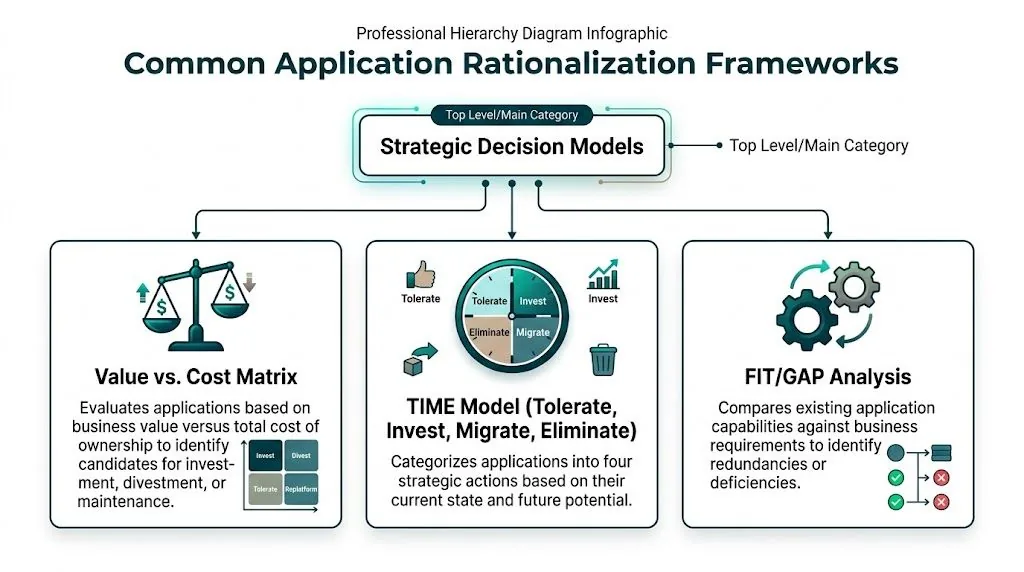
The TIME model works because it forces a real choice
The most common structure is the TIME model:
| Category | What you do | Zendesk-style example |
|---|---|---|
| Tolerate | Keep it as-is with minimal new investment | A stable internal tool that still works, but isn’t strategic |
| Invest | Put time and budget behind it | Zendesk as your core support platform |
| Migrate | Move users or workflows elsewhere | Shift a team off a duplicate ticketing process into Zendesk |
| Eliminate | Retire it | Remove a redundant help desk tool or inactive paid seats |
What’s useful about TIME is that it avoids fuzzy language. “We should probably review this later” becomes an actual disposition.
For Zendesk admins, TIME helps sort seat decisions too. A heavily active support team belongs in the equivalent of Invest. A dormant user with no meaningful activity belongs closer to Eliminate. A user with occasional access needs may fit a migration or downgrade path instead.
Beyer-Smertnig adds nuance when value isn’t obvious
The Beyer-Smertnig model is useful when an app sits in a gray area. It scores applications on support and criticality, each from -2 to +2, as described in LeanIX’s explanation of application rationalization.
That matters because some tools are badly supported but still important, while others are low value and hard to maintain. Those are very different problems.
LeanIX notes that apps with low scores on both axes often represent 15-20% of a portfolio and can be retired, leading to immediate 15% OPEX savings. It also cites Gartner benchmarks showing maintenance costs can consume up to 40% of IT budgets on legacy systems.
How these models hold up in the real world
Here’s the trade-off.
- TIME is faster: Good for first-pass categorization and executive discussion.
- Beyer-Smertnig is sharper: Better when stakeholders argue over business importance.
- Value vs. cost matrices help with finance: Useful when the debate centers on spend versus usefulness.
- Fit-gap analysis helps with overlap: Strong when two tools claim to solve the same problem.
For a team starting out, I’d keep it light. Don’t build a scoring system so detailed that nobody trusts or updates it.
If you want a deeper view of how portfolio-level thinking works before narrowing into single-platform cleanup, this guide to application portfolio management definition is a solid companion.
The best framework is the one your team will actually use during a live review, not the one that looks smartest in a workshop.
A 5-Step Process for Your First Rationalization Project
The first project should be small enough to finish. That’s why Zendesk is a good starting point. It’s important, the costs are recurring, and the waste is usually visible once you look in the right places.
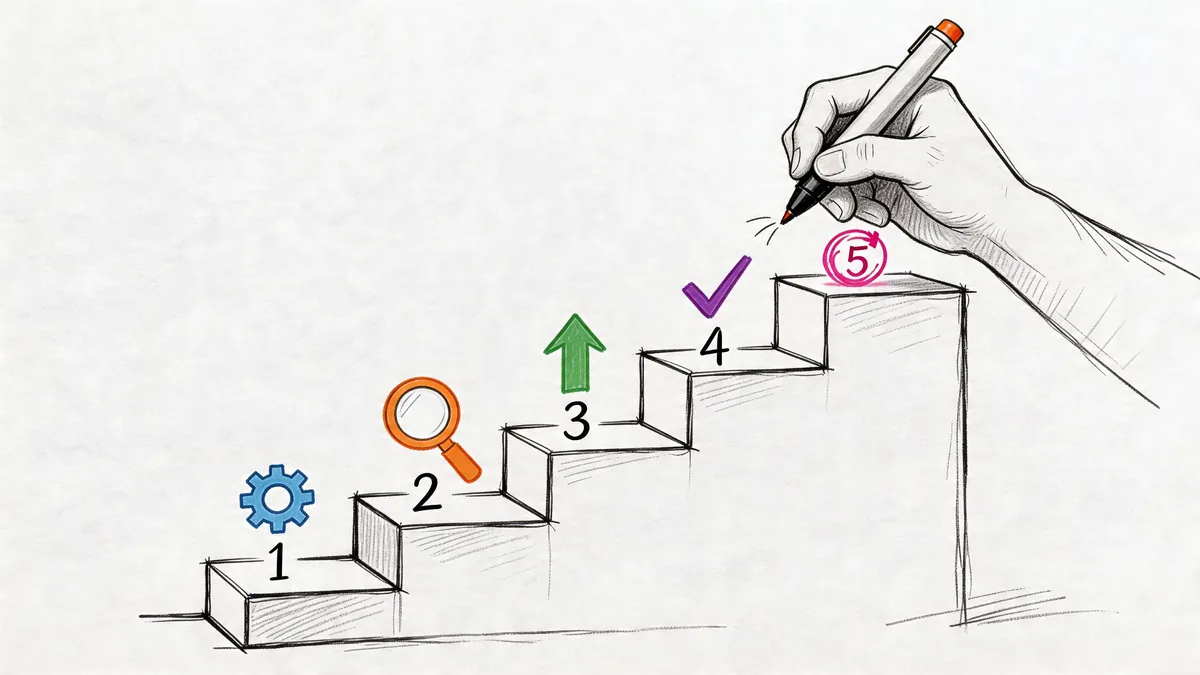
A broader rationalization pattern shows why this is worth doing. Skan’s overview of application sprawl notes that zombie applications can account for 30% of IT spend, while 70% of organizations suffer from poor portfolio documentation. It also points to a global financial firm that retired 30% of legacy apps and cut IT operating costs by 40% over three years.
Step 1: Build the inventory
Start with a list, not a theory.
For Zendesk, that means every user with paid access, their role, plan level, team, manager, and last known purpose. For a wider software project, it means app name, owner, vendor, renewal date, business function, and dependencies.
If you skip this, everything after it gets muddy.
- Pull user lists: Export from Zendesk Admin Center and your identity system.
- Add an owner: Every app or seat needs a human who can answer for it.
- Record billing context: Monthly cost is useful, but renewal timing matters too.
Step 2: Gather usage and cost evidence
Many teams encounter friction. They possess partial data in too many places.
You’ll usually need a mix of sources. Zendesk activity data, SSO logs, finance records, and sometimes a quick manager check. The point isn’t perfect forensics. The point is enough evidence to separate active need from assumption.
Look for patterns like these:
- Long inactivity windows: Paid users with no meaningful sign of current work
- Low-volume edge users: Access exists, but usage looks occasional at best
- Orphaned accounts: Seats assigned to people who changed role or left
- Plan mismatch: Enterprise-level access where the user’s activity says otherwise
A short explainer can help your team align on the review process before you start changing access:
Step 3: Judge business value, not just logins
A login by itself doesn’t prove value. Neither does a manager saying “keep them there for now.”
Ask three direct questions:
- Does this app or seat support a current business process?
- What breaks if you remove or downgrade it?
- Is there a cheaper or cleaner way to support the same work?
That keeps you out of the usual trap where every exception sounds urgent in isolation.
If nobody can explain the consequence of removing a license, that license is already on borrowed time.
Step 4: Make a disposition decision
Now assign a next action to each item. Keep, downgrade, remove, migrate, or review later.
Don’t overcomplicate the status labels. The value comes from making a decision and tracking it to completion.
A basic decision table helps:
| Evidence | Likely action |
|---|---|
| Active user, clear role, regular work | Keep |
| Some use, but lower access would work | Downgrade |
| No current use, no owner willing to defend it | Remove |
| Work should happen in another system | Migrate |
| Conflicting signals | Review after a short monitoring period |
Step 5: Execute and tell people before they panic
The cleanest technical decision can still create noise if you handle communication badly.
Tell managers what you’re reviewing, what evidence you’re using, and how they can contest a change. Give users a path back if a seat was removed in error. Rationalization fails when teams treat it like a stealth cost-cutting exercise and surprise users after the fact.
Good execution usually includes:
- A review window: Let managers confirm active need before changes go live
- A rollback path: If someone needs access back, restore it fast
- A record of decisions: Keep notes so the same debate doesn’t happen again next quarter
From One-Time Project to Ongoing Program
Cleanup is the easy part. Keeping things clean is harder.
That’s why so many rationalization efforts drift backward after the first win. New software gets added. Roles change. Temporary licenses become permanent again. A neat review turns into shelfware because nobody owns the next cycle.
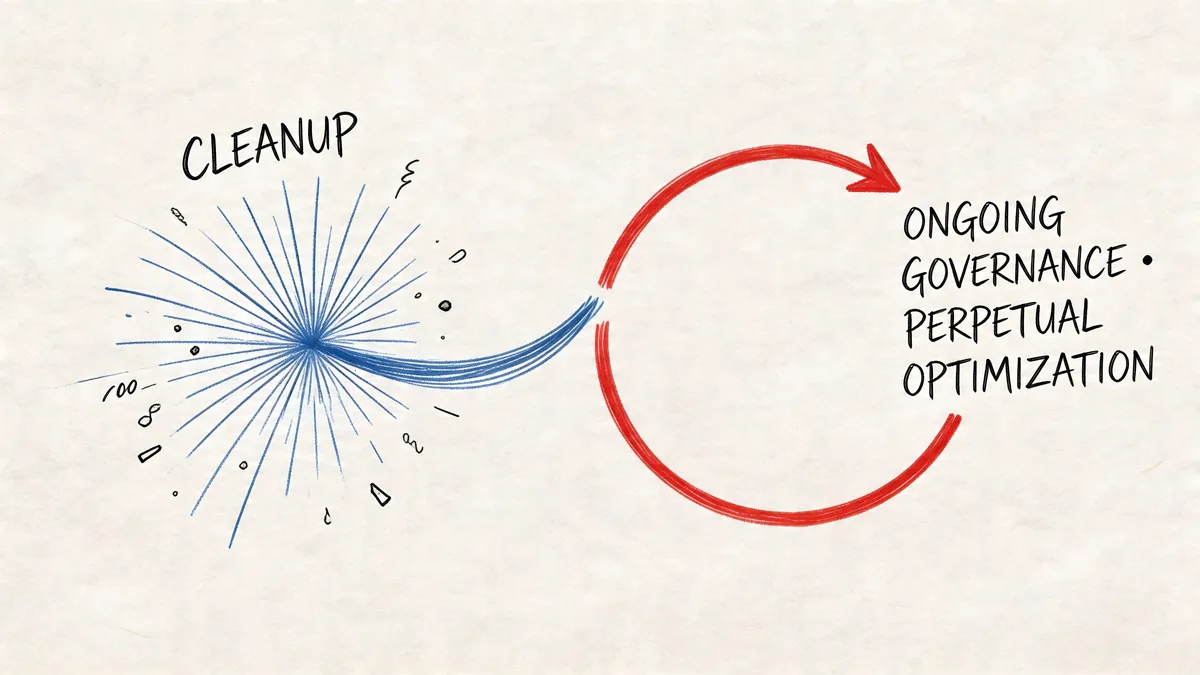
Samu’s practical guide to reducing IT complexity highlights the problem clearly. Without ongoing governance, an estimated 60% of rationalized applications or their equivalents re-emerge within 18 months, and unmanaged SaaS growth can lead to a 20-30% cost rebound without automated monitoring.
Governance that people will actually follow
You don’t need a giant committee. You need a few rules that survive contact with real work.
A workable program usually includes:
- An approval checkpoint: New software or new paid seats need an owner and a business reason.
- A recurring review: Check active use before renewal, not after.
- An offboarding trigger: Access changes when people leave or change role.
- A system of record: One place tracks who owns the app, who pays, and who uses it.
Why ongoing monitoring matters more in SaaS
Traditional application rationalization often focused on big, slow-moving portfolios. SaaS changes faster. Seats can be added today and forgotten next month.
Zendesk is a good example. Agent turnover, seasonal staffing, team restructures, and shared admin habits can reintroduce waste. If your process depends on someone remembering to open a spreadsheet every quarter, it won’t hold.
For teams formalizing that discipline across cloud tools, this overview of cloud-based software asset management is helpful because it frames governance as ongoing operational work, not a once-a-year audit.
Good rationalization isn’t a purge. It’s a habit backed by evidence and a calendar.
Putting It Into Practice with Zendesk Licenses
In this context, the theory becomes useful. Zendesk is a clean example of software application rationalization because the spend is recurring, the users are identifiable, and the waste usually sits in a narrow set of patterns.
Ardoq notes that most rationalization content overlooks SaaS license optimization inside a single platform like Zendesk, even though targeted usage-based audits can yield 30-40% cost reductions by identifying inactive users. It also points out that 70% of organizations lack clear documentation of their software portfolio in the first place, which makes this kind of cleanup harder to start. You can read that perspective in Ardoq’s application rationalization resource.
What to review in Zendesk
Start with a seat-by-seat review. Don’t just count users. Check whether the assigned plan still matches actual work.
Focus on:
- Inactive paid agents: Seats with little or no meaningful current use
- Role drift: Users who once needed full access but no longer do
- Exit leftovers: Accounts that survived offboarding
- Temporary assignments: Project or migration users who were never cleaned up
Zendesk’s own admin and reporting views can help, but they’re not built as a dedicated waste-audit workflow. You can inspect users and activity, but stitching usage to spend still takes manual effort.
Zendesk pricing makes idle seats expensive fast
Here’s the practical table organizations need before renewal.
| Zendesk Plan | Cost per Agent/Month (Billed Annually) | Annual Cost per Unused License |
|---|---|---|
| Suite Team | $55 | $660 |
| Growth | $89 | $1,068 |
| Professional | $115 | $1,380 |
| Enterprise | $169+ | $2,028+ |
If you’re carrying unused seats at the higher tiers, the waste gets expensive fast even before you add other apps into the picture.
A practical review cadence
A useful Zendesk rationalization pass usually looks like this:
| Review question | What you check |
|---|---|
| Who has a paid seat? | Current user list and assigned role |
| Who is active? | Recent usage and evidence of real ticket work |
| Who still needs this level? | Manager confirmation and role scope |
| What should change? | Keep, downgrade, or remove |
That’s enough to make rationalization concrete. You’re not trying to redesign your entire application estate. You’re fixing one recurring source of waste with data you can act on.
Automating Zendesk Rationalization
Manual audits work once. They don’t scale well.
The usual pattern is familiar. Someone exports users from Zendesk, compares that list to HR or SSO records, tries to infer activity, then hands a spreadsheet to finance before renewal. It’s slow, easy to miss edge cases, and almost impossible to keep current.
A better option is to automate the monitoring layer. Tools that connect through the Zendesk API can review usage data continuously, flag likely inactive agents, and show the spend tied to those seats. LicenseTrim is one example. It connects to Zendesk with read-only access via OAuth, analyzes agent usage, and reports wasted spend without changing anything automatically.
If your governance model also depends on identity and role control beyond Zendesk itself, it’s worth understanding where access review overlaps with broader Okta identity governance.
Your Next Step Before Renewal
Don’t wait for a full IT rationalization program to get started.
Pull your current Zendesk paid user list. Match each user to a manager. Check whether each person is active, still employed, and still needs that level of access. If you can’t answer those three points quickly, you already know where to focus.
Start there. One platform. One review cycle. One decision log.
If you want a faster way to quantify Zendesk license waste before renewal, LicenseTrim connects to your Zendesk instance, detects inactive agents, and shows the money tied up in unused licenses so you can decide what to remove or downgrade.