
Meta description: Your Zendesk bill may include paid seats nobody uses. Learn what tail spend is and how to find unused licenses before renewal.
You open the Zendesk renewal, scan the seat count, and already know something is off.
A few agents left. A few changed roles. Someone needed temporary access for a launch, a migration, or seasonal support, and nobody cleaned it up later. The bill kept growing one seat at a time, but the cleanup never made it onto anyone's weekly list. Now finance wants an explanation, and all you have is a suspicion.
That suspicion has a name. It's tail spend.
In Zendesk, tail spend often shows up as paid agent licenses that stay assigned long after the work is gone. Unlike a one-time bad purchase, this waste renews every month or every year. If you're also trying to understand why software feels expensive from the customer side, this guide on how to identify overpriced SaaS churn is a useful companion because pricing pressure usually exposes waste that teams tolerated before.
If you've ever tried to prove the problem with exports and spreadsheets, you already know why teams start looking for license auditing software. The hard part usually isn't guessing that waste exists. It's proving who is inactive, for how long, and what that idle access is costing you.
Your Zendesk Bill Is Higher Than It Should Be
Most admins don't lose control of Zendesk spend in one big mistake. They lose it through drift.
One manager asks for five new seats because the support queue is backed up. Another keeps contractor access active because removing it feels risky during a busy quarter. HR offboards an employee, but the Zendesk seat stays assigned because nobody owns the final check. Each decision makes sense in the moment. The invoice doesn't.
Where the waste usually starts
For a mid-market team, the common patterns are boring, not dramatic:
- Role changes: An agent moves to ops or training, but keeps a full paid seat.
- Offboarding gaps: The employee is gone, the account isn't.
- Temporary staffing: Seasonal or project-based users keep access after the work ends.
- Overprovisioning: Managers request buffer seats, then forget to review them.
Practical rule: If nobody reviews seat usage before renewal, you are almost certainly paying for access your team doesn't need.
Finance often sees this as a software cost problem. IT and Zendesk admins usually see it as an access hygiene problem. Both are right. The spend leak starts in user management, then shows up in the budget.
What Is Tail Spend Exactly
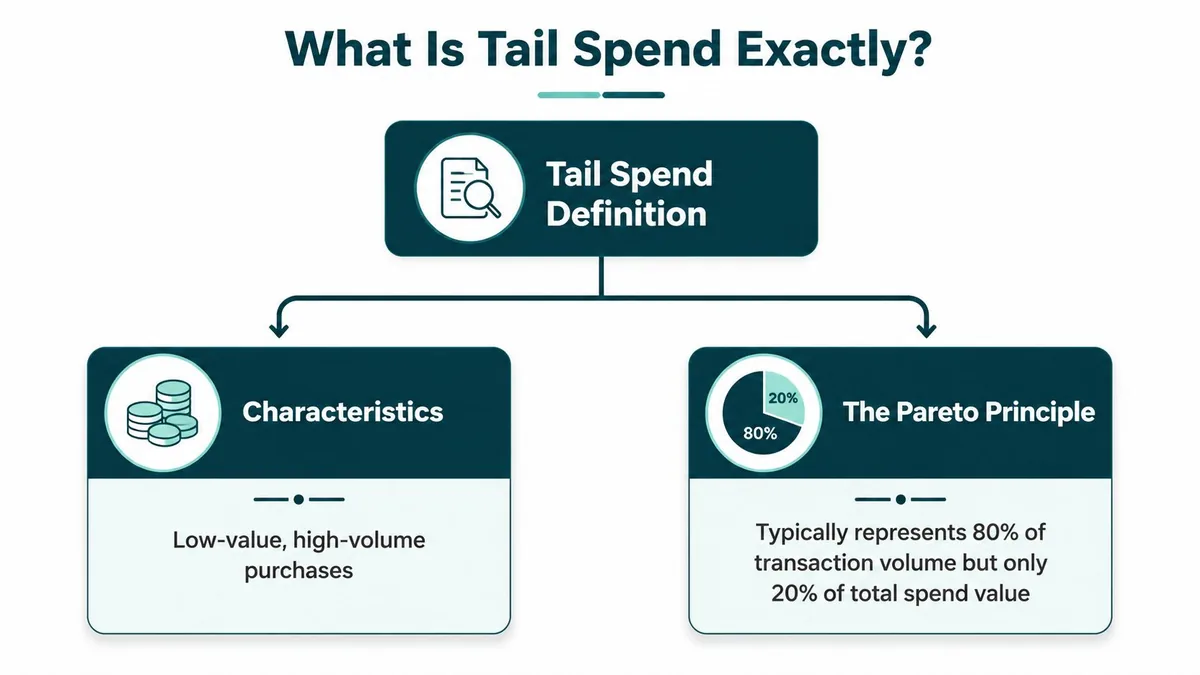
Tail spend is the part of company purchasing that slips past close review because each transaction looks too small to matter. In practice, procurement teams use the term for low-value, high-volume buying spread across many vendors, buyers, and approval paths. Amazon Business describes it as a common pattern where a large share of transactions accounts for a much smaller share of total spend, which explains why it creates administrative drag out of proportion to its dollar value (Amazon Business).
The classic version
The traditional examples are familiar. Office supplies bought outside contract, small hardware replacements, rushed service purchases, and one-off software subscriptions that never went through proper review.
The budget impact is not just the item cost. Every scattered purchase creates extra work in vendor setup, approvals, invoice handling, and policy checks. A finance lead sees a small invoice. An IT manager sees another exception to track, renew, and explain later.
That is the definition that matters. Tail spend is less about a fixed dollar threshold and more about weak control.
Why this matters to a Zendesk admin
For Zendesk admins, the useful shift is to stop treating tail spend as a procurement term that only applies to physical goods. The same pattern shows up in SaaS when access decisions happen one user at a time, outside a clean process for approvals, role changes, and removals. That is why user provisioning automation for SaaS access control has a direct cost angle, not just a security one.
A single unused Zendesk seat does not look like a sourcing problem. Fifty lightly reviewed seat decisions across the year do.
That is also why teams that compare cloud technology vendors for CX should look past list price. Buying discipline matters, but day-to-day license control matters just as much. If the admin process is loose, even a well-negotiated Zendesk contract will still carry waste.
The New Tail Spend Hiding in Your SaaS Stack
Tail spend used to get framed as office supplies and one-off vendor buys. That picture is outdated.
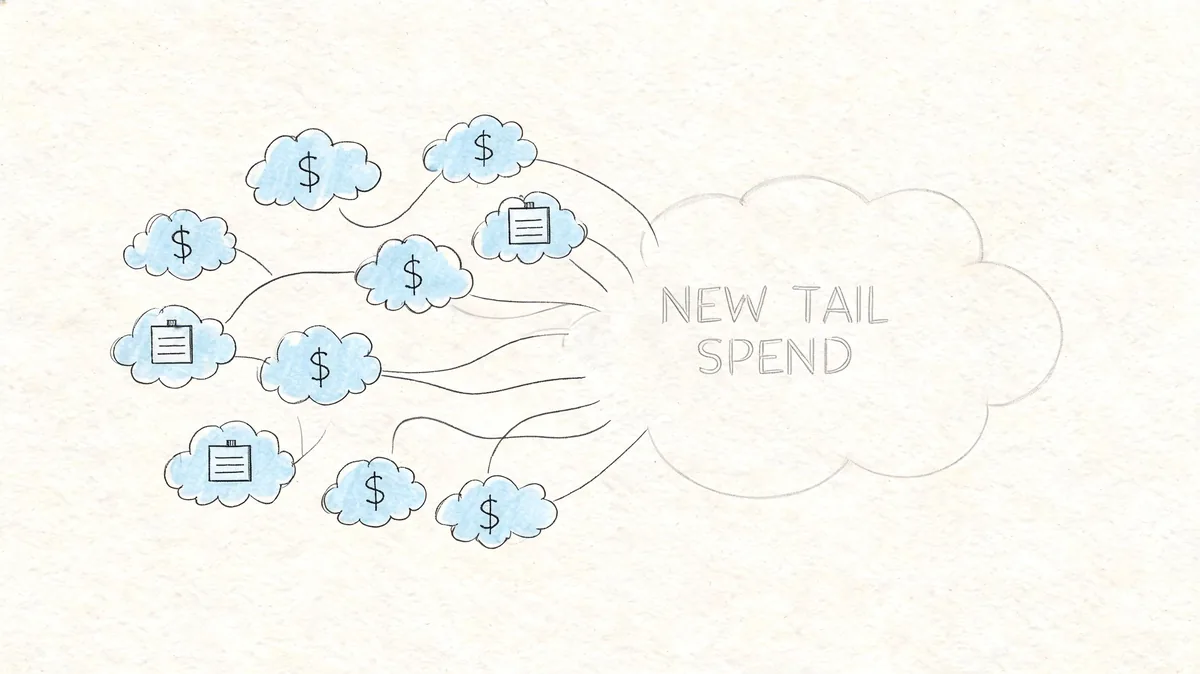
Modern procurement guidance explicitly includes software licenses in tail spend, and that's the version Zendesk admins deal with every day (Keelvar). In SaaS, the waste isn't a stray box of printer paper. It's a recurring license tied to a person who no longer needs access, barely signs in, or never should have had a full seat in the first place.
Why SaaS tail spend is harder to spot
Physical tail spend usually leaves a visible trail. Somebody ordered something. It arrived. It got used or it didn't.
SaaS behaves differently. The waste hides in access and renewals.
A Zendesk seat can stay active because an employee went on leave, a contractor account stayed open, or a team lead wanted to avoid removing access "just in case." If you don't review usage against employment status and job need, the spend keeps renewing without anyone noticing. That's why the fix often sits closer to access governance than procurement.
If you're evaluating broader buying patterns across support tooling, it helps to compare cloud technology vendors for CX so you can separate core systems from the long tail around them. The same governance issues tend to follow both.
Where Zendesk admins usually feel it
The day-to-day pain shows up in places like these:
- Inactive agents: Paid seats assigned to users who haven't been active in practice
- Temporary access that became permanent: Project users who never got cleaned up
- Department sprawl: Teams request seats directly, without a shared review cycle
- Provisioning drift: Access gets added faster than it gets removed
For many departments, true optimization begins well before renewal. It starts with tighter joiner, mover, and leaver controls, plus better user provisioning automation.
Here's a useful overview of the broader procurement side of the problem:
Quantifying the Cost of Unused Zendesk Licenses
Once you put Zendesk seat waste into annual terms, the conversation changes fast.
A spare seat doesn't look serious on a monthly invoice. A stack of idle seats over a full year gets attention, especially when you're trying to defend support tooling costs to finance. Zendesk's current annual-billing rates are Suite Team $55, Growth $89, Professional $115, Enterprise $169+ per agent/month. That gives you a clean way to estimate wasted spend per unused license.
Annual cost of a single unused Zendesk license
| Zendesk Plan | Cost Per Agent/Month | Annual Wasted Spend Per License |
|---|---|---|
| Suite Team | $55 | $660 |
| Growth | $89 | $1,068 |
| Professional | $115 | $1,380 |
| Enterprise | $169+ | $2,028+ |
That table is enough to build a first-pass audit. Multiply the annual cost by the number of licenses you suspect are inactive, stale, or assigned to users who no longer need full access.
What the broader savings case looks like
BCG reports that firms using digital tools and analytics to manage tail spend can cut annual expenditures in that category by 5% to 10% on average, with some estimates reaching 20% (BCG). For a Zendesk admin, that matters because license waste sits in a category where manual review usually happens too late or not at all.
If you can name the inactive users, you can defend the cleanup. If you can't, the extra seats stay on the bill.
You don't need a perfect finance model to get started. You need a list of assigned agents, a practical definition of inactivity, and enough evidence to act before the next renewal locks the spend back in.
How to Conduct a Manual License Audit
A manual Zendesk license audit usually starts with a simple question from finance: why are we still paying for seats tied to people who barely log in, changed roles, or left months ago?
You can answer that question without new software, but it takes coordination. The work sits in the gaps between Zendesk, HR records, manager approvals, and the renewal calendar. That is why unused Zendesk licenses behave like tail spend. The cost is easy to miss because each seat looks small on its own, but the cleanup effort is spread across multiple teams.
Start with the current paid agent list in Zendesk Admin Center. Export users, then line that file up against your HR roster and any recent staffing changes. The goal is to sort every paid seat into one of three buckets: still needed, needs review, or should be removed or downgraded.
A workable manual process
- Export paid agent assignments: Pull a current list of every user consuming a Zendesk seat.
- Match the list to HR data: Flag terminated employees, contractors, team transfers, and anyone on leave.
- Review activity signals: Check last sign-in and any usage history Zendesk makes available.
- Validate business need with managers: Ask whether the user still needs a paid seat, a lighter role, or no access.
- Make changes before the billing date: Remove or downgrade confirmed cases while the adjustment still affects the invoice.
The difficult part is not exporting the data. It is defending each change with enough evidence that support leaders and finance are both comfortable signing off.
Last sign-in helps, but it does not settle the question by itself. Some admins log in once a month and still need access for escalations. Other users appear active enough on paper, yet no longer need a full paid license because their work moved into QA, reporting, or workforce management. Manual audits also slow down once the spreadsheet starts collecting comments from HR, support managers, and procurement.
That admin time has a real cost. Every hour spent reconciling low-value seat decisions one by one is overhead your team does not get back. If you want a repeatable review cycle instead of an annual cleanup scramble, set up a formal user access review process. Teams looking at the broader purchasing side can also study how leaders optimize procurement workflows.
Your Governance Plan to Prevent Future Waste
A one-time cleanup helps. Governance is what keeps the waste from coming back.
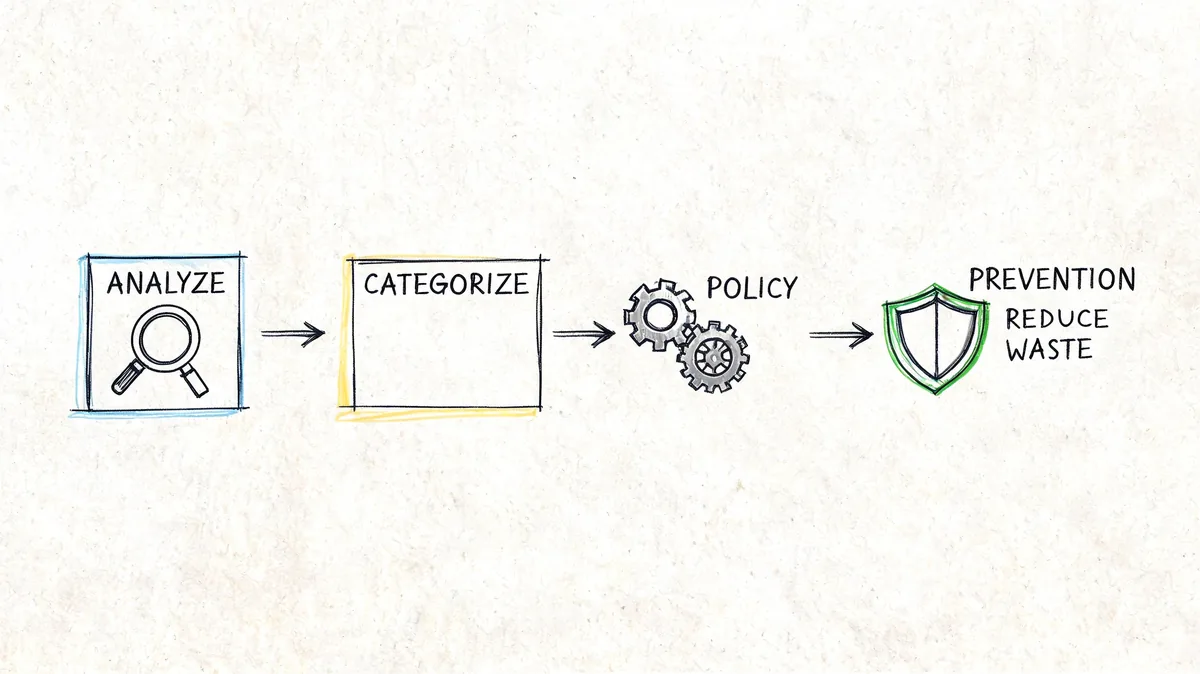
Spendesk's procurement guidance says structured tail-spend management programs deliver average savings of 5-10%, and notes that when 20% of indirect spend sits in the unmanaged tail, even a conservative 10% improvement on that portion can turn into material annual savings (Spendesk). The same logic applies to Zendesk license control. Small fixes repeated consistently beat heroic cleanups once a year.
What good governance looks like
- Quarterly access reviews: Put seat validation on the calendar, not in someone's memory.
- Offboarding checks: Remove Zendesk access as part of the employee exit workflow.
- Role-based rules: Decide which roles need paid agent seats and which do not.
- Temporary access expiry: Give seasonal and project users an end date from day one.
- Renewal prep: Review assigned seats before procurement gets the invoice, not after.
Teams that want a broader process lens can look at how leaders optimize procurement workflows. The useful lesson isn't "add more approval." It's "build repeatable controls where waste begins."
Good license governance is less about hunting for mistakes and more about making stale access harder to keep.
The practical next step is to run an audit before your next Zendesk renewal, document every inactive or questionable seat, and assign ownership for ongoing reviews. If nobody owns the cleanup, the tail grows back.
If you want a faster way to spot unused Zendesk seats, LicenseTrim connects to Zendesk via OAuth, checks real usage data, and shows where you're paying for idle licenses. It gives you a clear report before renewal, without relying on another spreadsheet audit.