Meta description: User provisioning automation fixes slow onboarding and access risk, but it can also hide Zendesk license waste. Learn how to close the loop.
Alex starts Monday. Your support lead wants Zendesk ready, Sales wants Salesforce access added for cross-team visibility, and someone asks for Slack plus the internal knowledge base. HR entered the hire on Friday. IT sees the ticket late. By Monday morning, Alex can log in to one tool, can’t see the right Zendesk views, and messages a manager from a personal email asking what to do next.
Teams often don’t call that a provisioning problem. They call it a busy week.
That’s the trap. Manual onboarding and offboarding feel like a pile of small admin tasks until one gets missed. New hires lose time. Managers chase access. Admins grant broad permissions because they’re in a rush. Then months later, a former agent still has a paid seat somewhere because nobody closed the loop after termination.
That’s why user provisioning automation matters. It fixes the obvious problems, speed and consistency. But if you stop there, you miss the part that hits your budget. Automation often grants access correctly while still assigning licenses nobody uses, especially in Zendesk environments where seats are expensive and role templates get copied forward without much review.
The Manual Onboarding Nightmare
Monday starts before Monday
If you run Zendesk for a mid-sized team, you’ve seen this play out. A new support agent gets hired. HR creates the employee record. A manager sends a Slack message asking for Zendesk, Salesforce, and a few other tools “before the morning training block.” Someone from IT opens Admin Center, someone else checks group membership, and nobody is fully sure which macros, views, and permissions the new agent needs.
So the default move is predictable. Grant broad access now. Clean it up later.
Later rarely happens.
Manual onboarding breaks in a few familiar places:
- Requests arrive in fragments. HR updates one system, managers send another request, IT works from both.
- Role definitions drift. “Support Agent” means one thing to HR, another in your identity provider, and something else in Zendesk.
- Approvals get skipped. Busy admins often choose speed over review.
- Offboarding gets detached. The person who granted access isn’t usually the one removing it.
Practical rule: If your onboarding process depends on memory, screenshots, or old tickets, you don’t have a process. You have a workaround.
The cost isn’t only security
Most guides frame this as a security problem. That’s real. But the day-to-day pain usually shows up first in operations.
A support lead loses hours waiting for access fixes. IT gets dragged into permission cleanup. Finance sees the Zendesk invoice and knows headcount changed, but can’t easily tell whether all paid seats are active. That’s where manual provisioning creates a second mess. It makes it hard to know whether your license count reflects real need or old access decisions.
Zendesk adds pressure because seat costs are visible and recurring. Annual pricing is $55 per agent/month for Suite Team, $89 for Growth, $115 for Professional, and $169+ for Enterprise. When access is handled by hand, even a handful of inactive or misassigned agents can sit on the bill longer than anyone expects.
Why teams keep tolerating it
Manual workflows survive because they seem flexible. A Zendesk admin can make exceptions fast. A manager can ask for one-off access in Slack. IT can patch around a broken handoff.
But flexibility without guardrails turns into drift. Every exception becomes the next template. Every urgent request expands someone’s default access. Over time, your actual access model stops matching your org chart, your HR data, and your budget.
What Is User Provisioning Automation?
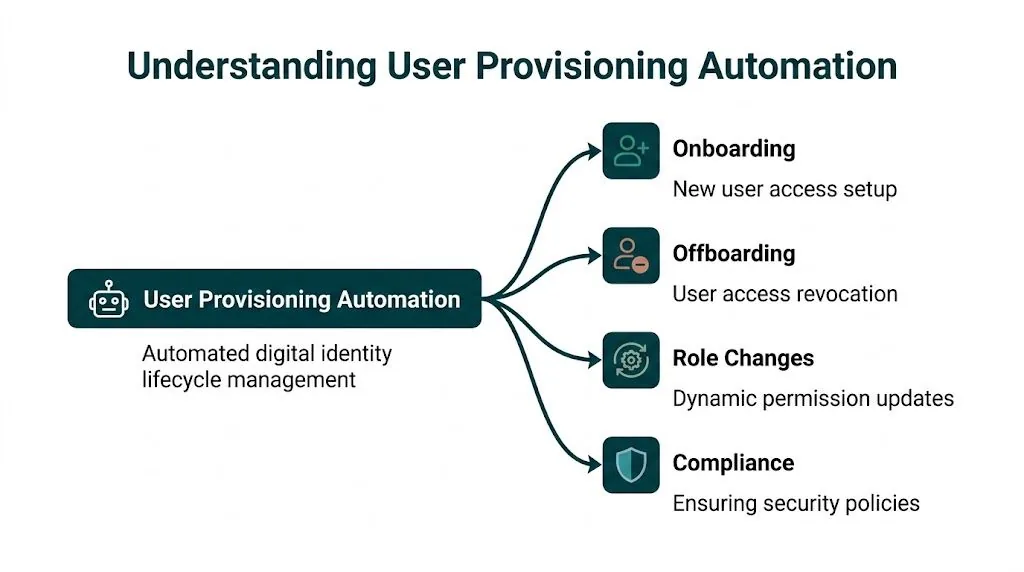
User provisioning automation is the system that creates, updates, and removes user access across the employee lifecycle. A new hire joins, a role changes, or someone leaves. The system reacts based on rules instead of relying on someone to remember each step.
In practical terms, it ties together your source of truth for people data, your identity system, and the apps people use. For a Zendesk team, that usually means one event in HR or your identity provider triggers account creation, role assignment, group membership, and later suspension or removal.
The category is growing fast because companies are done managing access manually. The global user provisioning market was valued at USD 9.94 billion in 2024 and is projected to reach USD 22.35 billion by 2029, according to the Research and Markets user provisioning market report.
What changes when automation is in place
An automated setup doesn’t just save clicks. It changes who owns the trigger and how errors get caught.
Instead of waiting for a manager ticket, the workflow can start from an HR event. Instead of an admin picking permissions manually, the system maps the job role to the right access package. Instead of hoping offboarding happens, termination status can trigger suspension and removal tasks automatically.
Here’s the practical difference.
| Metric | Manual Process | Automated Process |
|---|---|---|
| New hire setup | IT creates accounts one by one | System creates accounts from predefined rules |
| Role changes | Permissions updated after tickets and follow-up | Access updates from role or attribute changes |
| Offboarding | Access removal depends on handoffs | Revocation starts from status change in source system |
| Consistency | Varies by admin and urgency | Follows the same policy each time |
| Auditability | Buried in emails and tickets | Logged through the provisioning workflow |
| Zendesk license control | Seats may stay assigned after team changes | Seats can be flagged quickly when workflows are connected |
What automation does well, and what it doesn’t
Used well, user provisioning automation is excellent at three things:
- Reducing admin work by replacing repetitive account setup steps
- Improving security by removing access faster and more consistently
- Speeding up onboarding so agents can work on day one
Good provisioning automation handles identity lifecycle events well. It does not automatically tell you whether a paid seat is still worth paying for.
That distinction matters. Provisioning automation answers, “Should this person have access?” It usually does not answer, “Did this person use the license we assigned?”
The Core Components of an Automated System
You don’t need to become an identity architect to run this well. You do need a clear mental model of the parts.
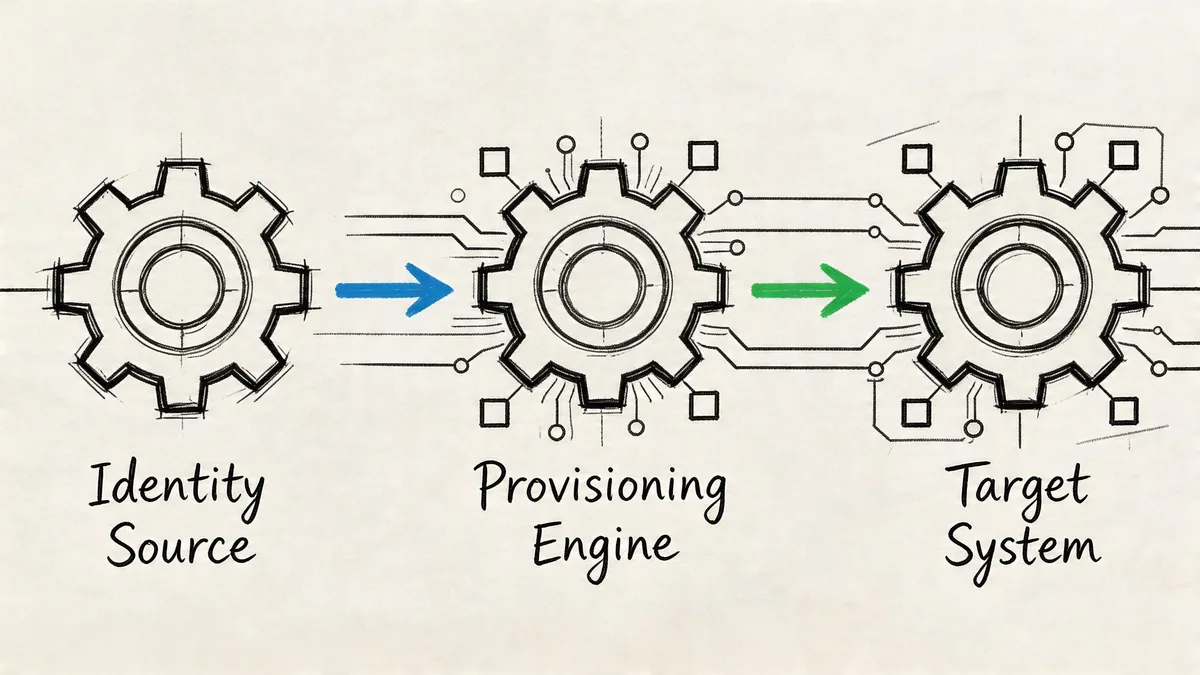
Most automated setups have four layers. One system knows who the employee is. Another decides what access they should get. A connector passes those instructions to apps. Then the app, including Zendesk, applies the account and role changes.
Your source of truth
The first piece is usually your HRIS or HRMS, such as Workday or BambooHR. That system should hold the facts that drive access decisions, job title, department, manager, location, employment status.
If HR data is messy, automation will just apply the mess faster. I’ve seen teams blame Okta or Entra when the underlying issue was a stale department field or inconsistent job naming in HR.
The policy engine
Next comes the identity provider or IAM platform, often Okta or Microsoft Entra ID, where role logic, group membership, and provisioning rules usually live.
The strongest setups use RBAC, role-based access control, tied directly to authoritative HR data. Properly integrated RBAC can minimize over-provisioning by 30-40%, according to the SecurEnds guide on automated user provisioning.
That’s the difference between a role model and a permission sprawl problem.
If you’re comparing role models, a useful primer on policy-based access control helps clarify where static role templates fall short.
The connector layer
Then you need a way for systems to talk to each other. In many environments, that’s SCIM plus vendor APIs. SCIM matters because it gives you a standard way to create, update, and deactivate accounts across apps without custom scripting every time.
When an app has clean SCIM support, provisioning is more predictable. When it doesn’t, teams start layering middleware, manual exceptions, or scheduled scripts. That’s where reliability tends to degrade.
The target apps
Zendesk, Slack, Google Workspace, Salesforce, and other tools sit at the end of the chain. There, your role mapping gets tested against reality.
A few things usually go wrong here:
- App roles don’t match HR roles. “Support Manager” in HR might not map neatly to Zendesk permissions.
- Legacy accounts already exist. Merging automation with old manual setups creates duplicates or conflicts.
- License logic is separate from access logic. The app can grant access correctly while still consuming a paid seat that nobody uses.
Your provisioning design is only as good as your least predictable target app.
That’s why pilot groups matter. Start with one or two systems where role mapping is clean, then expand.
Automated Workflows for Your Zendesk Team
The easiest way to judge user provisioning automation is to look at routine events and ask whether they still need human cleanup. In Zendesk environments, three workflows matter more than anything else: onboarding, role changes, and offboarding.
New support agent
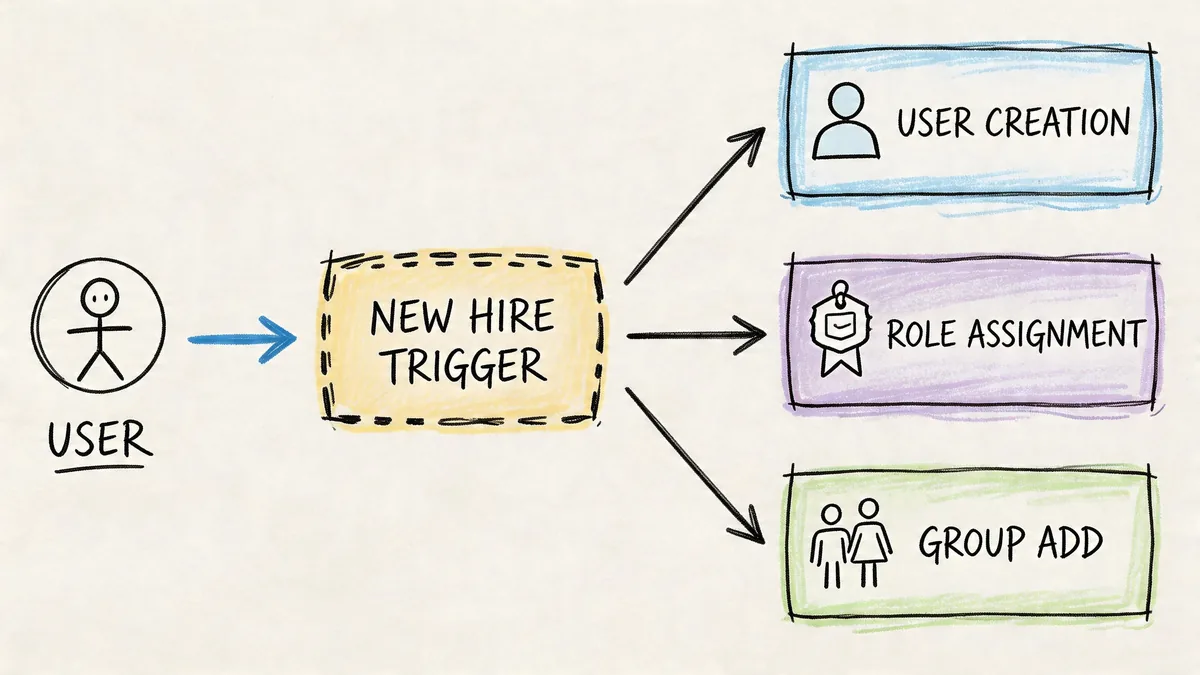
A recruiter marks a hire as active in the HR system. That event syncs to your identity platform. The new user lands in the “Customer Support” group, which provisions the baseline tools tied to that role.
For Zendesk, that often includes:
- Agent account creation with the right support role
- Group assignment for the correct queues or brands
- Slack access for internal support channels
- Knowledge base access for internal docs or training material
The best part isn’t speed alone. It’s consistency. Every new support agent gets the same starting point, and exceptions become visible because they stand out from the default flow.
Promotion to support manager
Role changes are where manual setups tend to fail. Someone gets promoted, keeps old access, gains new access, and nobody cleans up the overlap.
In a better workflow, HR changes the employee’s role. The identity platform updates group membership. Zendesk permissions shift to the manager profile, reporting access gets added, and old queue-level access can be removed if it no longer fits the job.
That only works if your role definitions are clean. If your org uses custom titles, temporary responsibilities, or matrix reporting, role changes need extra review logic. Automation helps, but it can’t fix fuzzy access design.
A practical walkthrough of modern identity workflows is worth watching before you map this in production:
Offboarding and seat recovery
Termination workflows look easy on a whiteboard. In production, they’re the hardest to trust.
An employee leaves. HR changes status. The identity provider disables sign-in. Zendesk access should be suspended. Sessions should end. Ownership issues should get reassigned. Then the seat should be available for reuse or removal.
That’s where many teams need stronger Okta identity governance practices, especially if multiple apps depend on one source event and each app handles suspension differently.
Offboarding is where automation stops being a convenience project and starts being an operational control.
When it works, it removes urgency from a risky handoff. When it fails, ex-employees keep access and your invoices still reflect seats that should have been freed.
The Hidden Costs of Automated Provisioning
Most articles stop after the security win. That leaves out the part finance, IT, and Zendesk admins run into later. Automated provisioning can create waste even when it works exactly as designed.
Role-based templates tend to be built for coverage, not restraint. Teams bundle apps into a role because it’s safer to grant broad baseline access than to deal with exceptions later. That keeps onboarding moving. It also assigns software “just in case.”
The result is a spend problem hiding inside a clean access model.
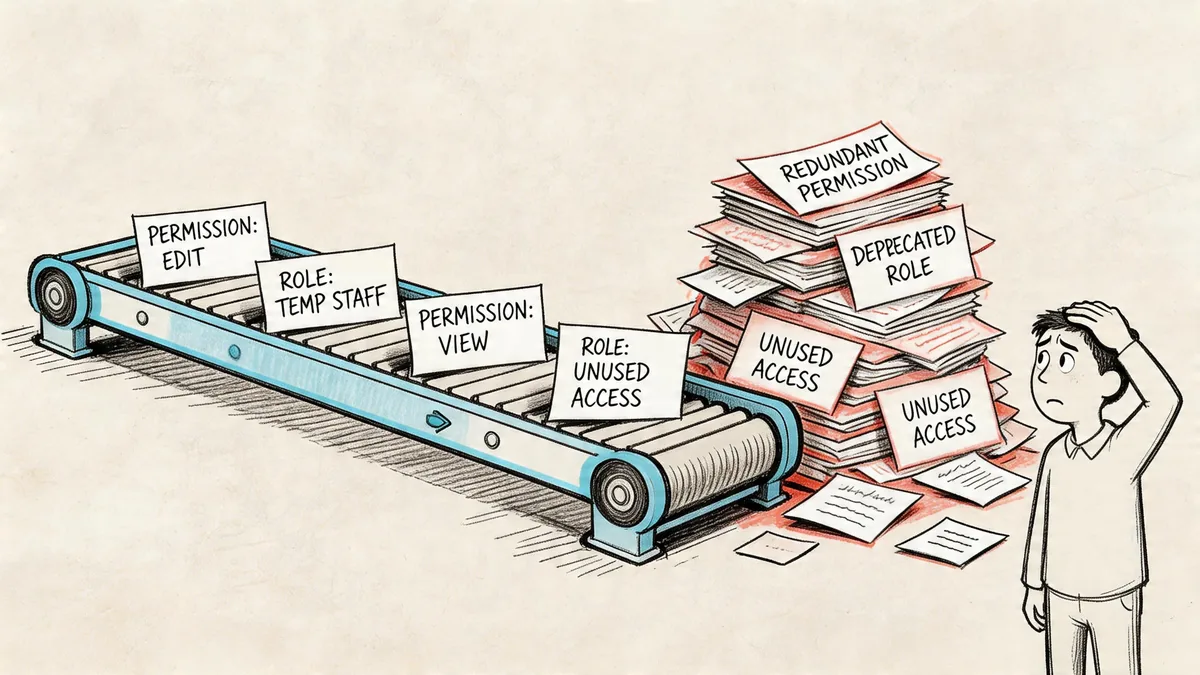
Correct access can still be bad allocation
A useful data point here comes from the TechPrescient analysis of user provisioning. Automated role-based policies often provision users to 15-20 applications, but usage data shows employees actively use only 3-5.
That gap is the financial blind spot.
Zendesk is a good example because the seat is obvious and expensive. A person can be provisioned properly into Zendesk because their role says they might need it. But if they never log in, rarely touch tickets, or moved into a team that no longer works inside support, the access may still be “correct” in policy terms while the license is still wasted in budget terms.
Why IAM teams miss it
Identity teams usually measure success by:
- Provisioning speed
- Policy compliance
- Deprovisioning coverage
- Audit readiness
Those are valid goals. None of them tell you whether a paid SaaS seat is active enough to justify renewal.
Provisioning tells you who got access. License governance tells you whether that access earned its keep.
That’s why mature teams split the problem in two. They use IAM and provisioning to control identity lifecycle. Then they use usage data, app-level activity, and periodic review to decide whether assigned access should keep consuming paid licenses.
Zendesk is where this gets expensive fast
Unlike some internal tools, Zendesk seats tend to sit on visible, recurring line items. If your role template assigns every support-adjacent user an agent seat, your invoice can drift far from actual active usage.
That’s not an argument against automation. It’s an argument against stopping at automation.
Implementation and Governance Best Practices
Automation works best when you treat it like an operating model, not a one-time rollout. The hard part isn’t getting a workflow to fire. The hard part is keeping access logic, app behavior, and cleanup controls aligned after org changes, reorgs, exceptions, and vendor quirks.
Start with least privilege and clean data
Before you automate anything, clean up role names, department mappings, and joiner-mover-leaver logic. If two titles mean the same thing, merge them. If one title maps to three different access bundles depending on manager preference, fix that first.
Then build around least privilege. Give each role the minimum Zendesk and app access needed to do the job. Add review paths for exceptions instead of baking those exceptions into the default role forever.
A few rules help:
- Use HR as the trigger when possible, not ad hoc requests in email or Slack
- Keep roles tight so “Support Agent” doesn’t inadvertently include manager or admin access
- Review dormant groups because old identity groups often keep provisioning alive long after teams change
- Test with real users before broad rollout, especially where legacy accounts already exist
Design offboarding for failure, not hope
Deprovisioning is more fragile than provisioning. That’s not theory. According to the SecurEnds best practices on user provisioning, deprovisioning lag can range from 5-90 days, accounting for 15-25% of unused license costs.
That number fits what many admins already suspect. Removing access across connected systems breaks more often than adding it.
Common failure points include delayed HR status changes, app connectors that disable login without reclaiming the license, and downstream dependencies that require tasks in a particular order.
Build your offboarding process as if one connector will fail silently, because one eventually will.
That’s why regular user access review practices matter even after automation is live. A review process catches the accounts that policy intended to remove but operations failed to close.
Add zero-trust thinking without overcomplicating it
You don’t need a giant architecture project to improve governance. Advanced provisioning systems now use zero-trust frameworks and AI-driven behavioral analysis to continuously validate access requests rather than trusting the initial grant alone. For teams with mixed support, operations, and contractor access, that model is useful because it treats access as something to monitor, not a one-time decision.
In practice, that means:
| Governance area | What works | What fails |
|---|---|---|
| Role design | Narrow bundles tied to HR attributes | Broad “catch-all” access packages |
| Offboarding | Multi-step checks and reconciliation | Assuming disablement equals full removal |
| Zendesk seat control | Review assigned seats against actual usage | Counting provisioned seats as justified seats |
| Ongoing oversight | Scheduled access reviews and anomaly checks | Set-and-forget automation |
Security, operations, and cost control need to sit in the same conversation. If they don’t, automation will solve one problem while preserving two others.
Your Next Steps for Smarter Zendesk Management
Start by auditing what’s already happening. Don’t buy into a major identity project before you know where your current pain sits. Pull your joiner, mover, and leaver flow into one page. Check where HR triggers stop, where admins still intervene manually, and which Zendesk seats are assigned long after active work has dropped off.
Then map the workflows you touch most often. Common examples include new support hires, internal transfers, and departures. Write down the trigger, the systems involved, the expected result, and who verifies completion. If one step depends on someone remembering to “circle back later,” that’s the part to fix first.
Finally, start with the workflow that carries the most risk and waste. In many Zendesk environments, that’s offboarding. It touches security, billing, and operational cleanup all at once. Once that works, expand into onboarding and role changes with cleaner role definitions.
The teams that get this right don’t stop at account creation. They pair provisioning with review. They verify that removal occurred. They treat seat assignment as a cost decision, not just an identity decision. And they use modern controls, including zero-trust checks and behavior-based validation, where it makes sense for their environment, as described in the Avatier overview of provisioning automation strategies.
If you want a fast baseline before changing your workflows, LicenseTrim connects to Zendesk with read-only access, finds inactive agent licenses, and shows how much spend is tied up in unused seats. It’s a practical first step when you need hard numbers before your next renewal or access cleanup.