Meta description: Paying for inactive Zendesk agents? Learn how user access review software cuts manual audits, reduces waste, and gives you clear renewal data.
Your Zendesk invoice lands. It's higher than you expected. Again.
You already suspect the problem. Some agents changed roles. Some left. A few still exist in Zendesk but haven't touched a ticket in ages. The trouble isn't guessing there's waste. The trouble is proving it without burning half a day in exports, filters, and Slack messages to managers who don't remember who still needs access.
That's where user access review software stops being a security term and starts being an operations tool. If you run Zendesk, it helps you answer two expensive questions fast. Who still has access, and who is using it?
That Familiar Zendesk Bill Shock
Quarter-end license cleanup usually starts the same way. You export users from Zendesk, dump them into a spreadsheet, add last login data, maybe pull ticket activity if you can get it cleanly, then try to sort active from inactive. After that, you send a list to team leads and wait.
A week later, half the replies are vague. One manager says, “Keep them for now.” Another says, “I thought that person moved to QA.” Someone else asks whether a light agent still counts. By then, the renewal date is close and the easiest decision is to leave everything as is.
What the manual audit usually looks like
Most teams end up doing some version of this:
- Export users: Pull a current list of agents, admins, and suspended users.
- Cross-check activity: Compare logins, ticket updates, or assignment history.
- Ask managers: Send names around and wait for confirmation.
- Calculate cost: Work out which paid seats look idle and what they cost.
- Delay action: Put off removals because the evidence feels incomplete.
The process sounds manageable until you do it across a busy support org. Zendesk data is there, but it's rarely presented in the exact way finance, ops, and IT all need at the same time.
Practical rule: If access reviews only happen right before renewal, you're already late.
Why teams keep overpaying
Manual reviews break down for boring reasons, not dramatic ones. The admin is busy. The support manager is understaffed. Finance wants a hard number, not a hunch. Nobody wants to remove a seat and then scramble when someone suddenly needs access back.
So the extra licenses stay.
That creates two separate problems. First, you keep paying for agent seats nobody is using. Second, dormant access stays in place longer than it should. In Zendesk, those two issues often show up together. The same inactive account that wastes budget can also sit there with more access than anyone intended.
What Is User Access Review Software
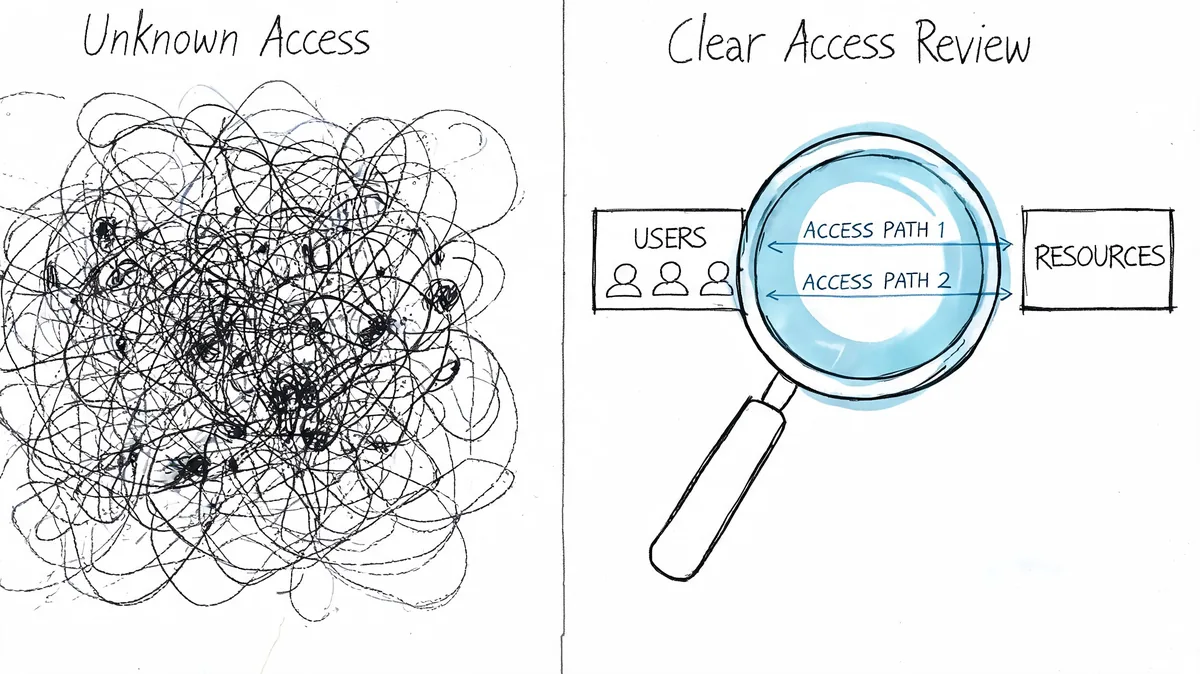
User access review software is the tool category built to replace that spreadsheet mess. In practical terms, it connects to your systems, pulls access and activity data, and gives you a usable view of who has access, whether they still need it, and where action is overdue.
What good software actually does
At a minimum, a solid tool should:
- Connect to systems directly: Pull data from apps and identity tools instead of relying on exports.
- Map users to access: Show who has which roles, groups, or paid seats.
- Surface inactivity: Flag accounts that still exist but show little or no recent use.
- Track decisions: Keep a record of what was reviewed, approved, downgraded, or removed.
The value is speed, but not just speed. BetterCloud notes that automating user access reviews can reduce audit preparation time by up to 70%. For teams used to spreadsheet reviews, that's the difference between an occasional cleanup project and a repeatable operating process.
Why it matters outside security teams
A lot of admins hear “access review” and assume it's mainly for SOX or internal audit. That's too narrow.
For a Zendesk admin or IT manager, the bigger win is visibility. You stop guessing whether a license is wasted. You can see stale accounts, old assignments, and underused seats before renewal locks them into next quarter's spend.
If your team also has compliance pressure, tools that help produce automated evidence for DORA and NIS2 are worth understanding, especially if access reviews are still being tracked in email threads.
There's also a more Zendesk-specific angle. General identity tools often answer “who can log in,” but not always “who still deserves a paid agent seat.” That gap matters. A support platform has direct operating cost tied to user access.
For a deeper breakdown of how this works in practice, LicenseTrim has a useful guide on user access review workflows for SaaS teams.
The Real Benefits Beyond Just Compliance
The biggest mistake teams make is treating access reviews like a paperwork task. If all you want is evidence for an auditor, you'll do the minimum. If you want lower spend and fewer stale accounts, you'll set the process up differently.
CloudEagle highlights that high-risk systems should be reviewed monthly or quarterly, while lower-risk systems can be reviewed semi-annually or annually, and it notes that dormant accounts make up 20-30% of permissions in typical enterprises. Even if Zendesk isn't your highest-risk system, dormant access is still a practical problem. It inflates cost and leaves cleanup until the worst possible moment.
Manual audits vs automated reviews
| Aspect | Manual Spreadsheet Audit | Automated Software Review |
|---|---|---|
| Time | Slow, usually tied to renewal or audit season | Ongoing review with less prep work |
| Accuracy | Depends on exports, formulas, and follow-up | Better consistency from system data |
| Cost visibility | Hard to quantify without extra work | Easier to tie inactive access to paid seats |
| Security risk | Dormant accounts are easy to miss | Idle or stale access is easier to flag |
| Audit trail | Split across sheets, email, and chat | Decisions are easier to document |
| Manager review | Often delayed and incomplete | Clearer inputs improve approvals |
Dormant accounts are not just a security issue. In SaaS tools with per-agent pricing, they're a budget issue you can actually fix.
Where the gains show up first
Teams usually notice the benefit in three places:
- Finance gets a real number: Not “we think there's waste,” but a list of seats to review.
- Admins get time back: Less manual chasing, less copy-pasting, less cleanup before renewals.
- Managers make better calls: It's easier to approve removals when usage is visible.
If your broader goal is to streamline compliance processes, access reviews fit best when they also help control spend. Otherwise they become one more recurring task that nobody prioritizes until an audit forces it.
Key Features You Actually Need
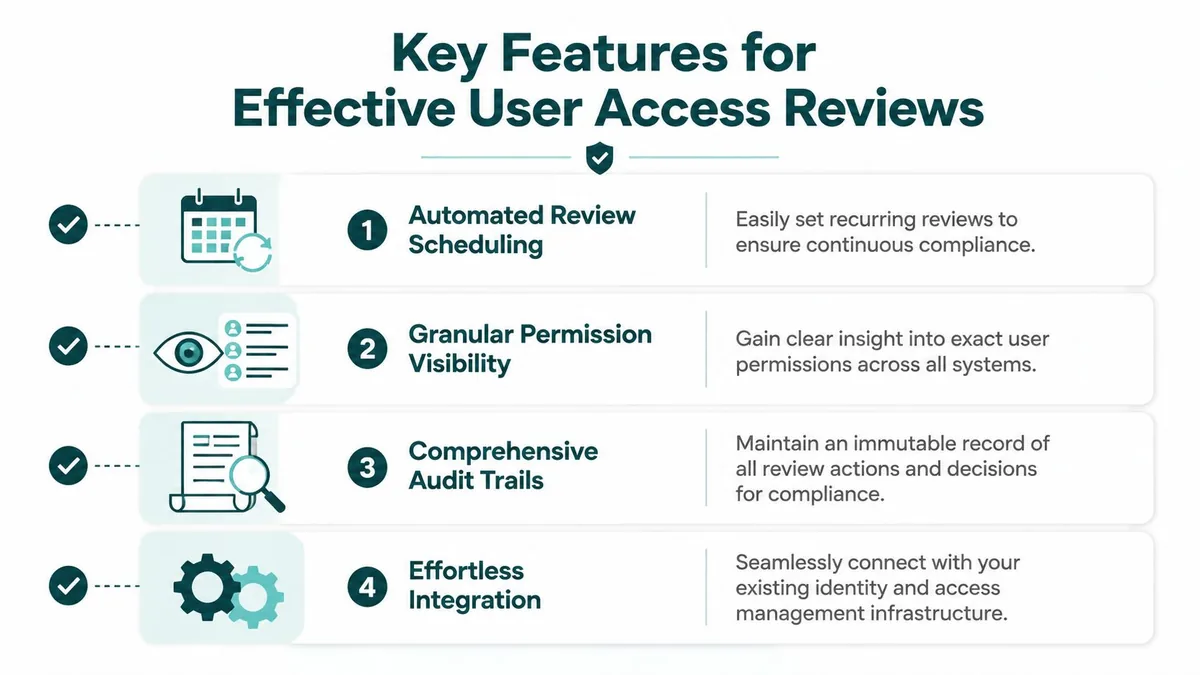
Most feature lists for user access review software are too broad to be useful. If you manage Zendesk in a mid-market company, you don't need every enterprise governance feature on day one. You need the few that help you find waste, document decisions, and act without creating a new admin burden.
Start with usage, not just entitlement
That matters because “has access” is only half the story. In Zendesk, an account can be fully licensed and technically valid while producing almost no business value.
The short checklist that matters
- Direct API connection: You want live access and usage data, not another CSV workflow.
- Custom inactivity rules: A support lead, seasonal agent, and backup admin won't all fit one rule.
- Clear license cost mapping: If the tool finds an inactive seat, it should help tie that to spend.
- Review history: You need to know who approved keeping access and when.
- Role visibility: It should be obvious whether someone is an agent, admin, light agent, or another role.
- Bulk action support: Findings are less useful if every downgrade requires tedious manual follow-up.
What sounds good but often misses the mark
A lot of enterprise tools are strong on policy language and weak on day-to-day SaaS cleanup. They can tell you that a user is over-permissioned across many systems. They may not help much when your immediate problem is five Zendesk seats that nobody has touched recently.
Buying advice: If the product can't show real usage next to paid access, it's going to help audit teams more than it helps you control Zendesk spend.
There's also a trade-off between breadth and focus. Tools like SailPoint, CyberArk, and Pathlock make sense when you need wide governance coverage. For a team mostly trying to govern Zendesk access and stop paying for idle agents, a narrower tool can be more useful because it gets to the point faster.
Automating Zendesk Reviews with LicenseTrim
A Zendesk-specific review process works best when the data comes in directly from the platform and the output is tied to license decisions. That's the practical gap many general tools leave behind.
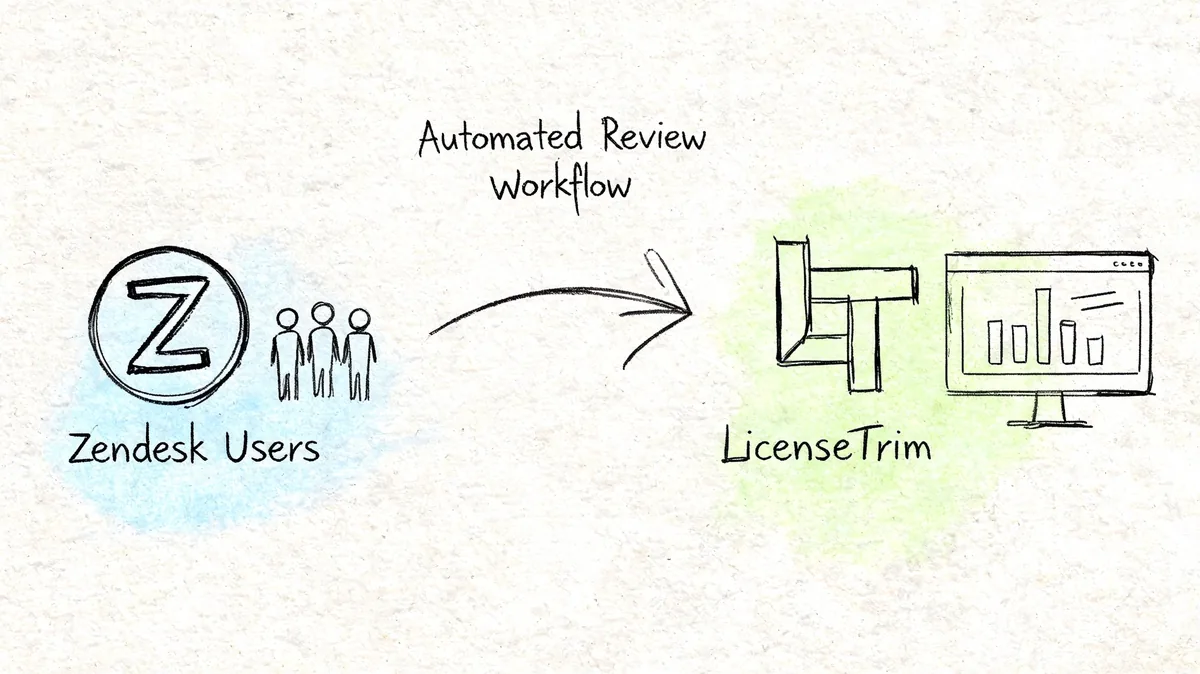
LicenseTrim connects to Zendesk with read-only access through the official API, then runs an audit against agent usage and inactivity. Instead of forcing you to assemble exports, it gives you a list of accounts worth reviewing, along with the cost impact. For teams managing multiple systems around support operations, it also helps to understand how others automate global support with Zendesk connectors, especially when data has to move cleanly between platforms.
What the review looks like in practice
CyberArk notes that in Zendesk-heavy environments, UAR tools can connect through OAuth APIs to benchmark agent license use, for example by flagging agents with less than 10% ticket activity over 90 days, and that this can yield 30-40% cost reductions with outputs that support bulk downgrades (CyberArk on user access review).
That's the right model for Zendesk. Look at actual behavior, not just assigned status.
Here's a concrete example using current Zendesk annual-billing rates from the author brief. If a review finds 5 inactive Suite Professional agents at $115 per agent per month, that's $6,900 per year in wasted spend. You now have something useful. Not a suspicion, a number.
- Keep the seat: If the manager confirms the agent is returning soon.
- Downgrade or remove: If the account is idle and no longer needed.
- Document the decision: So the same seat doesn't survive until the next renewal.
A quick product walkthrough helps if you want to see the workflow in action:
You can also see how the product is positioned on the LicenseTrim site. The useful part isn't the pitch. It's the operating model. Read-only connection, instant audit, no forced changes, and admin control over every action.
If a tool auto-discovers waste but leaves the cleanup logic unclear, adoption stalls. Teams trust reviews more when nothing changes until an admin approves it.
What to Do Before Your Next Zendesk Renewal
Don't wait for procurement to forward the quote. By then, your options are narrower and your internal review gets rushed.
A short playbook that works
Assume there's waste somewhere
If your Zendesk account has been active for a while, there are probably seats that deserve a second look. Role changes, leave coverage, and offboarding gaps add up.Get current usage data Pull the data manually if you have to, but stop relying on memory. You need a current list of agents, their activity, and which seats are paid.
Review accounts with context
Don't remove people blindly. Check with managers, especially for admins, seasonal staff, and shared support functions.Take action before renewal talks begin
Remove, downgrade, or justify each questionable seat. Dead licenses are expensive when they roll into another contract period.Set a recurring review cadence
One cleanup right before renewal won't hold. Repeated reviews stop waste from rebuilding gradually over time.
One more thing to fix
Renewals go better when you walk in with evidence. If you can show which seats were inactive, which were kept for a reason, and which were removed, you're negotiating from actual usage instead of rough estimates.
For teams trying to tighten that whole process, it helps to build access cleanup into a broader renewal management workflow, not treat it as a one-off admin project.
Your next step is practical. Run the review now, while there's still time to act on it.
If you want a Zendesk-specific way to find inactive agents and quantify wasted spend without another spreadsheet exercise, LicenseTrim is built for exactly that. Connect your instance with read-only access, review the findings, and decide what to remove or downgrade before your next bill locks the waste in again.