Monday morning. A support manager needs a contractor reactivated in Zendesk, finance is asking why agent costs climbed again, and IT has no clean answer on which apps still have access to ticket data. That is a normal SaaS problem. In a Zendesk-heavy environment, it becomes a security problem fast.
Zendesk rarely stands alone. It sits beside Slack, Google Workspace, Okta, CRM systems, billing tools, QA apps, and a stack of integrations added over time for good reasons. Each connection creates one more place to manage users, tokens, scopes, and inherited permissions. The risk is obvious. The cost problem is quieter, but it shows up every renewal cycle.
Support teams feel this pressure more than most departments. Access is tied to customer response, so people keep old accounts active, approve broad rights to avoid delays, and leave integrations alone because nobody wants to break workflows during business hours. That caution is understandable. It also leaves finance paying for seats nobody can justify and leaves IT carrying risk it cannot easily measure.
Analysts and security teams have been pointing out the same pattern for years, including in CISA guidance on identity and access management for cloud and SaaS systems. The gap is rarely one dramatic failure. It is accumulated drift across admins, tokens, groups, apps, and stale accounts.
That is why this guide is ordered by priority. It is not a generic SaaS checklist. It is a Zendesk-focused list tied to two daily operating realities. First, every weak control around access, API use, and auditing raises the chance of an avoidable incident. Second, the same weak control usually hides waste in licenses, renewals, and vendor sprawl.
Start with the controls that reduce both. Tighten roles. Lock down API authentication. Require MFA. Review logs and inactive users before they become both a security exception and a budget line item. If you need a practical framework for assigning permissions cleanly, use a rules-based access control model for SaaS teams.
Here is the checklist, in priority order.
1. Implement Role-Based Access Control
Monday morning after a renewal review is a bad time to learn that six former team leads still have admin rights in Zendesk and finance has no clean way to verify who approved what. That is the practical reason to start with role-based access control. In Zendesk-heavy environments, weak role design creates two problems at once. Security decisions get blurry, and license ownership gets harder to track.
A workable RBAC model separates operational work from approval, review, and security administration. If one broad admin role covers support ops, IT, and budget oversight, every urgent ticket becomes an excuse to keep excessive access in place. That usually survives right into the next true-up.
For most mid-market teams, the split looks like this:
- Finance reviews spend and usage: Give finance visibility into reporting they need for renewal and cost checks. Do not give them rights to change users, settings, or roles.
- IT owns security and configuration: Limit SSO, MFA settings, API token management, app approvals, and role changes to a small group.
- Support managers manage people, not platform security: They should be able to review team activity, coverage, and staffing needs without touching global settings.
- Procurement or budget owners approve renewals: Keep purchasing approval outside day-to-day Zendesk administration so the same person is not requesting, approving, and assigning paid access.
That split adds a little friction. It also prevents expensive mistakes. The trade-off is worth it. A short delay for the right approver is cheaper than a bad role change, an unnecessary seat expansion, or an audit scramble before renewal.
Zendesk gives you enough structure to do this cleanly if you use custom roles where your plan allows it and write down what each role can do. Teams that need a practical model for defining those boundaries can use this rules-based access control framework for SaaS teams.
Practical rule: Do not keep admin access assigned because someone might need it later.
The weak point is rarely the initial setup. It is drift. People change teams. Temporary project access stays in place. Coverage during leave becomes permanent. Contractors finish the work, but their permissions remain tied to active workflows and paid seats.
As noted earlier, enforcement is where many SaaS teams struggle. Treat role reviews as an operating task, not a one-time configuration project. Quarterly is usually realistic for Zendesk. Monthly makes sense if you have frequent staffing changes, multiple brands, or a large app footprint.
During each review, check for:
- Privileged users with no current need: Former leads, interim admins, or project owners who still hold higher-level rights.
- Role mismatch: Agents or managers whose permissions no longer match their current job.
- Temporary exceptions that never expired: Audit access, migration access, vendor support access, or coverage-based admin rights.
- Paid seats with no clear owner: Accounts that still consume licenses but no longer map to an approved function.
If you want RBAC to hold up under real operating pressure, assign one owner for the review cycle, require a business reason for privileged roles, and document exceptions with an end date. That keeps Zendesk safer, and it gives finance a cleaner story on why each seat and permission still exists.
2. Use API Authentication and Tokens Securely
A Zendesk environment can look clean in the admin console and still have serious exposure through old API credentials. The usual pattern is familiar. An app gets connected for reporting, a migration script needs temporary access, or a vendor sets up a sync. The project ends, but the token stays active. Months later, nobody can say what still depends on it, who owns it, or whether it still needs a paid app seat behind it.
That is a security problem and a cost control problem at the same time. Every active token represents access you have to defend, support, and account for during audits, renewals, and vendor reviews.
Keep token scope narrow
Start with the use case, not the integration request.
If a tool only needs usage data, give it read access to that data and nothing more. A license audit tool connecting to Zendesk through OAuth does not need permission to edit users, delete records, or change settings. The same rule applies to backup tools, BI connectors, and workflow utilities. Broad scopes are easier during setup, but they create cleanup work later and raise the blast radius if the vendor is compromised.
Third-party risk is part of normal SaaS operations now. The practical response is tight scoping, clear ownership, and a fast revocation process.
Before approving any API connection to Zendesk, require four things:
- Exact access required: Limit the scope to the specific endpoints and actions the tool needs.
- Named purpose: State whether the token is for reporting, sync, backup, provisioning, or a one-time project.
- Documented owner: Assign one internal owner who can explain the business need and approve renewal or removal.
- Revocation steps: Write down how to disable the token without guesswork during an incident.
Here’s a useful explainer on Zendesk API access patterns:
Treat tokens like credentials, not setup debris
A token should have the same handling standard as any other sensitive credential. Store it in a vault or secrets manager. Do not leave it in shared docs, spreadsheets, ticket comments, or source code repositories.
Rotation matters, but only if the process is realistic. Quarterly rotation sounds good on paper. In practice, many teams break integrations because no one mapped dependencies first. Set a rotation schedule your team can maintain, test the change in a controlled window, and keep an inventory of which system, workflow, and business owner each token supports.
This is also where finance and IT usually benefit from the same discipline. If you cannot identify the owner and purpose of a token, you often find the same problem on the cost side. An unused integration, an unnecessary app subscription, or a vendor connection that still influences renewal spend.
Old API tokens often survive for the same reason old licenses do. Nobody wants to break a working process, so nobody verifies whether it still needs to exist.
At a minimum, keep a token register with the app name, owner, scope, creation date, last review date, and retirement trigger. Revoke tokens immediately when an admin leaves, a vendor loses approval, or a project ends. Turn on logging so you can see which integrations are calling Zendesk and whether that activity still matches the stated purpose.
3. Enforce Multi-Factor Authentication
A stolen admin password during a renewal cycle creates two problems at once. It exposes customer data in Zendesk, and it puts billing, seat changes, and vendor approvals in the hands of the wrong person. MFA cuts off that path fast.
For a Zendesk-heavy organization, start with privileged accounts and the identities tied to money. Password-only access is a weak control for a system that holds support history, internal notes, automations, and links to other business systems.
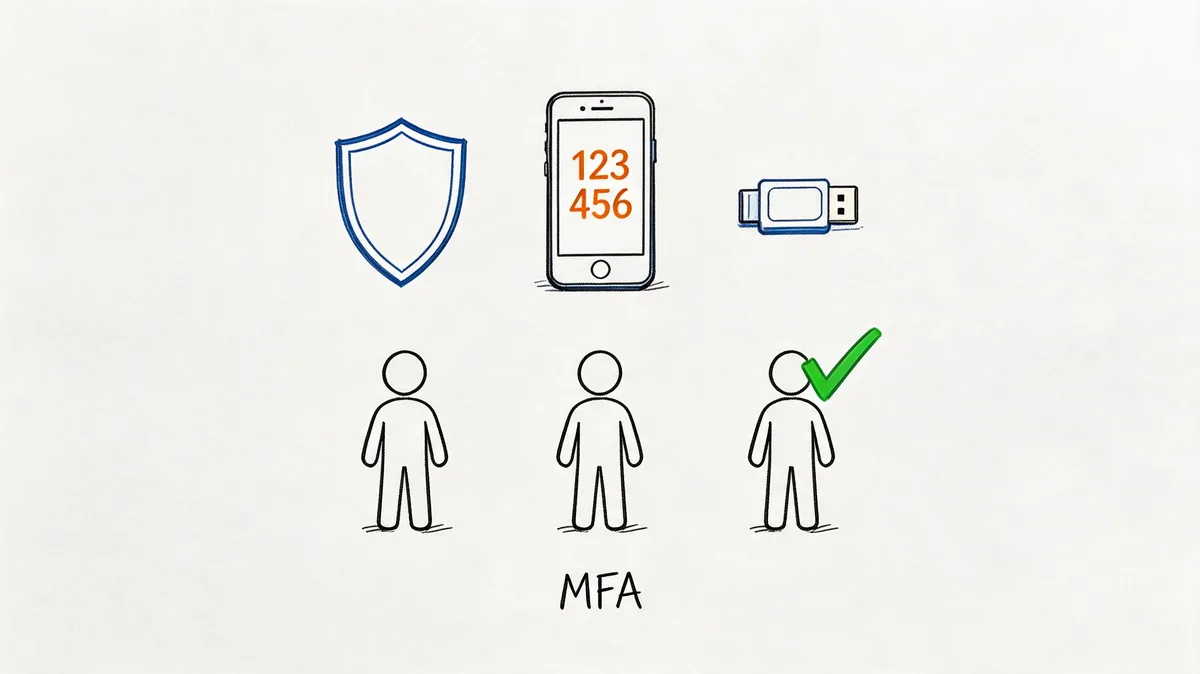
A practical baseline is app-based MFA for all privileged users. Use hardware keys for the small set of accounts that can change SSO, create API credentials, manage security settings, or approve high-impact license and access changes. That gives you stronger protection where the blast radius is highest without forcing your whole team into a rollout they will resist.
Prioritize the accounts that create both security and cost risk
Roll this out in a short first pass, not a broad campaign.
- Zendesk admins: Anyone who can change roles, security settings, business rules, or app access.
- Identity admins: Anyone who controls SSO or directory access connected to Zendesk.
- Finance and procurement approvers: Anyone involved in renewals, billing changes, vendor approvals, or seat authorization.
- Integration owners: Anyone able to create, modify, or reconnect apps and credentials that affect Zendesk data flows.
This order matters. In many environments, the same people who can approve spend can also approve access exceptions, reactivate accounts, or sign off on app purchases. If one of those accounts is taken over, the incident quickly turns into a security problem and a budget problem.
Plan recovery before enforcement
MFA rollouts usually break on recovery, not enrollment. A support manager gets a new phone. An admin loses access while on call. A finance approver is locked out the morning a contract needs approval.
Write the reset process first. Define who can verify identity, who can issue a temporary recovery path, where backup codes are stored, and how quickly a privileged account can be restored without bypassing control. If that process is vague, staff will create workarounds, and workarounds turn MFA into a box-checking exercise.
SMS can stay as a fallback if you have no better short-term option, but it should not be the primary method for privileged Zendesk access. Authenticator apps are usually the best balance of cost and administration. Security keys make more sense for the highest-risk accounts, especially the small group that can alter identity, security, and licensing decisions.
4. Monitor and Audit All Access and Changes
A common Zendesk failure pattern looks like this. An integration token starts making calls at 2 a.m., a dormant admin account is reactivated before renewal, and nobody notices until support data has already been touched or seat counts no longer match the budget. At that point, the log review is forensic work, not control.
For Zendesk-heavy teams, auditing has two jobs. It has to catch risky changes early, and it has to show who changed access, app connections, and user status in ways that affect both security and license cost. If IT cannot answer those questions quickly, finance ends up reconciling avoidable spend after the fact.
Start with a short list of events that change trust inside the environment:
- Admin and role changes: New admin assignments, privilege expansions, custom role edits.
- Authentication changes: MFA disabled, SSO settings changed, account recovery settings updated.
- API and token activity: Token creation, token use from unexpected sources, integrations running outside expected schedules.
- User lifecycle events: Accounts created, suspended, reactivated, downgraded, or reassigned.
- App and integration changes: New marketplace apps, removed apps, permission changes, reconnects to data sources.
That list is small on purpose. Teams that alert on everything stop responding to alerts. Focus on events that should be rare and that can change data exposure, operational control, or billing.
Keep the audit trail outside Zendesk too. Forward logs to your SIEM or another secured log repository with longer retention. That makes cross-system investigation easier, and it reduces the risk of losing context when an account, token, or integration is altered inside the platform you are trying to investigate.
Review cadence matters as much as retention. A daily check for high-risk alerts and a weekly review of access and configuration changes is realistic for many mid-market teams. If your Zendesk environment has frequent staffing changes, outsourced support, or lots of app connections, tighten that schedule.
Audit data also pays off during access reviews. If someone reactivates users right before a true-up or renewal, or bulk-edits roles during a contractor transition, that should be visible and explainable. Pair change logs with a documented user access review process for Zendesk and other SaaS tools so security, procurement, and finance are looking at the same evidence.
The standard is simple. If a change can expose customer data, expand admin control, reconnect an integration, or increase paid access, it should leave a record your team can find fast and trust later.

5. Regularly Review and Remove Unused or Inactive Accounts
Unused accounts are one of the easiest risks to understand and one of the easiest to ignore. In Zendesk, they usually stick around because removal feels operationally risky. Nobody wants to disable the wrong agent during a staffing change or contractor transition.
That hesitation costs money and keeps access alive longer than it should.
Ghost accounts are a security problem, not just a budgeting problem
The verified data for this article points to an underserved risk area. The Nudge Security overview cited in the brief highlights dormant account cleanup as a SaaS security best practice, and the same verified dataset states that 35% of SaaS licenses remain unused, with dormant accounts linked to higher breach risk. For a Zendesk admin, that’s the practical issue. An idle seat can become a hidden entry point.
A quarterly review works well for most mid-market teams. Compare:
- Current Zendesk users
- Recent activity
- HR roster
- Contractor list
- Department manager confirmations
Don’t rely on memory or manager anecdotes. Use usage data.
That’s where a focused audit tool can help. LicenseTrim connects to Zendesk with read-only access and highlights inactive agents and wasted license spend without changing your setup. If you’re building a repeatable review process, their guide to user access review is worth bookmarking.
Build a removal process people will actually follow
Most access review programs fail because the policy is stricter than the workflow. Keep it practical.
- Termination cases: Remove access immediately.
- Role changes: Adjust access during the same workflow, not weeks later.
- Contractor pauses: Set a grace period, then suspend if no activity resumes.
- Seasonal teams: Document why seats stay active and revisit at the next cycle.
The account with “no recent activity” is often the one nobody wants to touch. That’s exactly why it needs an owner.
Use the review to clean up both security and spend. When finance asks why Zendesk costs keep climbing, this gives you an answer backed by usage, not guesses.

6. Encrypt Data in Transit and at Rest
A common Zendesk problem looks harmless at first. An admin exports ticket data for a renewal review, finance downloads a seat report, and a manager forwards the file for headcount planning. Zendesk may be well protected, but the copy sitting in a laptop Downloads folder or a shared drive with broad access is now the main risk.
Encryption matters because Zendesk data rarely stays inside Zendesk. It moves through integrations, BI tools, CSV exports, browser sessions, and endpoint storage. The practical goal is simple: keep data encrypted while it travels, keep it encrypted where it sits, and reduce the number of places it gets copied in the first place.
Start with the vendor questions that expose weak spots fast.
- Transport security: Confirm web sessions, APIs, and webhook traffic use HTTPS and current TLS.
- Stored data: Ask which fields, backups, and file stores are encrypted at rest.
- Key management: Confirm who controls encryption keys, how rotation works, and whether access to keys is logged.
- Exports and temporary files: Ask where report files land, how long they persist, and whether they are encrypted outside the core app.
For Zendesk-heavy organizations, exports deserve more attention than they usually get. Cost reviews, license true-ups, and support staffing analysis often rely on downloaded agent lists, usage reports, and billing snapshots. Those files tend to spread across email, desktop folders, and shared storage because they are easy to pass around. They also contain exactly the operational data an attacker or an internal snoop can use.
That creates a security problem and a governance problem. If IT cannot tell where copied Zendesk data lives, finance cannot control who is working from the latest license file, and nobody can confidently clean it up after the renewal cycle.
Set a few rules that people can follow without slowing the business down. Store exported reports only in approved locations. Require disk encryption on devices used for admin and finance work. Put expiration dates on downloaded reports tied to the review period. If a team only needs a dashboard, give them the dashboard instead of a raw export.
The trade-off is convenience. Raw files are easier to manipulate than controlled views inside a system. In practice, that convenience creates duplicate datasets, version confusion, and a larger cleanup burden during audits or incidents.
Encryption should be boring and routine. If a vendor is vague about transport security, storage encryption, or key handling, treat that as an operational risk, not just a security checkbox. In a Zendesk environment, weak encryption hygiene usually shows up later as audit friction, messy renewals, and unnecessary data exposure.
7. Implement the Principle of Least Privilege
A Zendesk admin role granted "just for this quarter" has a habit of surviving three renewals, two org changes, and one audit. That is how least privilege fails in practice. Not because the rule is unclear, but because broad access is faster in the moment and nobody owns the cleanup later.
Least privilege starts after roles are assigned. RBAC gives you a structure. Least privilege forces a harder decision for each user, service account, and integration. What is the minimum access needed to do the job today?
That question matters for security, but it also matters for cost control. In Zendesk-heavy organizations, broad permissions often hide license waste. Users keep privileged roles they no longer need. Integrations keep access to data and admin functions long after the original project ended. Finance sees the spend. IT inherits the risk.
Apply least privilege to the access that actually creates exposure
Start with the accounts that can change configuration, export sensitive data, manage users, or connect third-party tools. Those permissions carry more operational risk than standard ticket handling.
For people, that usually means keeping admins rare, limiting who can install apps, and separating daily support work from configuration work. A team lead who needs dashboards and staffing views usually does not need account-wide settings. A contractor handling a migration may need temporary access, but with an end date set before access is granted.
For integrations, the default should be tighter than what the vendor setup guide asks for. Many apps request broad scopes because it simplifies implementation and support. That does not mean your environment should accept them as-is.
Use a simple operating standard:
- Start with read-only access where possible
- Approve write access only for a named business need
- Keep sandbox and production credentials separate
- Review integration scopes during app reviews, renewals, and ownership changes
Good security and good governance converge. If a reporting tool only needs agent activity, give it agent activity. If a finance workflow only needs billing or usage data, do not let it touch user management or support operations.
Broad access creates hidden operational debt
The usual argument for generous permissions is speed. Setup goes faster. Troubleshooting is easier. Fewer tickets come back to the admin team.
The trade-off is long-term cleanup. Overprivileged users and tokens are harder to review, harder to justify during audits, and easier to misuse by accident. They also make license management messier. Once someone has privileged access, teams tend to leave the higher-cost role in place because nobody wants to break a workflow right before renewal.
A practical test helps. If removing a permission would not stop the person or tool from completing its core task, that permission should probably go. Run that test especially on long-standing admins, legacy integrations, and temporary project access that became permanent through neglect.
Broad access is often approved as a shortcut and then treated as if it were part of the design.
In Zendesk environments, that shortcut increases blast radius fast. A narrow permission mistake is an incident to fix. A broad permission mistake can affect users, apps, workflows, and reporting all at once.
8. Establish Data Retention and Deletion Policies
A Zendesk instance usually gets messier outside Zendesk first. Monthly exports sit in shared drives. Staffing snapshots get copied into planning folders. Audit files stay in Slack threads, inboxes, and analyst desktops long after the original request is closed. Every extra copy adds risk, and it also makes renewal and license review harder because different teams start working from different versions of the truth.
Set retention rules by business purpose. That matters more than where the file happens to live.
For Zendesk-heavy organizations, four buckets usually cover actual use cases:
- Operational data: Current support reporting, queue management, and short-term workforce planning
- Audit data: Investigation records, change evidence, and control documentation
- Financial review data: Usage exports, license counts, renewal support, and spend validation
- Archived data: Records kept for a defined legal, compliance, or contractual requirement
The practical mistake is keeping everything because someone might need it later. In reality, old exports create two expensive problems. They expand the amount of sensitive data you have to protect, and they muddy finance decisions when outdated seat counts or activity reports get pulled into a renewal discussion.
A simple rule helps. If a dataset no longer supports support operations, audit requirements, or cost review, set a deletion date.
Be specific. If finance only needs monthly license and usage summaries to validate Zendesk spend, keep that summary on schedule and delete the raw export after the review window closes. If support leadership needs agent activity trends, store the report in one approved location, define who owns it, and remove local copies. If a report includes user details that are irrelevant to the business question, strip those fields before anyone saves it.
Manual cleanup fails because nobody owns it. Automated retention rules, scheduled deletion jobs, and named owners work better. Where automation is limited, keep a register of recurring exports, who receives them, where they are stored, and when they must be deleted. That small bit of process reduces security exposure and cuts the clutter that often distorts headcount, usage, and license planning.
A smaller data footprint also speeds up investigations. Teams can find the right file faster, confirm whether a copy should exist, and avoid wasting time reconciling stale reports from three different folders.
9. Conduct Regular Security Assessments and Penetration Testing
A Zendesk instance can look clean right up until a review finds an old private app with a broad API token, a forgotten admin exception, or a help center workflow exposing more data than intended. Those are common problems. They also carry a cost angle. Extra integrations, stale configurations, and inherited access paths make audits slower and muddy renewal decisions because nobody is fully sure what is still in use.
Set a testing cadence that matches your risk and rate of change. For many mid-sized teams, an annual external assessment is a solid baseline. Add targeted reviews after major SSO changes, new marketplace apps, large support org restructures, or any project that changes how Zendesk shares data with other systems.
For Zendesk-heavy organizations, the useful question is not “did we test?” It is “did we test the paths that could expose customer data, inflate admin overhead, or hide unnecessary licenses and app spend?”
A focused assessment usually checks:
- Role and permission paths: Can agents, light agents, contractors, or app users reach data or settings beyond their job?
- API and integration exposure: Are tokens scoped tightly, tied to an owner, and still connected to a valid business need?
- Authentication edge cases: Do fallback login methods, service accounts, or exception workflows weaken SSO and MFA controls?
- App and marketplace risk: Are installed apps still approved, patched, and worth the license or vendor cost they add?
- Configuration drift: Do current settings still match policy, or did one urgent workaround become a permanent hole?
Penetration testing matters here because SaaS risk often sits in configuration and connected systems, not just in the vendor’s platform. Zendesk may be well run by the vendor, but your identity setup, app stack, and support workflows still decide how much damage a mistake can cause.
Keep the output usable. A long report with vague findings usually dies in a shared folder. A good review gives you a defined scope, evidence, severity, and a named owner for each fix. Turn findings into tickets with due dates. Separate immediate containment from longer cleanup work.
Use internal reviewers and outside testers for different reasons. Internal admins know where the odd exceptions are, which groups got temporary access during a reorg, and which apps finance wants questioned before renewal. External testers are better at spotting assumptions your team now treats as normal. If you are standardizing that review process across SaaS, this SaaS governance operating model is a practical reference.
Done well, assessments do more than reduce security risk. They give IT and finance cleaner answers about which integrations still matter, which admin paths should be removed, and which licenses or vendors no longer justify their cost.
10. Establish Clear Change Management and Security Training
Friday afternoon, someone asks for a quick Zendesk change before the weekend. It might be a new marketplace app for reporting, a temporary admin grant for a contractor, or an SSO adjustment because a senior manager is locked out. Those are the moments that create long cleanup work later if nobody records the reason, checks the risk, or sets an end date.
Zendesk security problems often start as ordinary operational changes. The cost side shows up soon after. Extra apps stay connected, temporary access becomes permanent, and finance inherits licenses that no one meant to keep.
Put a change path around high-risk Zendesk work
Use a lightweight approval process for changes that affect access, data flow, or spend. The goal is control without turning routine admin work into ticket theater.
Focus reviews on changes such as:
- New Zendesk apps or integrations
- Role, group, or permission changes
- Temporary or permanent admin access
- SSO, MFA, or authentication changes
- Bulk user imports, exports, or deactivations
- Seat reductions or plan changes tied to renewal
Each request should answer a few plain questions. What is changing? Who approved it? What is the rollback plan? When should temporary access or the app connection be reviewed again?
That last point matters more than teams expect. A rushed app approval is often both a security gap and a budget leak. If an integration touches ticket data, customer records, or user provisioning, it also deserves scrutiny from the people tracking renewal exposure and license waste. Teams building a repeatable process across multiple tools can use this SaaS governance operating model as a practical reference.
Support leaders usually worry that approvals will slow the queue down. Fair concern. The answer is risk tiers, not blanket bureaucracy. A standard agent add is routine. A change that affects identity, admin rights, exports, or connected apps needs a named approver and a record.
Train by role and by workflow
Generic annual training does not help much in Zendesk. People need instruction tied to the tasks they perform.
Use role-based training like this:
- Zendesk admins: app review, token handling, admin grants, change logging, rollback steps
- Support managers: when to request access changes, how to spot over-permissioned teams, contractor offboarding checks
- Finance and operations: how to review usage and renewal data without asking for broader access than needed
- Agents: phishing awareness, login issues, suspicious prompts, and how to request a new tool the right way
Keep the examples concrete. "Do not use unauthorized apps" is too vague to change behavior. "If you need an export tool, QA plugin, or AI add-on for Zendesk, submit it through this intake path and wait for approval" gives staff a clear next step.
Training works when it matches real work. Show the form, the queue, the approver, and the fallback process. Then repeat that training after reorgs, renewals, major workflow changes, and admin turnover. That is usually when shortcuts appear.
A good program does more than reduce mistakes. It cuts rework, limits unnecessary access requests, and gives IT and finance cleaner control over app sprawl, seat counts, and renewal decisions inside a Zendesk-heavy environment.
Top 10 SaaS Security Best Practices Comparison
| Practice / Control | 🔄 Implementation Complexity | ⚡ Resource Requirements | 📊 Expected Outcomes | 💡 Ideal Use Cases | ⭐ Key Advantages |
|---|---|---|---|---|---|
| Implement Role-Based Access Control (RBAC) | Medium–High, role design and ongoing maintenance | Moderate, admin time, role governance tools | Strong, reduced unauthorized access, compliance evidence | Organizations with multiple teams and sensitive license/cost data | Granular permissions, audit trails, scalable governance |
| Use API Authentication and Tokens Securely | Medium, token policies, rotation & storage processes | Low–Moderate, developer effort, secret storage/vaults | High, secure, revocable integrations and auditable access | Third‑party integrations and automated analytics tools | Limits credential exposure, immediate revocation, auditable logs |
| Enforce Multi-Factor Authentication (MFA) | Low–Medium, enablement and recovery workflows | Moderate, user support, recovery and backup codes | Very High, greatly reduces account takeover risk | Admins, finance approvers, and high‑privilege users | Strong protection vs phishing and stolen passwords |
| Monitor and Audit All Access and Changes | Medium–High, logging, SIEM integration, retention policies | High, storage, analysis tools, skilled analysts | High, fast incident detection and compliance evidence | Compliance environments and forensic investigations | Forensics-ready logs, deterrence, accountability |
| Regularly Review and Remove Unused/Inact. Accounts | Low–Medium, review cadence and deprovisioning workflows | Moderate, automation tooling and HR coordination | High, reduced license spend and smaller attack surface | Cost-optimization programs and offboarding processes | Direct cost savings, reduced privilege creep, cleaner audits |
| Encrypt Data In Transit and At Rest | Low, enable TLS/AES and proper key handling | Moderate, key management, possible HSMs for critical data | High, protects confidentiality and meets compliance | Any integration handling financial data or PII | Essential confidentiality, compliance enabler |
| Implement Principle of Least Privilege | Medium, scoping, separate tokens/accounts, ongoing reviews | Moderate, multiple scoped tokens and admin effort | High, minimized blast radius from compromises | Integrations and service accounts for analytics & reporting | Limits damage from compromised credentials; safer audits |
| Establish Data Retention and Deletion Policies | Medium, policy definition and automated workflows | Low–Moderate, storage management and legal involvement | Moderate–High, lower storage costs and reduced exposure | Organizations subject to GDPR/CCPA or auditing needs | Reduces exposure, supports compliance, controls storage costs |
| Conduct Regular Security Assessments & Pen Testing | Medium–High, scoping, testing, and remediation planning | High, external firms, tooling, and internal remediation effort | High, identifies vulnerabilities and validates controls | Regulated orgs or major integration rollouts | Validates security posture, prioritizes fixes, demonstrates due diligence |
| Establish Change Management & Security Training | Medium, formal workflows, approvals, staging environments | Moderate, training programs, documentation, approval tooling | High, fewer accidental changes and clearer accountability | Teams making license/config changes and managers approving costs | Reduces human error, enforces approvals, builds security culture |
Your First Three Wins Before Renewal
A month before renewal is when weak Zendesk hygiene usually shows up. Finance wants a clean seat count. IT finds old agents still assigned paid licenses, tokens nobody owns, and admin accounts still protected by only a password. Those are security issues, but they are also renewal-cost issues, and they can be fixed quickly if you prioritize the right work.
Start with MFA for every account that can change settings, manage SSO, create API access, approve spend, or affect billing. That closes one of the easiest paths into a Zendesk instance and gives you a cleaner control story for audit and renewal reviews. Set recovery methods before enforcement, test them, and confirm admins can still get in without opening a support fire drill.
Next, review API access with the same discipline you use for human users. Build a real inventory of tokens, service accounts, and integrations that touch Zendesk. Record the owner, business purpose, scope, last use, and renewal impact. If nobody can name the owner or justify the access, revoke it. If a token has wider permissions than the integration needs, reduce the scope or replace it.
Then audit paid agent access.
This is usually the fastest place to reduce both risk and waste before renewal. Check for inactive agents, former employees, expired contractor accounts, and users sitting on higher-tier roles than their current work requires. Every stale account is an access problem and a budget problem. In a Zendesk-heavy environment, offboarding mistakes do not stay isolated. They turn into unnecessary license spend, messy approvals, and a larger attack surface.
Zendesk pricing makes this review worth doing even if your security posture is already decent. Published annual rates start at $55 for Suite Team, $89 for Growth, $115 for Professional, and $169+ for Enterprise per agent per month. A paid seat with no clear owner or no recent activity should trigger the same question every time. Keep it, downgrade it, or remove it.
As noted earlier, security budgets are rising across SaaS. That does not fix basic identity control on its own. The practical win is tighter control over who has access, what integrations can do, and which licenses still map to active work.
If you want a faster read on the cost side, a focused audit can help. LicenseTrim connects to Zendesk through the official API with read-only access, identifies inactive agents, and shows where license spend may be wasted. It does not replace IAM, security review, or formal audit work. It gives IT and finance a concrete list of accounts to review before renewal.
Use this order of operations before your next renewal:
- Enforce MFA: Cover every privileged account and every account tied to approvals, billing, or identity settings.
- Review token access: Document ownership, reduce scope, rotate credentials, and revoke anything unused.
- Audit inactive users: Remove, downgrade, or reassign paid seats that no longer match active work.
Do those three things well and renewal gets easier. You cut avoidable risk, clean up license counts, and walk into budget conversations with fewer unknowns.