Meta description: Paying for Zendesk seats that no one uses? Learn how rules based access control helps tighten access, reduce admin work, and cut license waste.
Your Zendesk renewal lands in your inbox. The agent count looks high. Finance wants an answer. Support leadership says every seat is needed. You open Zendesk and start checking users one by one, trying to work out who still needs paid access and who just never got cleaned up.
That’s the part many teams hate.
Zendesk gives you roles, groups, and admin controls, but it doesn’t magically tell you whether your access model still matches how people work. A team lead changed departments. A contractor finished last month. A backup admin still has broad rights from a past incident. Someone stopped logging in, but their license is still active and still billed.
Security and cost usually get treated as separate problems. In practice, they’re the same governance problem. If access sticks around after need disappears, you increase risk and you waste money. A better access model fixes both.
Your Zendesk Bill Is High But Are Your Agents Even Active
Most Zendesk admins know this drill. You get asked to justify seat count. You pull up the user list, scan agent names, check roles, maybe export data, maybe message managers, and then wait for replies that never line up. Half the work is detective work. The other half is politics.
Where manual checks break down
The trouble isn’t just time. It’s inconsistency.
One manager says an inactive agent is “still needed for coverage.” Another says to leave an old admin in place “just in case.” A third forgets a contractor still has access. When seat decisions depend on memory and ad hoc approvals, old access survives longer than it should.
That creates two problems at once:
- Security drift: People keep access after their actual need changed.
- Budget drift: Paid seats stay assigned even when activity is low or gone.
- Admin drag: Your team keeps rechecking the same accounts manually.
- Audit pain: Nobody has a clear rule for why one user kept access and another lost it.
You don’t fix this by reviewing faster. You fix it by deciding access with rules instead of exceptions.
Static roles don’t answer active use
Zendesk is good at role structure. You can say who is an admin, who is an agent, and who belongs in a group. That’s useful. It’s also incomplete.
A role tells you what someone could do. It doesn’t tell you whether they should still have that access today.
That gap matters most when budgets tighten. Zendesk pricing adds up quickly: Suite Team $55, Growth $89, Professional $115, and Enterprise $169+ per agent/month on annual billing. Even without doing the math here, you already know the problem. A handful of stale seats can turn into a line item finance starts asking about every quarter.
The better framing
Instead of asking, “Who has access?” start asking, “Under what conditions should this person keep access?”
That shift is where rules based access control becomes useful. Not as a theoretical security model, but as a practical way to govern Zendesk access based on real conditions like activity, role, ticket sensitivity, time, and operational need.
What Is Rules Based Access Control Exactly
Rules based access control is an access model built on conditional logic. Think in plain language: if these conditions are true, allow access. If they aren’t, deny it or require extra checks.
It emerged in the late 1990s and early 2000s to solve limits in older models that relied too much on static identity alone, as described in SearchInform’s overview of rule-based access control.
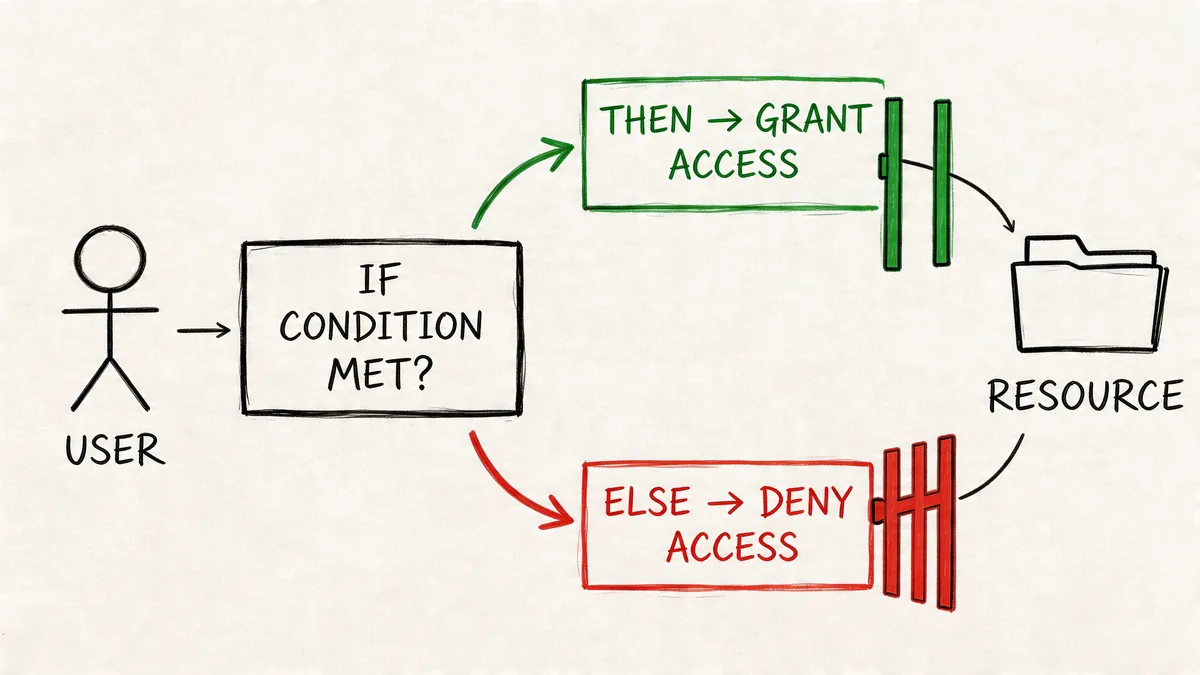
The practical version
A role-only model says, “You are an admin, so you can do admin things.”
A rules-based model says, “You are an admin, but access also depends on the situation.”
That situation can include:
- Time: Only during business hours
- Location: Only from approved regions or environments
- Device: Only from trusted devices
- Context: Only when a ticket is in a certain state or escalation path
- Behavior: Only if recent activity still matches the assigned need
A building example that maps well to Zendesk
Think about an office building.
A badge-only system checks who you are. If your badge says “IT,” the door opens.
A rules-based system checks more than that. It can allow IT staff into the server room only during approved maintenance windows, or require extra verification if someone tries after hours. Same person, same identity, different result because the context changed.
That’s the core idea. Access is not permanent just because a role exists.
Practical rule: Start with role for the baseline. Add conditions for when that role should actually apply.
Why teams adopt it
Rules based access control became popular because organizations needed access decisions that reflected real operations, not just org charts. In day-to-day terms, it helps admins stop making one-off privilege decisions manually. Once the rule exists, the system can apply it consistently.
For a Zendesk admin, that mindset matters even if your platform isn’t a pure RuBAC product. You can still think in rules:
- If an agent belongs to the billing escalation group, let them handle finance-related tickets.
- If a user hasn’t been active for a defined period, review the seat.
- If a ticket contains sensitive data, route it to a restricted workflow.
That’s more realistic than pretending every support person needs the same level of access all the time.
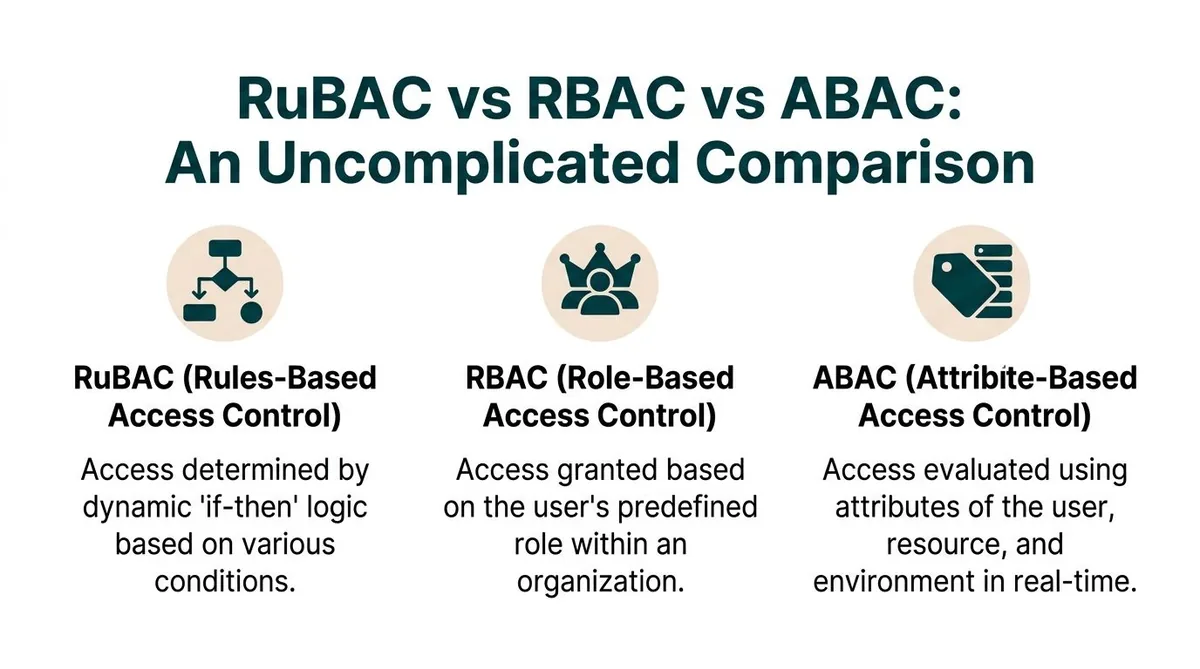
RuBAC vs RBAC vs ABAC An Uncomplicated Comparison
Most Zendesk teams already use RBAC, whether they use the term or not. Roles, groups, and permissions are classic role-based access control. It works well for structure. It starts to strain when you need access to react to context.
Access Control Models Compared
| Criterion | Role-Based (RBAC) | Rule-Based (RuBAC) | Attribute-Based (ABAC) |
|---|---|---|---|
| Primary decision basis | User role | Conditional rules | Attributes of user, resource, and environment |
| Best use | Stable teams and clear job boundaries | Operations that change by time, context, or condition | Very granular policy environments |
| Flexibility | Medium | High | High |
| Admin effort | Lower at the start | Higher design effort | Higher policy effort |
| Typical question | “What is this person’s role?” | “What conditions apply right now?” | “What attributes match this request?” |
| Zendesk fit | Native foundation | Often approximated through workflow logic | Usually outside native Zendesk alone |
RBAC is what Zendesk gives you first
In Zendesk, roles and groups are the backbone. Admins, agents, light agents, custom roles, group membership. That’s all RBAC thinking.
RBAC works when your permissions mostly track job function. It starts to fail when reality gets messier:
- A contractor should work only during a contract window
- A junior agent can see some tickets, but not sensitive escalations
- An admin should keep enhanced rights only while covering an incident
- An inactive user still has a paid seat because nobody revisited the assignment
RBAC isn’t bad. It’s just rigid.
RuBAC adds operational conditions
RuBAC sits closer to how support teams run. It focuses on explicit rules such as time, location, device, or workflow state. If your team says, “Agents in this group can touch these tickets only when these conditions are met,” you’re already thinking in a RuBAC way.
That’s why many teams end up layering rules on top of roles rather than replacing roles entirely.
For a broader governance lens, LicenseTrim’s guide to policy-based access control is useful because it shows how teams move from fixed permission sets to condition-driven policies.
ABAC is more expressive, but heavier
ABAC is usually the most granular model of the three. It evaluates access using attributes tied to the user, the resource, and the environment. In practice, it often looks like a more formal and more expansive evolution of rule-driven access.
That power comes with extra design work. You need cleaner data, better policy discipline, and more consistent maintenance. If your Zendesk environment is already messy, ABAC won’t save you. It will expose the mess faster.
The model matters less than the discipline behind it. A badly maintained advanced policy model is worse than a well-run role model with a few smart rules.
What works for most Zendesk teams
For most mid-market Zendesk setups, the pattern that works is:
| What to keep | What to add |
|---|---|
| Roles for baseline permissions | Rules for exceptions and high-risk cases |
| Groups for ownership | Conditions for routing and editing |
| Manual approval for rare edge cases | Automated review for stale or inactive access |
That balance keeps governance usable. You don’t want a design that only one admin understands.
Practical Examples of Access Rules
The easiest way to understand rules is to watch how they change real decisions. Not every access problem needs a fancy model. Many just need a clear condition that everyone agrees on.
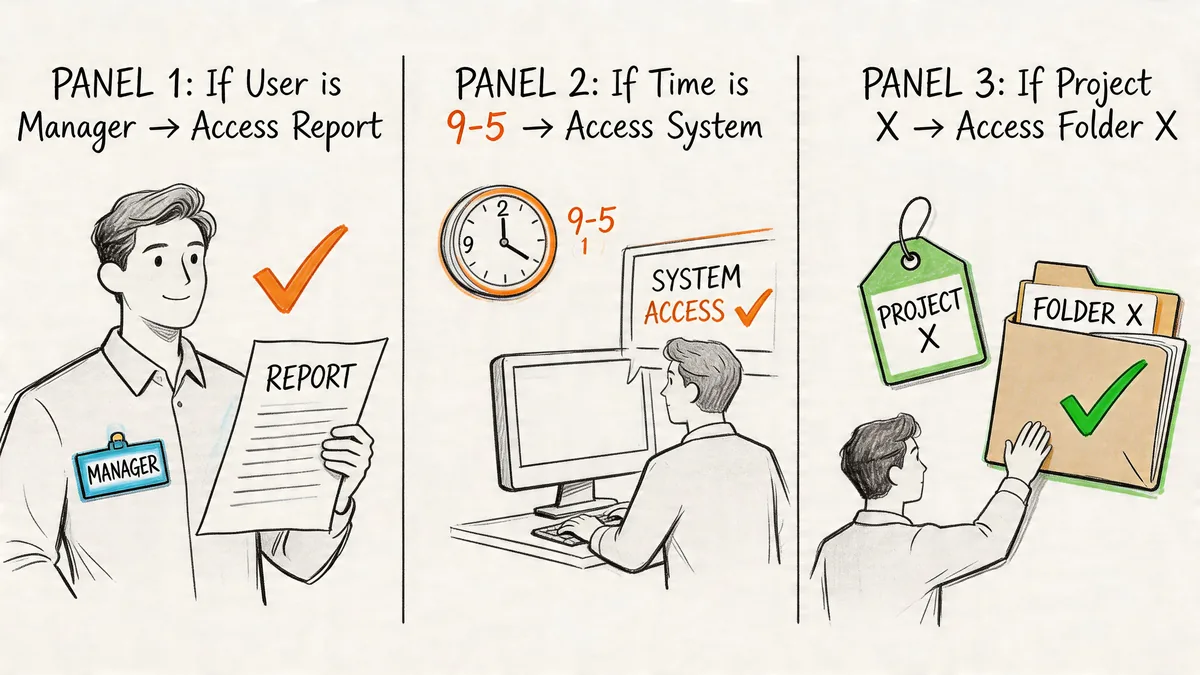
Contractor access that expires with the work
You bring in a contractor to help with weekend backlog cleanup. They need agent access, but only during the contract period and only during approved hours.
A role-only approach often goes wrong here. Someone assigns the contractor an agent role on day one and forgets to clean it up later. The role stays. The seat stays. The access stays.
A rules-based approach is tighter:
- Access window: Grant access only during the approved contract period
- Working hours: Limit use to the defined support window
- End condition: Trigger review or removal when the contract ends
That’s how RuBAC handles decisions in real time. Conditions such as time of day, location, or device are checked when access is requested, as explained in Acre Security’s RuBAC guide.
Location-aware access for sensitive work
A support lead may need broad visibility when working from a managed environment. The same person on unknown public Wi-Fi should not have the same freedom.
A practical rule set might look like this:
| Scenario | Access outcome |
|---|---|
| Approved environment and normal shift | Full working access |
| Unknown network or unusual context | Reduced access or extra verification |
| Off-hours review of sensitive data | Require additional check before continuing |
That’s not about distrusting staff. It’s about matching access to risk.
A good rule doesn’t punish normal work. It narrows exceptions and forces a pause when the context changes.
Zendesk example for sensitive tickets
Now bring it into Zendesk.
Say your support team handles payment disputes or finance-related account issues. A junior agent can work standard tickets, but shouldn’t edit or fully review a sensitive case unless they’re in the right group and the ticket has moved into an approved escalation path.
A practical setup could be:
- Ticket form or field marks the case as sensitive
- Trigger routes the ticket to a restricted group
- Custom role limits who can edit, merge, or export
- Escalation status controls when broader handling rights apply
That isn’t pure RuBAC in the academic sense. It’s a rules-based governance pattern inside Zendesk.
A quick explainer can help if you need to socialize the idea internally:
What usually fails
Teams get into trouble when they write vague rules like “senior agents can handle important tickets.” That’s not a rule. That’s a judgment call waiting to become inconsistent.
Better rules are concrete:
- Which group?
- Which ticket type?
- Which status?
- Which edit rights?
- Which review event ends the exception?
If you can’t explain the condition in one sentence, it probably isn’t ready to enforce.
Applying Rules-Based Governance in Your Zendesk Instance
Zendesk is still mainly a role-based platform. That’s fine. You can get a lot done by applying a rules-based mindset with the tools Zendesk already gives you.
The payoff is consistency. Properly implemented access rules reduce admin overhead because you stop assigning privileges by hand every time. Access can be granted automatically when users meet defined conditions, which also cuts down human error, as noted in NordLayer’s explanation of rule-based access control.
Start with a permission map
Before you touch triggers or automations, map your current setup.
List these out:
- Roles: Admin, custom admin, agent, light agent
- Groups: Billing, tier 2, compliance, escalations
- Sensitive workflows: Refunds, legal requests, account ownership changes
- Exceptions: Temporary admins, seasonal agents, contractors
You’re looking for mismatches between job design and actual use. Most environments have them.
Use native Zendesk tools as rule layers
Zendesk gives you enough building blocks to mimic rules if you combine them carefully.
| Zendesk feature | How to use it with a rules mindset |
|---|---|
| Custom roles | Narrow what an agent can do by permission set |
| Groups | Limit ownership and visibility by function |
| Triggers | Route tickets based on conditions |
| Automations | Act on timing and state changes |
| Ticket fields | Mark cases that require restricted handling |
A common pattern works well: role controls the baseline, then ticket logic and group assignment tighten who can act on what.
One practical build
Say you want to limit sensitive finance cases.
- Create a custom field that flags a ticket as finance-sensitive.
- Build a trigger that sends those tickets to a finance support group.
- Use custom roles so only that group’s approved agents can edit or export where relevant.
- Add an automation for stale ownership so tickets don’t sit untouched in a locked queue.
- Review exceptions monthly.
That creates a rule chain without making your environment impossible to manage.
For the review side of governance, LicenseTrim’s article on user access review is a useful complement because it focuses on how to inspect whether access still matches need.
Keep the number of exception paths low. Most broken permission models don’t fail because the baseline is wrong. They fail because too many one-off exceptions pile on top.
The gotchas to avoid
Rules-based governance in Zendesk usually breaks for boring reasons, not technical ones.
- Messy field logic: If ticket classification is unreliable, the rule won’t fire when it should.
- Too many admins: Broad admin rights bypass your careful workflow design.
- Old groups: Legacy groups stick around and keep granting visibility no one meant to preserve.
- No owner for the rule: If nobody owns maintenance, the rule becomes stale.
- No review cadence: Conditions that made sense six months ago may not fit now.
Good governance is less about the cleverness of the trigger and more about whether your team will still understand it later.
Automating Inactivity Rules to Reduce License Waste
Inactive access is where governance and budget meet directly.
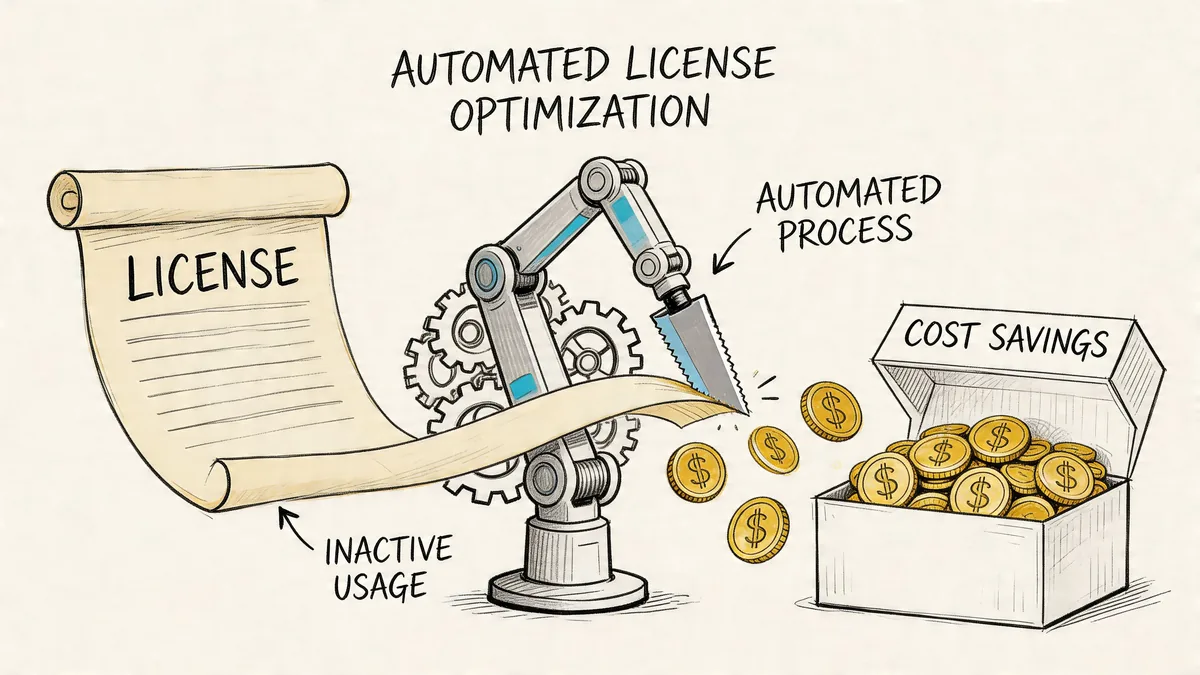
A paid Zendesk seat assigned to someone who doesn’t use it is not just untidy. It’s wasted spend. And overprovisioned access across SaaS environments leads to 30-40% wasted spend, according to Innovative II’s discussion of SaaS sprawl and rule-based controls.
Manual inactivity reviews don’t hold up
You can review inactive agents manually. Teams do it all the time. It just doesn’t scale well.
The usual problems:
- Reviews slip: Nobody checks at a consistent interval
- Thresholds vary: One manager thinks inactive is fine, another does not
- Evidence is weak: Finance gets opinions instead of a repeatable rule
- Cleanup lags: Seats stay live while everyone waits for sign-off
That’s why inactivity is one of the best places to automate rule-based governance.
The rule that actually helps finance
A good inactivity rule is plain: if an agent hasn’t shown meaningful activity in your defined window, flag the seat for review, downgrade, or removal.
That kind of set-and-forget approach fits the financial side of access control better than manual audits. It also keeps the conversation grounded. You’re no longer debating whether a seat “feels needed.” You’re reviewing against a stated condition.
If you’re tightening the broader process around access changes, LicenseTrim’s write-up on user provisioning automation is worth reading because provisioning and deprovisioning failures are usually part of the same cost problem.
Where the trade-off sits
Rule design and auditing still cost time. If you build inactivity governance by hand, the process can become another admin chore. That’s the catch.
The best version is narrow, reviewable, and tied to a business action. Don’t automate everything. Automate the expensive, repetitive case first.
Your Next Steps for Smarter Zendesk Governance
You don’t need to rebuild your whole Zendesk setup to get value from rules-based thinking. Start where access mistakes already cost you time or money.
A short checklist that works
- Review current roles and groups: Remove anything nobody can clearly justify.
- Pick one sensitive workflow: Billing disputes, account ownership, refunds, or legal requests are good candidates.
- Add one condition: Restrict by group, status, or workflow state.
- Define inactive clearly: Write down when a paid seat should be reviewed.
- Assign an owner: One person should own rule changes and monthly checks.
What good looks like
A healthy Zendesk environment usually has these traits:
| Healthy pattern | Warning sign |
|---|---|
| Baseline roles are clear | Admin rights spread too widely |
| Groups reflect real teams | Old groups still grant visibility |
| Sensitive tickets follow a defined path | Agents improvise handling by habit |
| Inactive seats get reviewed on schedule | License checks happen only before renewal |
Keep the first pass narrow
Don’t try to solve every access problem in one sprint. Pick the area with the clearest mix of risk and cost. Often, that’s stale privileged access or inactive paid agents.
A small, enforced rule beats a perfect framework that nobody maintains.
Frequently Asked Questions About RuBAC
Is RuBAC overkill for a small support team
Not always. A small team with stable duties can stay mostly role-based. Rules become useful when you have contractors, temporary privileged access, sensitive ticket classes, or inconsistent seat usage. You don’t need a huge framework. You need a few clear conditions.
Do I need to replace Zendesk roles to use a rules-based approach
No. Keep roles as your baseline. Add rule logic through groups, custom roles, triggers, automations, and review processes. For most Zendesk teams, replacement is the wrong goal. Layering is the better one.
How do you stop rules from conflicting
Write rules in a clear order and keep exception paths limited. Name the owner of each rule. Review changes before publishing them. Most conflicts come from overlapping exceptions, not from the core policy.
If two admins can’t predict what a rule will do, the rule is too messy for production.
What’s the best first rule to create
Start with the rule that removes repetitive manual work and has a visible cost impact. In many Zendesk environments, that’s an inactivity review rule for paid agent seats. In others, it’s a routing rule for sensitive tickets.
Does rules based access control help with budget, or just security
It helps with both when you use it to remove stale access and review inactive licenses. Good governance limits unnecessary privileges and gives finance a repeatable basis for cleanup. That’s far better than chasing seat counts right before renewal.
If you want a fast way to spot inactive Zendesk agents and quantify wasted license spend, LicenseTrim gives you a practical starting point. It connects to Zendesk via OAuth, audits usage, flags idle seats, and helps you act on clear inactivity rules without turning license reviews into another spreadsheet project.