Meta description: Zendesk costs keep climbing because unused seats hide in plain sight. Learn the application portfolio management definition and how to audit waste.
Your Zendesk invoice hits. Finance asks why support software costs keep rising. You open Admin Center, export users, scan roles, and start building the same spreadsheet you've already built before.
A few names jump out. Someone changed teams months ago. Another agent logs in once in a while but doesn't really work tickets. A contractor is still sitting on a paid seat. You know there's waste, but proving it takes time you don't have.
That's where the application portfolio management definition becomes useful. Not as an enterprise buzzword. As a working method for answering one hard question: what software are you paying for, who actually needs it, and what should you change before renewal?
Your Zendesk Bill Arrived and You Have Questions
Zendesk is one of those tools that rarely gets cut. Support depends on it. The problem isn't whether you need it. The problem is whether you're paying for the right mix of seats, roles, and access.
For mid-market teams, the pain usually shows up in a familiar pattern. Headcount changed. Temporary access became permanent. Managers asked for extra seats “just in case.” Nobody circled back. By the time renewal comes around, your license count reflects old org charts, not current work.
Where the manual audit breaks down
Teams often start with a spreadsheet because it's available. That works for a day. Then the edge cases show up.
- Role confusion: A full agent, light agent, and occasional contributor don't create the same value.
- Weak visibility: Last login doesn't tell you the full story about activity or inactivity.
- Distributed ownership: Support ops, IT, and finance all care, but nobody owns the whole picture.
- Renewal pressure: You need answers before the invoice locks in another term.
You can feel the waste before you can prove it.
Practical rule: If your only license review happens right before renewal, you're already late.
APM starts with the bill in front of you
Application Portfolio Management, or APM, is the discipline of treating software as a managed portfolio instead of a pile of subscriptions. For a Zendesk admin, that isn't abstract. It's the difference between reacting to a bill and running an ongoing process for cost, usage, and ownership.
A good APM habit turns “who still needs this seat?” into a repeatable review. It gives you a system of record, a decision method, and a cadence. Without that, every renewal becomes detective work.
What Is Application Portfolio Management Really
Application portfolio management is how you track your software estate, judge what each app is worth, and decide what to keep, change, downgrade, replace, or retire.
It's comparable to managing investments. Some applications deserve more budget because they support core work and deliver clear value. Some are stable and fine as-is. Others cost money, overlap with something else, or create risk because nobody really owns them anymore.
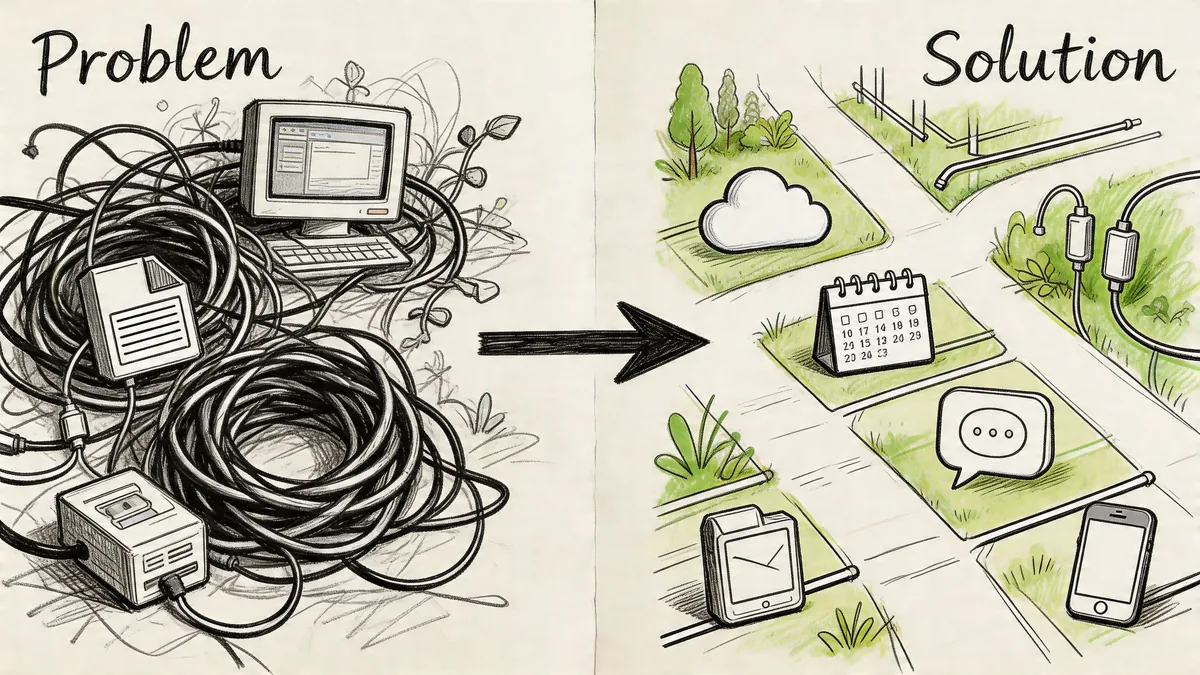
The practical application portfolio management definition
A useful application portfolio management definition is this: a repeatable way to inventory applications, assess business value and technical fit, and make decisions about spend and risk.
That sounds broad because it is. But in practice, the work usually comes down to a few direct questions:
- What do we have
- What does each app cost
- Who owns it
- How much is it used
- Should we invest, tolerate, migrate, or eliminate it
That last line comes from the Gartner TIME model referenced in Planview’s history of APM. The same source notes that APM emerged as a distinct IT discipline in the late 1990s during Y2K, when large enterprises were forced to catalog software estates that averaged over 1,000 apps by 1999. After that inventory work matured, frameworks like TIME supported rationalization efforts that achieved 20-30% reductions in application counts.
Why that old enterprise concept matters for SaaS
The Y2K origin story matters because it explains what APM is really for. It was never just about making a list. It was about making decisions once the list exposed sprawl.
That still applies now. The only difference is that a lot of today's waste sits in SaaS subscriptions instead of old on-prem systems. Your Zendesk seats are part of your application portfolio whether you call it that or not.
The point of APM isn't documentation for its own sake. The point is better decisions before money leaves your budget.
The Core Components of an APM Framework
Most APM work breaks into four parts. You can call them whatever you want, but the flow stays the same. First, find what exists. Next, judge its value. Then decide what to do. After that, keep the data alive.
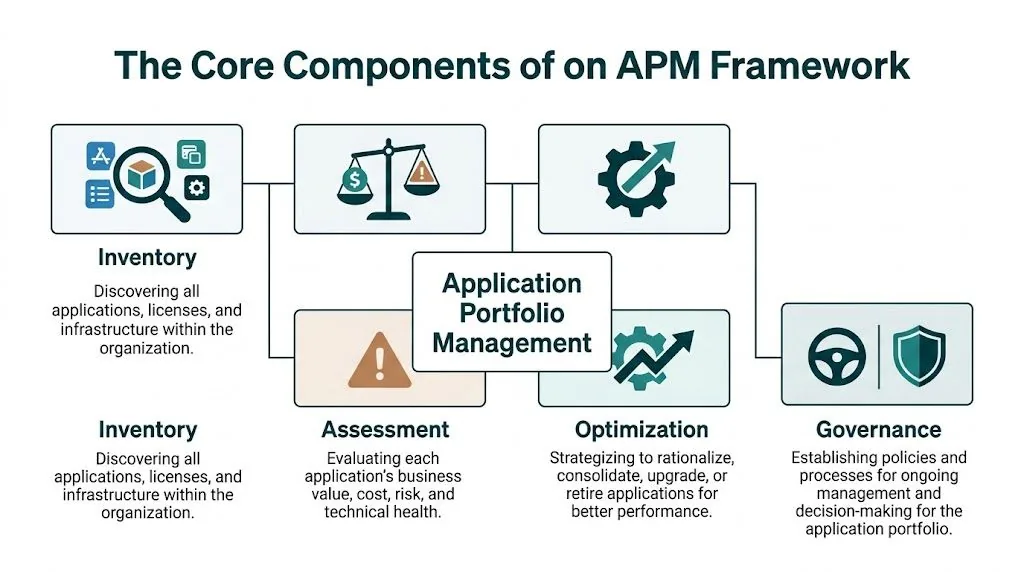
Inventory
Inventory sounds boring until you don't have one. Then every renewal, security review, and access audit becomes guesswork.
For SaaS, inventory should capture more than app names. You need contract details, owner, user counts, role types, renewal date, and evidence of activity. If you're doing this in Zendesk, include seat type and who approved access.
Assessment
Once the inventory exists, score each app against a few factors that matter to your business. Business value, cost, usage, technical fit, and risk are enough for most mid-market teams.
Don't chase a perfect model. A rough score that gets used beats a complex score nobody trusts.
For teams that want to go deeper, these application portfolio management metrics help turn subjective debates into a repeatable review.
Optimization
Optimization is where decisions happen. Keep it, invest more, downgrade it, consolidate it with another tool, or remove it.
For Zendesk, optimization often isn't a yes-or-no decision on the platform itself. It's a role and seat decision. You may keep Zendesk, but reduce paid agents, clean up inactive access, or tighten how new seats get approved.
Governance
Governance is the part teams skip, then regret. It's the rule set that stops the same mess from rebuilding six months later.
A lightweight model is enough:
- Assign an owner: One person maintains the record and drives reviews.
- Set a review cadence: Quarterly is usually enough for SaaS access.
- Tie changes to events: New hires, departures, team moves, and renewals should trigger checks.
- Require evidence: New seat requests should link to actual need, not habit.
Key data points for your application inventory
| Data Point | Description | Example for a Zendesk License |
|---|---|---|
| Application name | The product you're paying for | Zendesk Suite |
| Business owner | The person accountable for value and spend | Head of Support |
| Technical owner | The admin who manages setup and access | Zendesk Administrator |
| Renewal date | When cost decisions become urgent | Annual contract renewal |
| License type | The role or plan being assigned | Full agent seat |
| Assigned user | The person consuming the seat | Named support agent |
| Usage evidence | Activity that shows whether the seat is needed | Recent ticket work or admin activity |
| Cost basis | How the license is billed | Per-agent monthly subscription |
| Business purpose | Why the app or seat exists | Customer support operations |
| Action status | The current decision | Keep, downgrade, review, remove |
Working advice: If a row in your inventory doesn't support a decision, you're tracking the wrong field.
How APM Drives Real Cost Savings and Reduces Risk
The value of APM shows up fast once you stop treating software as fixed overhead.
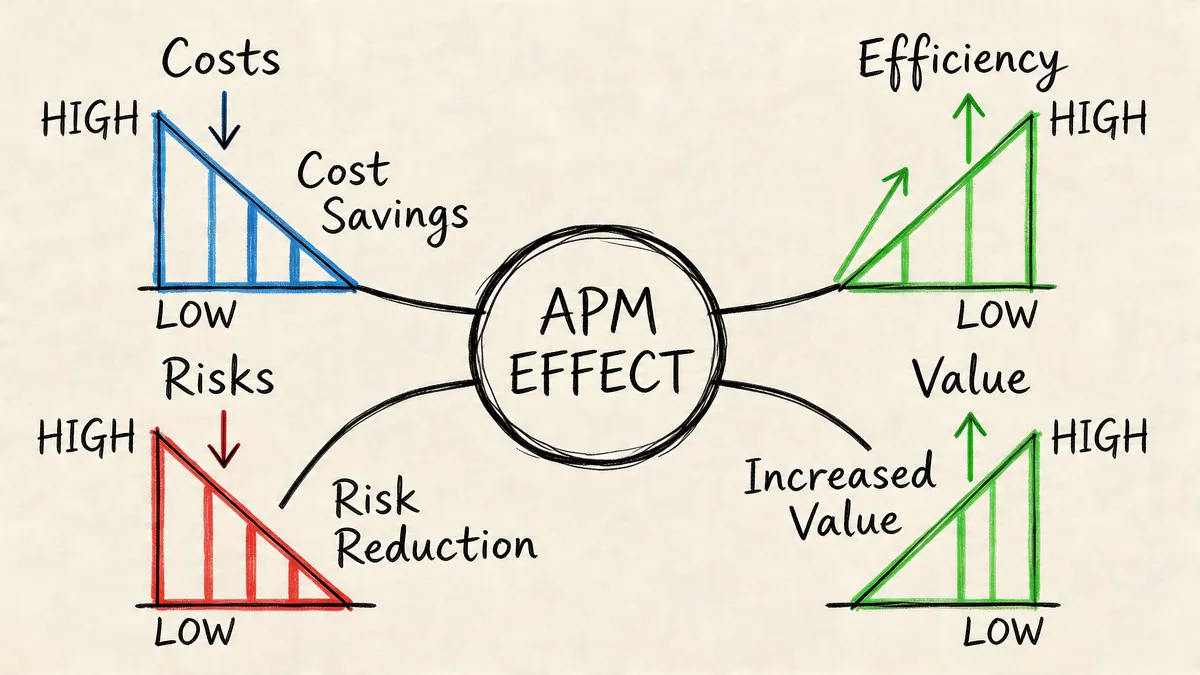
According to Flexera’s APM overview, organizations typically discover 20-40% redundancy during initial application inventories. The same source says maintenance for redundant apps can consume 25-35% of IT budgets. You don't need a giant enterprise estate to understand the implication. Duplicate tools, low-use apps, and stale entitlements absorb real budget.
Cost savings come from decisions, not dashboards
A dashboard doesn't save money on its own. Savings happen when you act on the data.
In practice, APM reduces spend in a few predictable ways:
- Redundant apps get cut: Two tools doing the same job rarely both survive review.
- Low-value seats get downgraded: Access matches actual work, not old assumptions.
- Unused subscriptions get canceled: Renewal becomes a decision point, not an automatic payment.
- Ownership becomes visible: Someone is responsible for explaining why a cost remains.
For Zendesk, that often means looking beyond total seat count. A team may need the platform, but not every paid agent currently assigned to it.
Risk drops when unknown software stops hiding
Unused or unmanaged software isn't just a finance problem. It's an access problem and a governance problem.
An inactive paid user can still be a live account. A forgotten app can still process data. A contractor seat can remain assigned long after the project ended. APM helps because it forces ownership and review.
A quick explainer is worth watching here:
If no one can tell you why an app is still in the stack, that app is already a candidate for review.
Putting APM into Practice for Your Zendesk Environment
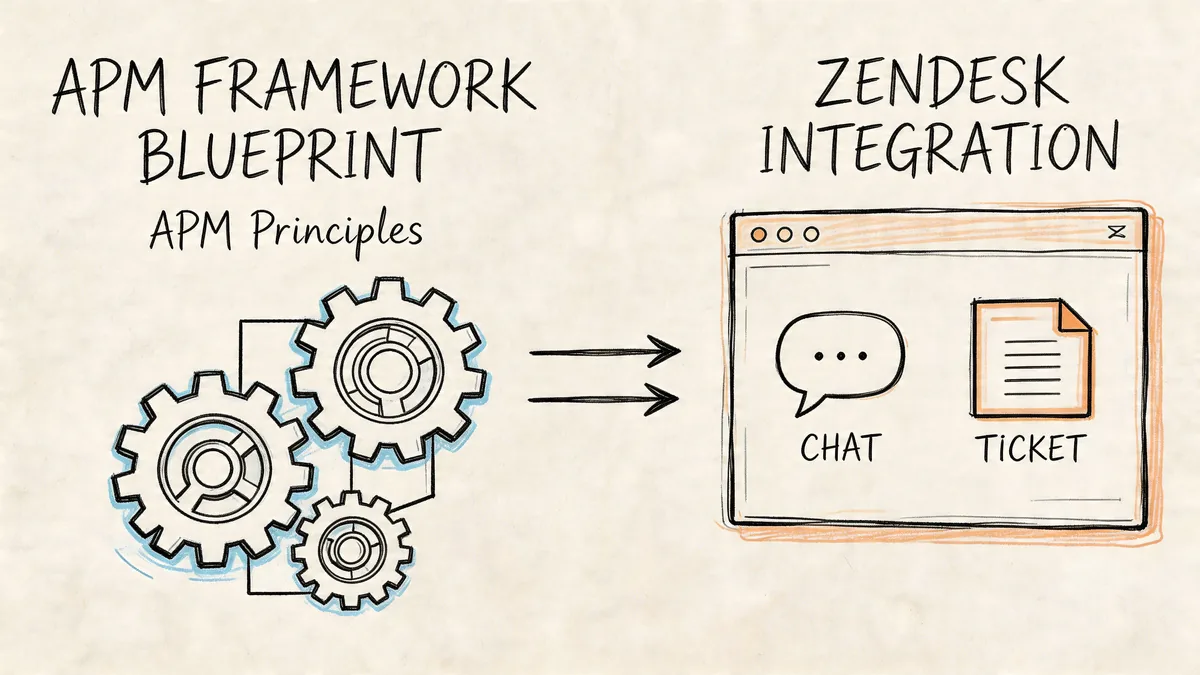
Classic APM guidance often talks about applications as if each one is a single keep-or-retire decision. Zendesk doesn't work that way. The decision is often at the seat level.
A support platform can be business-critical and still carry waste. That's the gap a lot of APM definitions miss in SaaS.
Why Zendesk needs a different lens
Per-user licensing changes the unit of analysis. You're not only asking whether Zendesk belongs in the portfolio. You're asking whether each paid seat still earns its place.
That requires a central record tied to usage, role, and cost. In SaaS APM, that's normal. Zylo’s guide to application portfolio management describes a central system of record that uses scoring across capability, usage, and risk. Zylo reports enterprises finding 40% duplicate tools through usage analytics. The same source notes that for Zendesk-style seat reviews, API-driven audits can quantify idle seats' annual cost and enable 30-40% savings through targeted downgrades.
What native admin views usually miss
Zendesk gives admins plenty of operational controls, but cost governance often still falls back to manual review. Native views can tell you who's there. They don't always answer whether the current paid role is justified right now.
A practical Zendesk APM review should look at:
- Assigned role: Full agent access should map to actual support work.
- Recent activity: Look for evidence tied to the role, not just account existence.
- Team changes: Transfers, leaves, and manager changes often leave stale seats behind.
- Exception cases: Admins, specialists, and backups may need access with lower day-to-day activity.
Not every inactive-looking account is waste. Some are legitimate exceptions. That's why context matters.
For teams comparing options, these application portfolio management solutions give a useful view of where broad APM tools end and SaaS-specific seat analysis starts.
A better process than spreadsheet archaeology
A practical approach for Zendesk is bottom-up. Pull read-only data, review actual activity, tag exceptions, and produce a list of actions before renewal. That works better than trying to force a yearly top-down review from memory.
You want a record that answers four things quickly:
| Review question | What you need to know in Zendesk |
|---|---|
| Is the seat needed | Does current work justify the assigned paid role |
| Is the role right | Could the user be downgraded or changed |
| Is there an owner | Who approved and still stands behind this access |
| Is action safe | Will removing or changing the seat disrupt support coverage |
A Practical APM Roadmap for Busy Teams
You don't need a giant APM program to get value. Most mid-market teams need a workable starting point and a few disciplined habits.
First 30 days
Start with one expensive, visible app. For most support teams, that's Zendesk.
Run a focused audit. Build a current user list. Mark paid roles. Review activity. Flag obvious exceptions with managers. Your goal isn't enterprise perfection. Your goal is a defensible list of seats to keep, downgrade, or remove before the next billing event.
Many APM definitions skip this SaaS reality, even though Ardoq’s discussion of APM gaps notes that underutilized agent seats in tools like Zendesk can drive 30-40% of wasted spend, and that 85% of enterprises have SaaS sprawl.
First quarter
Once you've done one app well, expand carefully. Add the handful of SaaS tools with the highest spend or the messiest access model.
Create a lightweight system of record. A shared sheet can work at first if someone owns it and updates it. If your stack is growing, look at a more durable cloud-based software asset management approach so your inventory doesn't die in a folder no one opens.
A good quarterly review asks:
- What changed: New tools, role changes, renewals, and team moves.
- What stayed unowned: Apps without a clear business owner need attention.
- What can be reduced: Seats, duplicate tools, and overlapping contracts.
- What needs a policy: Approval rules, review cadence, and offboarding checks.
Ongoing cadence
Keep governance small enough that people will follow it.
One owner can coordinate with support ops, IT, and finance. Quarterly reviews are usually enough. Tie access checks to onboarding, offboarding, and team changes. Put renewal dates in the same record as usage notes so spend decisions don't happen in a vacuum.
Manager test: If a department head wants another seat, ask what work requires it, who will use it, and when you'll review that choice again.
Common APM Pitfalls and How to Sidestep Them
Most APM efforts don't fail because the idea is wrong. They fail because the execution gets bloated, ownerless, or stale.
Trying to inventory everything at once
Teams start with ambition and end with a half-built catalog nobody trusts. Pick a costly app first. Prove the process. Then expand.
Building a list with no owner
An inventory without an owner becomes historical fiction. Name one person to maintain the record and drive review decisions with app owners.
Collecting data forever
Some teams get stuck in analysis mode. They keep adding fields, scoring rules, and debate, but never remove a seat or retire a tool. Set decision dates. If the review doesn't lead to an action, tighten the process.
Trusting spreadsheets forever
A spreadsheet is fine as a start. It's weak as a long-term control system. People forget to update it, copy old tabs, and lose context on exceptions.
Use a sheet for the first pass if you need to. Then move toward a living record tied to actual system data.
Treating every inactive account as waste
That creates resistance fast. Some users need occasional access. Some admins need broad rights but low daily activity. Review with managers before changing access, and document exceptions so you don't fight the same argument every quarter.
APM works best when teams see it as controlled cost management, not a hunt for people to blame.
Your Next Step Before the Zendesk Renewal
Don't start with all software. Start with the invoice you're already worried about.
Pull your Zendesk user list. Mark every paid seat. Review current activity and role fit. Ask each manager to confirm whether the access still matches current work. Document exceptions. Then turn that review into a short action list before renewal discussions begin.
That's APM in practice. Not a giant transformation program. A clear record, a decision method, and a habit of checking spend before it hardens into another contract term.
If you do that with one app, you've already started managing your portfolio better than many groups do.
If you want to audit Zendesk seats without another spreadsheet project, LicenseTrim connects through read-only OAuth access, flags inactive agents, and shows the cost tied to unused licenses so you can clean up waste before renewal.