Meta description: Shadow IT meaning in Zendesk, how to spot unapproved tools, quantify wasted agent spend, and fix app sprawl before renewal.
You’re paying for Zendesk. Support runs there. Finance sees the invoice every month. Then someone mentions that marketing has been handling inbound requests in another tool, or a regional team has been using a shared inbox plus a Trello board because “it was faster.”
That’s usually when shadow IT meaning stops being an abstract security term and turns into a very practical mess. You’re no longer dealing with one help desk, one workflow, and one source of truth. You’re dealing with duplicate tools, unknown data flows, and paid Zendesk seats that may not even be doing real work.
That Awkward Moment You Find a Second Help Desk
It usually starts with a small clue. A missed handoff. A customer says they already emailed another address. A team lead asks for access to a tool you’ve never approved. Then you find it. Another support workflow, running outside Zendesk.
I’ve seen this happen in teams that were already paying for a premium support stack. Zendesk was in place. Macros existed. Triggers existed. The problem wasn’t that the company had no tool. The problem was that one department decided the approved setup didn’t fit how they needed to work, so they found their own.
That creates three immediate problems.
- Customer data splits: Conversations live in more than one system.
- Ownership gets fuzzy: Nobody knows which queue is the actual queue.
- Spend gets duplicated: You keep paying for Zendesk while another bill shows up somewhere else.
Sometimes the second tool is a full help desk. Sometimes it’s lighter, like a shared Gmail inbox, Slack workflow, Airtable base, or project board used as a ticket tracker. Either way, your control over support operations drops fast.
A lot of admins hit this point and jump straight to tool comparison. That can help, but it misses the core issue. If you’re weighing whether the rogue tool is “better,” a help desk software comparison for support teams is useful. What matters first is that it exists outside your process.
Practical rule: The moment you find a second help desk, treat it as both a governance problem and a cost problem.
The first questions are never academic.
Where is customer data stored. Who has access. Is the tool connected to Google Workspace, Microsoft 365, or Zendesk. Are agents still assigned paid seats in Zendesk even though they’ve moved their daily work somewhere else.
You can’t fix what you can’t see. But once you know shadow IT is in play, the cleanup gets a lot more concrete.
What Is Shadow IT and Why Do Good Teams Use It
Shadow IT is any hardware, software, app, service, or workflow used for company work without IT or security approval. In a Zendesk environment, that can mean an unapproved support inbox, a form builder feeding cases into email, a private app no one reviewed, or a side tool that agents use instead of logging into Zendesk.
That definition matters, but the motive matters more. Most shadow IT doesn’t start with bad intent. It starts with people trying to get work done.
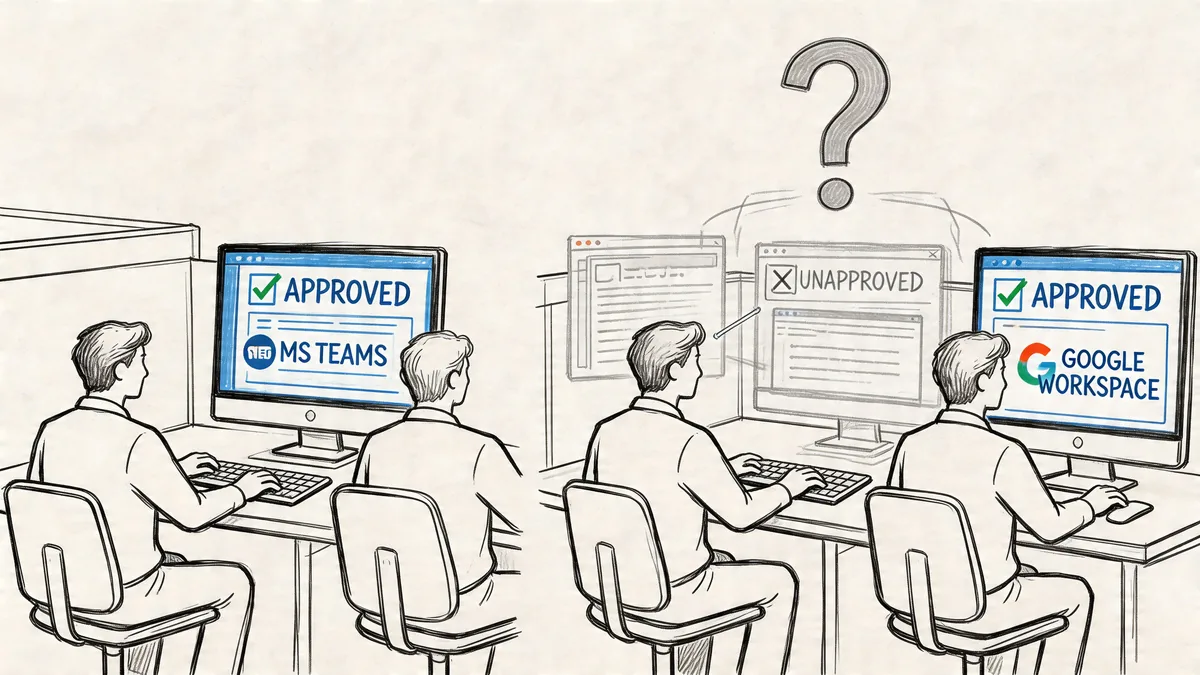
Why teams go around the official stack
Good teams usually create shadow IT for boring reasons, not dramatic ones.
- The official process is slow: A team needs a tool this week, not next quarter.
- Zendesk covers support, not everything around support: They still need intake forms, project tracking, QA notes, or campaign-specific routing.
- The approved setup feels rigid: If every change needs admin time, people build their own workaround.
- Nobody explained the path for requests: If there’s no clear way to ask for a tool, people swipe a card and move on.
That’s why the best way to understand shadow IT meaning is to see it as a symptom. It often points to friction in procurement, governance, or the way your Zendesk setup supports real workflows.
A lot of governance advice fails because it starts from enforcement. That rarely works for long. Teams don’t stop needing the work done just because policy says no. If you want a better operating model, start with a practical view of IT governance that gives people a route to approved tools.
What this looks like in Zendesk day to day
In Zendesk shops, shadow IT often shows up around the edges.
Support may stay in Zendesk, but adjacent work drifts elsewhere. Product feedback gets logged in Notion. Escalations move through Slack DMs. A regional team handles customer requests in Front, Intercom, or a shared Microsoft mailbox because they didn’t want to wait for queue changes.
None of that feels dangerous in the moment. It feels practical.
Shadow IT is often a process failure wearing a software badge.
If you only frame it as employee misbehavior, you miss the useful signal. The tool choice tells you where your approved stack or your internal process is letting teams down.
The Real Risks of Unchecked App Sprawl
Shadow IT becomes expensive long before it becomes visible on an audit. Security notices it when something breaks. Finance notices it when software renewals pile up. Support notices it when customers fall between systems.
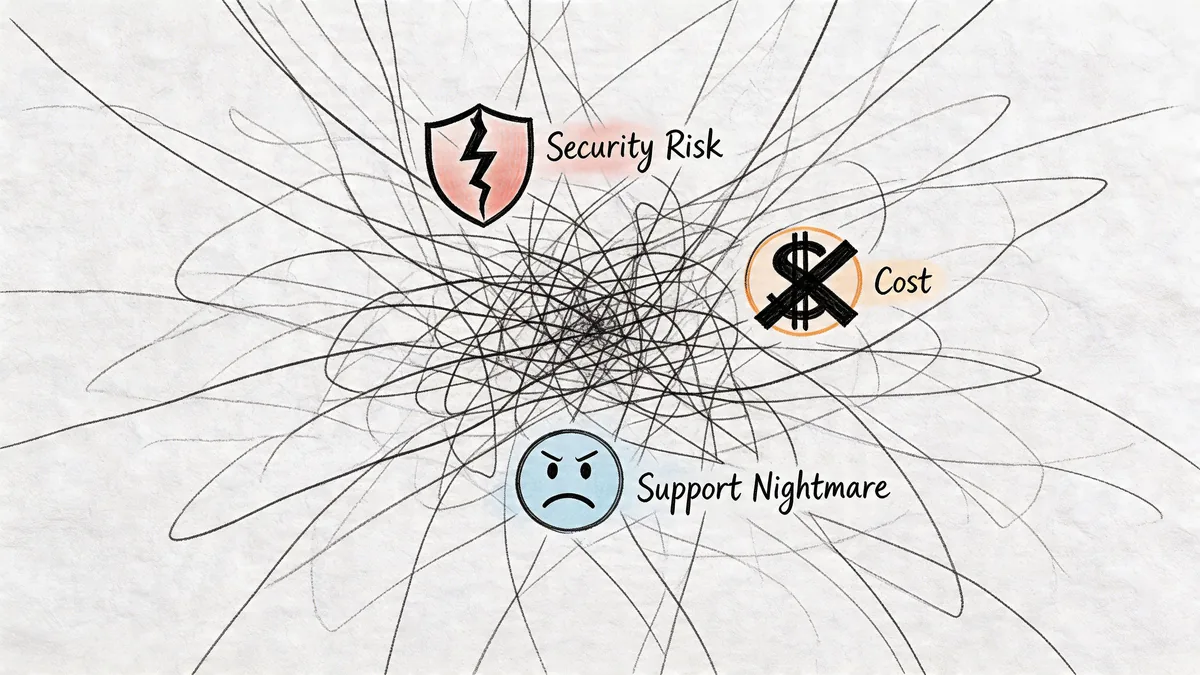
Security exposure grows in the blind spots
The big issue is visibility. Tools outside your approval flow usually sit outside your normal review, access control, and monitoring process. According to JumpCloud’s summary of Gartner and related shadow IT data, shadow IT accounts for 30-40% of total IT spending in large enterprises. That’s a cost problem, but it also tells you how much technology can sit beyond normal oversight.
In a Zendesk context, the common failure points are familiar. An unapproved app gets OAuth access. A private integration is installed without review. Customer conversations move into a side system with weaker controls than your main support platform.
You don’t need a dramatic breach story to see the issue. If support data leaves the governed system, your risk goes up because your controls no longer move with it.
Waste hides in duplicate tools and idle seats
This is the part many teams underplay. Shadow IT isn’t only about new spending. It also makes existing spend less efficient.
If a department shifts part of its work to another tool, your Zendesk license count often stays the same. Seats don’t get reclaimed. Roles don’t get downgraded. Old agents remain assigned because nobody wants to remove access “just in case.”
That’s how sprawl turns into waste. You end up paying for the official platform and the workaround. If your environment is already broad, app sprawl has to be managed like a portfolio, not a collection of one-off exceptions. A good starting point is understanding application portfolio management in practical terms.
Here’s a short explainer that shows how these risks tend to pile up in real environments:
Operations get messy fast
Security and cost get attention. Daily operational damage usually gets ignored until customers feel it.
| Area | What happens when shadow IT spreads | What you feel in Zendesk |
|---|---|---|
| Routing | Requests enter multiple systems | SLAs become unreliable |
| Reporting | Data lives in different tools | Dashboards stop reflecting reality |
| Access | Permissions drift across apps | Offboarding becomes risky |
| Compliance | Customer data sits in unmanaged places | Audit prep gets painful |
The support leader sees broken handoffs. The Zendesk admin sees stale seats and mystery integrations. Finance sees bills that no longer line up with actual usage.
Unchecked app sprawl doesn’t fail in one dramatic moment. Teams make a dozen local decisions, and then nobody can explain the full support stack with confidence.
How to Find Shadow IT in Your Zendesk Environment
You don’t need a full security program overhaul to start finding it. You need a method and a decent eye for where Zendesk tends to hide side-door activity.
Start inside Admin Center
Begin with what Zendesk already shows you.
Check your installed apps, marketplace apps, and private apps. Look for anything that raises obvious questions. Unknown vendors, old custom tools, integrations tied to former projects, or apps that no current team claims to own.
Then review who has admin rights and who can install or authorize apps. In a lot of environments, shadow IT gets in because too many people can connect things without a review step.
A few things are worth checking right away:
- Installed apps: Remove the assumption that every app has a current owner.
- Private apps: These deserve extra scrutiny because they often bypass normal marketplace visibility.
- OAuth connections: Review which tools were granted access and whether they still need it.
- Triggers and automations: Strange routing often points to a side process someone built around Zendesk.
Look for behavior that doesn’t match paid access
A license audit can reveal shadow IT faster than an app review. If someone has a full Zendesk seat but barely signs in, you should ask why.
That doesn’t always mean misuse. They may have changed roles. They may be inactive. Or they may be doing support work somewhere else while their Zendesk license stays assigned.
If an agent is paid as active but absent in practice, treat that as an investigation point, not a bookkeeping detail.
Review agent last sign-in dates, ticket touches, macro usage, and group assignments. A paid seat with no meaningful activity is where waste and shadow workflows often overlap.
Compare Zendesk with the workflows people actually use
Talk to team leads. Ask how requests really move. Don’t ask what the process chart says. Ask where exceptions go, where campaign responses land, how escalations happen after hours, and what tool people open first in the morning.
That’s when you hear about the stack in practice. Maybe tickets start in Zendesk, but product bugs are tracked in another tool. Maybe a department uses a shared mailbox because they didn’t want to wait for forms or routing updates.
You should also involve your identity or security team if you have one. They can often spot unapproved SaaS patterns through sign-in logs, SSO records, or vendor access review. That matters because, as CrowdStrike notes in its shadow IT overview, average data breach costs from shadow IT exposure reach $4.24 million globally.
Build a short review routine
Don’t turn this into a one-time cleanup. Put a repeatable review in place.
| Review point | What to check | Why it matters |
|---|---|---|
| Monthly | New apps and OAuth grants | Catches side-door tool adoption early |
| Monthly | Agent inactivity | Finds seats that no longer match real work |
| Quarterly | Private app ownership | Stops orphaned custom integrations |
| Before renewal | License count vs actual use | Gives finance a defensible number |
If you do nothing else, review app access and inactive agents before every renewal cycle. That’s where the cleanest wins usually sit.
Quantifying the Waste with Real Metrics
Once you’ve found signs of shadow IT, you need numbers that finance can use. “We think some agents aren’t active” won’t get much traction. A line-by-line waste table will.
Use current annual-billing Zendesk prices as your base rate: Suite Team $55, Growth $89, Professional $115, Enterprise $169+ per agent/month.
Calculating Wasted Zendesk Spend
Start with a working table like this:
| Agent Name | Last Sign-In Date | Zendesk Plan | Monthly Cost (Annual Billing) | Status |
|---|---|---|---|---|
| Alex | 2025-01-12 | Suite Professional | $115 | Active |
| Priya | 2024-11-03 | Suite Growth | $89 | Review |
| Sam | 2024-08-19 | Suite Team | $55 | Inactive |
| Jordan | 2024-07-02 | Suite Professional | $115 | Inactive |
The point isn’t that every inactive user should be removed immediately. The point is that every paid seat needs an owner and a reason.
Use a formula your finance partner can audit
For a clean estimate, use:
Inactive full agent licenses × monthly cost per license
If you also track lighter internal roles separately in your own environment, keep that as a separate line item in your spreadsheet. Don’t blur different seat types together or the number gets challenged later.
Here’s a practical example using only the published annual-billing rates above:
| Plan | Inactive Licenses | Monthly Cost | Monthly Waste | Annual Waste |
|---|---|---|---|---|
| Suite Team | 3 | $55 | $165 | $1,980 |
| Suite Growth | 2 | $89 | $178 | $2,136 |
| Suite Professional | 2 | $115 | $230 | $2,760 |
In that example, total waste is $573 per month and $6,876 per year.
That number gets real fast because it isn’t based on generic software savings. It’s based on named users, known plans, and observed inactivity.
Don’t stop at idle seats
Shadow IT waste isn’t limited to people who never log in.
Look for these patterns too:
- Partial abandonment: Agents log in rarely because another tool now handles their real queue.
- Role drift: Former support staff still hold paid seats after moving to ops, QA, or training.
- Redundant tooling: A department uses another service for intake but keeps Zendesk access “just in case.”
- Over-assignment: Teams buy for peak headcount, then never scale back.
The strongest renewal argument is a user list, not a policy speech.
If you bring finance a table with last sign-in dates, plan costs, and a clear review status, the conversation changes. You’re no longer talking about governance theory. You’re talking about whether named seats still deserve budget.
From Shadow IT to Governed Innovation
Trying to block every unofficial tool is a losing game. People will keep finding faster ways to work, especially when your approved process is slower than a credit card and a browser tab. Gartner projects that by 2027, 75% of employees will acquire, modify, or create technology outside IT’s visibility, up from 41% in 2022, as noted by Silicon Reef’s discussion of Gartner’s projection.
That’s why the better response is governance with a path to yes.
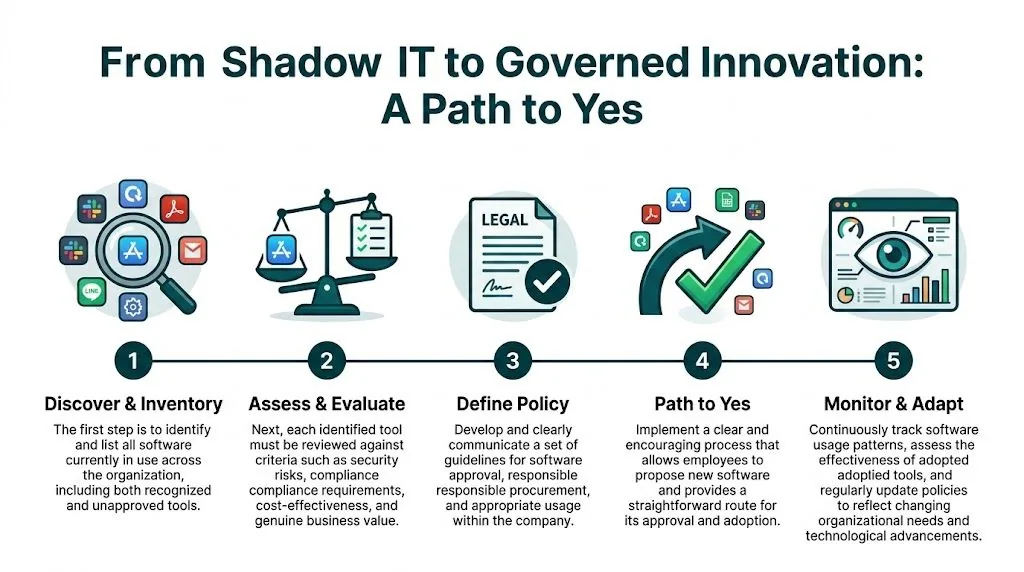
Build a faster approval path
If the approved route takes too long, teams will keep going around it.
A workable model has a few traits:
- One request path: Give teams one place to ask for a tool.
- Basic review criteria: Security, data handling, cost, integration fit, and owner.
- Named turnaround: People need to know when they’ll get an answer.
- Small-tool lane: Low-risk requests shouldn’t wait behind major platform reviews.
That doesn’t remove standards. It makes standards usable.
Treat software ownership as an operating rule
Every app touching Zendesk or support data should have an internal owner. Not a department. A person.
That owner is responsible for access review, renewal input, and confirming whether the app still serves a live need. Without that, old tools linger because nobody is accountable for killing them.
A few governance moves work well in practice:
| Governance move | Why it works |
|---|---|
| Assign an owner to each app | Prevents orphaned tools |
| Review Zendesk seats before renewals | Cuts avoidable waste |
| Tie offboarding to app access review | Stops license drift |
| Ask departments what problem the tool solved | Finds useful signals for improving the approved stack |
Use shadow IT as feedback, not just a violation
The wrong lesson is “users can’t be trusted.” The better lesson is that your current stack or process left a gap.
If multiple teams keep reaching for their own support intake tool, your approved setup may be too hard to adapt. If people keep buying side apps for handoffs, your Zendesk workflow may not reflect how those teams work.
Good governance doesn’t start with “no.” It starts with “show us the use case, and we’ll review it fast.”
That mindset changes the relationship. IT stops acting like a blocker. Support ops stops hiding workarounds. Finance gets cleaner visibility into what should stay, what should go, and what should replace outdated process.
Your Action Plan Before the Next Zendesk Renewal
Do these four things before you sign another term.
- Audit agent activity: Pull last sign-in and usage data for every paid Zendesk seat.
- Price the waste: Multiply inactive seats by the current monthly plan cost and annualize it.
- Review app access: Check installed apps, private apps, and OAuth grants for unknown or unowned tools.
- Talk to department leads: Ask what they’re using outside Zendesk and what problem it solved.
If you do that well, you’ll walk into renewal with evidence instead of guesswork.
If you want a faster way to spot inactive Zendesk agents and quantify wasted seat spend, LicenseTrim is built for exactly that job. It connects to Zendesk with read-only API access, flags inactive users, and shows the cost of idle licenses so you can clean up renewals with real numbers, not spreadsheet detective work.