Meta description: See 8 practical examples of RBAC to control Zendesk costs. Apply role-based access control templates for agents, managers, and finance to cut license waste.
Your Zendesk invoice shows 40 paid agent seats. Only 24 people are working tickets. Three contractors finished last month. Two managers still have broad access they rarely use. One finance reviewer has an Agent seat just to check data. That is not a support problem. It is a role design problem.
Zendesk waste usually starts with access that was granted once and never cleaned up. Teams hand out full Agent licenses "just in case," keep temporary users active after projects end, and treat manager access like a default promotion instead of a cost decision. You pay for all of it.
RBAC fixes that, but only if you use it to control Zendesk licenses, not just permissions. The practical goal is simple: match each paid role to real work, remove access that no longer maps to a task, and set rules that downgrade or suspend users automatically when activity drops.
This article focuses on examples of RBAC you can use in Zendesk. Not abstract policy diagrams. You will get copy-pasteable role templates and policy ideas for agent hierarchies, restricted manager access, temporary contractor seats, finance and compliance reviewers, delegated admins, inactive user suspension, project-based access, and executive dashboard viewers.
If your team also needs a policy model outside strict role assignment, these rules-based access control examples help define when access should change based on activity, project dates, and approval workflows.
Use these examples to cut license waste first. Better security is a direct side effect.
1. Zendesk Agent Role Hierarchy with Activity-Based Access Control
Most Zendesk waste starts here. You give someone a full Agent seat because they might need it, then nobody comes back later to check whether they use it. A month later, they're still licensed. A quarter later, same story.
Build a role hierarchy that matches actual work, not job titles. In practice, that usually means Admin, Manager, Agent, and Light Agent. Then tie each role to observed activity, not assumptions.
What the hierarchy should look like
A common Zendesk setup looks like this:
- Admin: Owns configuration, automations, channels, apps, and billing-related oversight
- Manager: Reviews team performance, reassigns work, and handles escalations
- Agent: Works tickets, updates users, applies macros, and handles daily queue work
- Light Agent: Views tickets, adds internal notes, helps with context, but doesn't own frontline volume
That structure works because it reflects how support teams operate. Your finance reviewer doesn't need Agent access. Your part-time QA lead probably doesn't either. Your seasonal helper almost never needs the same permissions as a full-time queue owner.
Practical rule: If someone isn't actively handling ticket volume, don't default them into a full Agent role.
How to apply activity rules
Set a written standard before you change roles. For example, define what must be true for someone to keep a full Agent seat, such as regular ticket handling, queue ownership, or reporting needs tied to their day-to-day work.
You don't need to make this complicated. You need consistency.
- Document the threshold: Put your role logic in a shared admin doc so every admin applies the same rule
- Review by quarter: Compare assigned role versus actual Zendesk activity every quarter
- Downgrade with notice: Tell people before you move them to Light Agent so managers can flag edge cases
- Keep exceptions rare: If someone needs a higher role temporarily, set an end date for review
If you want a deeper look at role logic before you map it to Zendesk, LicenseTrim's guide to rules-based access control is a useful companion.
A real example is seasonal support. During a launch or holiday period, extra staff might need limited ticket visibility and internal note access, but not the full feature set. That's where Light Agent should be your default starting point, not your fallback after overspending.
2. Manager-Level Oversight Roles with Restricted Reporting Access
Manager access gets bloated fast. Someone leads a team, so they get broad visibility. Then they inherit admin rights, org-wide reporting, and settings access they never use. That's expensive and risky.
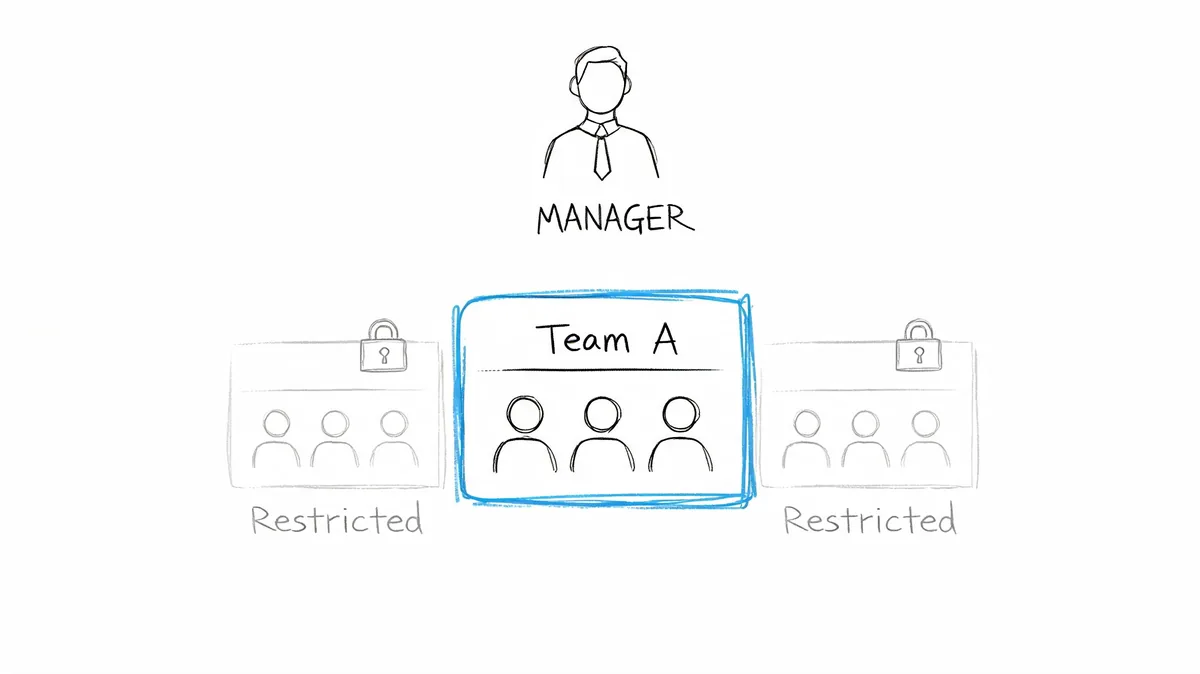
A better setup is to scope managers to the teams they run. If a billing support lead manages one queue, they should see that queue's reports, that team's agents, and that group's workload. Nothing else.
What restricted manager access looks like
Regional and functional boundaries matter. A North America support manager doesn't need EMEA queue settings. A technical support lead doesn't need billing workflows. A language-based team lead shouldn't have access outside their assigned support lane unless they're covering a temporary exception.
That role should include team reporting, queue review, schedule visibility, and assignment oversight. It should not include global admin settings, integration management, or broad user administration unless that's part of the actual job.
Where teams usually go wrong
They conflate leadership with platform administration. Those are not the same thing.
Utilize a manager template that restricts access based on geography, queue, brand, or function. Then provide organization-wide visibility via scheduled reports or dashboards instead of increased admin rights.
- Scope by ownership: Match manager access to the groups and views they supervise
- Separate admin from reporting: Don't hand out platform control just because someone needs dashboards
- Standardize the template: Create one manager role pattern and reuse it across departments
- Review access drift: Check quarterly whether managers still own the areas they can access
A good real-world case is a multi-region support team with separate billing, technical, and account management queues. Each manager gets oversight only for their own team. The VP gets dashboard summaries. Your Zendesk admins keep platform control. That's cleaner, cheaper, and easier to audit.
3. Contractor and Temporary Staff Limited-Duration Access
Contractor waste is one of the easiest things to fix and one of the most common things teams ignore. A contractor joins for a migration, a product launch, or seasonal overflow. They get access fast, then nobody removes or downgrades it when the work ends.
That's how idle paid seats pile up.
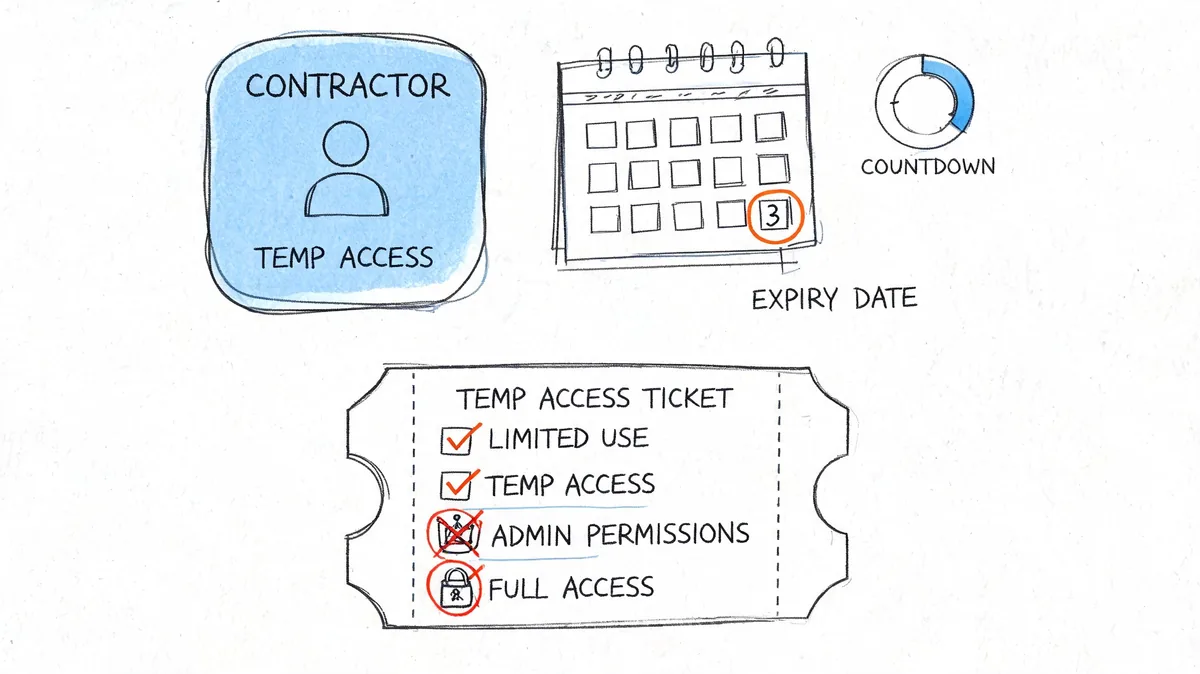
Give every contractor an end date on day one
Don't create custom exceptions every time. Make one contractor role template and use it every time. Keep it narrow. Ticket access only if they need it. No broad reporting. No user management. No integration settings. No billing visibility.
Pair the role with a defined expiry review before the contract ends. If the manager wants to extend access, make them ask for it.
Contractor access should expire by default. Extensions should require a human decision.
The policy to copy into your process
Use this pattern:
- Assign a contractor role: Keep permissions limited to the work they were hired to do
- Set a review date early: Check access before the contract ends, not after
- Track contractors separately: Keep them visible in your access inventory and renewal reviews
- Run offboarding monthly: Look for users who no longer belong in the instance
Onboarding and offboarding discipline matters more than fancy role design. If your process is weak, your RBAC model won't save you. LicenseTrim's post on onboarding and offboarding gives a practical framework for that handoff.
For the security side of the same problem, Internal Control Locus and insider threat prevention is relevant.
A real Zendesk example is a company that hires temporary agents for a product launch. They need queue access, macros, and internal collaboration. They do not need permanent seats, reporting admin, or broad org visibility. Put the contract date into the access request. Treat the removal date as part of setup, not cleanup.
4. Read-Only Analyst Roles for Finance and Compliance Auditing
Finance and compliance teams often get too much access because admins don't know what else to give them. So they end up with broad visibility or shared screenshots passed around in Slack. Neither is good.
Use a read-only analyst role instead. Give them visibility into the reporting and audit data they need, without ticket editing, user changes, or configuration access.
Why this matters beyond security
RBAC isn't only about blocking bad access. It's also about giving the right people enough visibility to challenge waste. Finance can't help reduce Zendesk spend if they can't see who is licensed, who is active, and where the over-allocation sits.
A healthcare example shows why constrained access works. Interfaith Medical Center applied NIST RBAC standards across a multi-site environment serving more than 250,000 patients annually, with 42 defined roles and Active Directory integration. It cut access provisioning from 45 minutes per user to 2.5 minutes and reduced privacy breach incidents from 28 in 18 months to 2 in the following year, as described in AiMultiple's RBAC examples. The setting is healthcare, not Zendesk, but the lesson transfers cleanly. Give auditors and reviewers visibility without edit power.
What to include in a Zendesk analyst role
Keep the scope tight:
- Finance analyst: License visibility, user lists, cost review inputs, read-only reporting
- Compliance analyst: Audit logs, access review records, role assignment history
- Internal audit: Historical snapshots of who had access and when
- External reviewer: Temporary, read-only visibility during formal audits
You don't need one giant “analyst” role for everyone. Split finance and compliance if they need different data.
A practical Zendesk scenario is a finance lead reviewing inactive agents before renewal. They need to inspect usage, compare assigned roles, and validate downgrade recommendations. They do not need to edit triggers or suspend users themselves. Read-only access keeps the process clean.
5. Delegated Admin Roles with Multi-Tenancy Governance
If you manage more than one Zendesk instance, broad admin access becomes a mess fast. One person can touch multiple brands, regions, or client environments, and all it takes is one wrong change in the wrong place to create cleanup work across teams.
Use delegated admin roles scoped to the specific instance, brand, or business unit that person owns.
Keep each admin inside their own lane
This matters most for MSPs, holding companies, and global teams with separate Zendesk environments. Your admin for Brand A should not have access to Brand B just because both live under the same umbrella. Your regional admin for APAC should not be able to change workflows in North America unless they're part of a formal backup process.
That structure also makes cost review cleaner. You can inspect licenses, inactive users, and role creep by instance instead of trying to untangle one blended admin layer.
The operating model that works
A delegated admin setup should include clear naming, documented ownership, and a change process.
- Name roles consistently: Keep role names aligned across instances so reviews are readable
- Assign one owner per environment: Every instance needs a clear admin owner
- Require approval for major changes: Local control is fine, unchecked drift isn't
- Review per instance: Audit access and seat usage separately for each tenant
A real-world Zendesk example is an MSP running separate client instances. Each client admin can manage users, macros, and routing inside their own account, but they can't see or alter any other client's environment. That protects data boundaries and stops one admin role from becoming a catch-all.
6. Inactive User Auto-Suspension with Role-Based Reactivation Workflows
A support lead leaves for parental leave. A contractor finishes a migration. A former team manager still has a Zendesk seat three months later because nobody wants to touch their access. That is how seat waste happens.
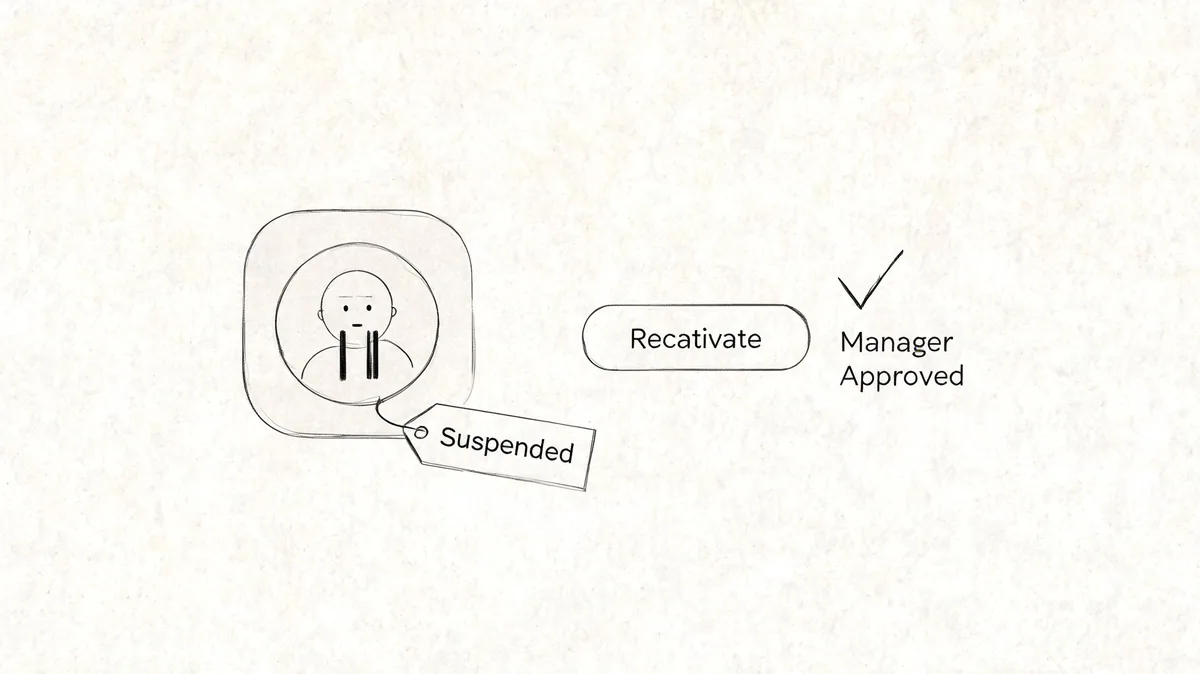
Inactive users are one of the easiest places to cut Zendesk cost without slowing the team down. Set a clear inactivity threshold, suspend the account automatically, and make reactivation role-based instead of ad hoc. You keep the user record, preserve history, and stop paying for people who are not working tickets.
Build suspension around actual Zendesk use
Do not define inactivity loosely. Pick the actions that prove someone is still an active Zendesk user, such as logging in, updating tickets, replying to customers, or using assigned views. Then apply one rule across the account so finance, support ops, and admins are working from the same definition.
A practical policy looks like this:
- Suspend after a fixed inactivity window: Use one threshold for agents and a separate one for light-use roles if needed
- Send notice before suspension: Alert the user and their manager a few days before the cutoff
- Route reactivation through the manager: The manager confirms the person still needs Zendesk
- Recheck the role before restore: Do not reactivate someone into an outdated manager or admin seat
- Log every reactivation: Track who approved it, when it happened, and which role was restored
That last step matters. Reactivation should be a small access review, not a button that puts old permissions back by default.
Use role-based reactivation to stop old access from coming back
If a returning user only needs standard ticket handling, restore them into the base agent role. If they were a temporary team lead or project admin before they went inactive, make them request that higher role again. This is the point where RBAC saves money. You stop treating every return as a full license and full privilege restoration.
For Zendesk teams that want a cleaner rule set, pair the suspension workflow with policy-based access control for changing access conditions. RBAC defines who should get access. Policy rules decide when that access should pause, expire, or require reapproval.
Teams that clean up inactive accounts usually see fewer internal access requests and less admin cleanup, as noted earlier in the article. The savings are straightforward in Zendesk. Fewer dormant seats. Fewer accidental manager licenses. Fewer contractors left active after the work ends.
If you are also improving adjacent operating processes, scaling small business operations with AI covers workflow efficiency ideas. Keep your Zendesk suspension process tied to access control first, not generic automation.
A good default is simple. Suspend inactive users automatically. Restore access only with manager approval and a current role check. That one policy catches a surprising amount of Zendesk waste.
7. Project-Based Role Assignment with Automatic Scope Changes
Some teams don't need one permanent Zendesk role. They need changing access based on the project, queue, or launch they're working on right now.
That's common in professional services, product launch support, migration teams, and specialized escalation groups. Yet many teams keep those users in broad, static roles because changing access manually is annoying.
Match permissions to live assignments
If an agent is assigned to a billing cleanup project, give them access to billing-related groups, views, macros, and fields. When they move back to general support, remove the project-specific scope. Don't leave privileged access in place because it's easier.
At this point, Zendesk groups, brands, custom fields, and queue-specific workflows become useful. The role defines the baseline. Group and project assignment define the active scope.
Here's a short explainer if you want to go deeper into the policy side before you build this in your own environment:
What to formalize before rollout
Don't automate scope changes until you've documented what each project type needs.
- Map project permissions: List which groups, macros, and fields belong to each project
- Pilot with one team: Test changes with a small group before rolling them out wider
- Keep a fallback path: Edge cases will happen, so maintain a manual exception process
- Audit the outcome: Check whether narrower scope led to fewer full-seat assignments
If your access model starts drifting from fixed roles into condition-driven policies, LicenseTrim's write-up on policy-based access control helps frame where RBAC ends and policy logic starts.
A good Zendesk example is a product launch squad. For six weeks, certain agents need access to a launch queue, launch macros, and a limited set of related reports. When the launch ends, those permissions should disappear with the assignment. The role should not stay inflated for the rest of the year.
8. Executive Dashboard Viewer Roles with Restricted Metric Access
Executives often get overpowered access for one reason. It's faster. Someone wants to see support metrics, so the admin gives them a role that's much broader than they need.
Fix that with a dashboard viewer role built for leadership. Read-only. High-level metrics. No user changes. No ticket editing. No agent-level drill-down unless there's a specific approved reason.
Give leaders visibility without buying admin sprawl
Your VP of Support needs trend visibility. Your CFO needs cost context. Your Chief Customer Officer may need service performance. None of them need to edit triggers or manage agent accounts to read a dashboard.
That role also protects employee privacy. Executives can review queue health, SLA performance, customer satisfaction trends, and license waste summaries without seeing every individual operational detail.
What belongs in an executive role
Keep it focused on decision-making, not operations.
- High-level metrics: Team performance, service trends, and cost review inputs
- Restricted granularity: Avoid unnecessary access to individual agent data
- Board-ready views: Use summaries, not raw admin screens
- No configuration rights: Dashboards are enough for most leadership use cases
There's also a cost reason to do this well. One of the biggest content gaps in examples of RBAC is that most guides ignore SaaS license waste entirely, even though finance teams care about it directly. Oso's overview of RBAC examples highlights that gap around setup versus ROI, and the brief above notes a 2026 Gartner figure on overspend, but because that figure is future-dated in the source set, treat it as directional rather than operational fact for today. The practical takeaway is still clear. Executives rarely need premium operational access just to review outcomes. Use viewer roles, not admin shortcuts.
8-Point RBAC Examples Comparison
| Role Model | Implementation Complexity 🔄 | Resource Requirements ⚡ | Expected Outcomes 📊 | Ideal Use Cases 💡 | Key Advantages ⭐ |
|---|---|---|---|---|---|
| Zendesk Agent Role Hierarchy with Activity-Based Access Control | 🔄 Medium, role design + activity integration | ⚡ Moderate, LicenseTrim + admin time, periodic reviews | 📊 15–25% license cost reduction; improved security & accountability | 💡 Large support teams, LicenseTrim customers, seasonal staff | ⭐ Prevents over-licensing; clear audit trails; rapid onboarding |
| Manager-Level Oversight Roles with Restricted Reporting Access | 🔄 Low–Medium, scope dashboards and permissions per team | ⚡ Low, admin setup and manager training | 📊 Saves ~$50–75/month per manager; better data privacy | 💡 Regional/multi-team managers; organizations with least-privilege needs | ⭐ Limits admin licenses; maintains team data isolation |
| Contractor and Temporary Staff Limited-Duration Access | 🔄 Low, expiration rules and role templates | ⚡ Low–Moderate, automation + monitoring discipline | 📊 Saves $3,000–8,000 annually by removing forgotten contractor accounts | 💡 Seasonal support, project-based contractors, MSPs | ⭐ Eliminates wasted spend; simplifies offboarding; reduces risk |
| Read-Only Analyst Roles for Finance and Compliance Auditing | 🔄 Low, create read-only roles and filtered views | ⚡ Low, minimal admin effort; coordination with finance | 📊 Eliminates 1–2 admin licenses (~$100–150/month); supports compliance audits | 💡 Finance teams, compliance officers, internal/external auditors | ⭐ Enables audits without admin access; reduces IT reporting burden |
| Delegated Admin Roles with Multi-Tenancy Governance | 🔄 High, multi-instance scoping and governance | ⚡ High, cross-instance coordination, training, LicenseTrim per tenant | 📊 10–15% additional savings via coordinated tenant management | 💡 MSPs, holding companies, multi-brand/global enterprises | ⭐ Scales admin safely; isolated instance control; clear accountability |
| Inactive User Auto-Suspension with Role-Based Reactivation Workflows | 🔄 Medium, automation + approval/reactivation workflows | ⚡ Moderate, workflow tooling, notifications, communication | 📊 Captures 20–30% license savings by rapid inactivity response | 💡 Variable/seasonal workforce, organizations practicing zero-trust | ⭐ Automates enforcement; preserves roles for quick reactivation |
| Project-Based Role Assignment with Automatic Scope Changes | 🔄 High, integration with project systems; dynamic scoping | ⚡ High, systems integration, testing, robust error handling | 📊 Reduces permissions per agent 20–30%; enables role downgrades | 💡 Professional services, matrix orgs, project-driven teams | ⭐ Ensures least-privilege per assignment; prevents permission accumulation |
| Executive Dashboard Viewer Roles with Restricted Metric Access | 🔄 Low, dashboard filters and read-only role setup | ⚡ Low, reporting development and maintenance | 📊 Saves $100–200/month per executive; preserves employee privacy | 💡 Executives, CFOs, board members needing high-level KPIs | ⭐ Executive visibility without admin licenses; reduces ad-hoc report requests |
From Examples to Action Your RBAC Audit Plan
You don't need a giant RBAC redesign to get value from this. Start where waste is most visible. Pick one over-provisioned category, managers with broad access, contractors with no end date, inactive agents, or executives on the wrong role tier. Then review every user in that category inside Zendesk Admin Center.
Keep the first pass practical. Look at what the person does, what they need to see, and whether the current role still fits. If the answer is no, downgrade the role, restrict the scope, or suspend access until there's a reason to restore it.
The most common mistake is trying to design the perfect role model first. Don't do that. Fix the expensive problems first. Your best candidates are usually obvious once you look at real usage.
Use this sequence:
- Review assigned role: Check whether the current role matches the user's current job
- Check activity: Look for users with little or no meaningful Zendesk use
- Confirm scope: Make sure managers, analysts, and executives only see what they need
- Set review dates: Contractor and temporary roles should always have one
- Add suspension rules: Stop paying for seats that no one is using
- Document exceptions: If someone keeps higher access, write down why
There's also a bigger reason to take this seriously now. The source set for this piece notes a market trend driven by cyber incidents, compliance pressure, and the expansion of role-based controls into day-to-day operations. That lines up with what support leaders already feel. Zendesk access isn't only a security setting. It affects spend every month.
One gap in the broader market is the lack of Zendesk-specific guidance. The brief for this article points out that generic RBAC examples usually focus on engineering systems, healthcare, or banking, while support leaders need practical models for Agent, Light Agent, manager oversight, finance review, and temporary staff. That's exactly why your audit should stay grounded in your actual Zendesk setup, not generic IAM diagrams.
If you want a faster read on where your waste sits, a tool like LicenseTrim can help. It connects to Zendesk with read-only access through OAuth, checks agent activity, and shows which seats look inactive or over-assigned. That's useful because it turns a manual review into a list you can act on before renewal.
The important part is what happens next. Review the recommendations. Talk to team leads. Downgrade what's excessive. Remove what's obsolete. Add policies so the same waste doesn't come back next quarter.
That's the whole point of RBAC in Zendesk. Not theory. Better control, fewer idle seats, and a bill that finally matches how your team works.
If you want a fast way to spot inactive Zendesk agents before your next renewal, try LicenseTrim. It connects with read-only API access, shows where licenses are sitting idle, and gives you a clear list of users to downgrade, suspend, or remove without changing anything automatically.