Meta description: A practical guide to what is an MSA agreement, which clauses matter most, and how to avoid contract terms that drive Zendesk license waste.
Your Zendesk renewal is due. Sales sends over pricing, finance wants a forecast, and legal drops a long PDF in your inbox called the MSA. You skim the first page, hit “limitation of liability,” “indemnification,” and “termination for convenience,” and your eyes glaze over.
That document matters more than most admins realize.
If you manage Zendesk day to day, the MSA controls the rules around billing, renewals, service commitments, data handling, and what happens when the vendor underperforms. It can decide whether you’re stuck paying for seats you don’t use, whether you can add a small project without weeks of contract churn, and how much risk your company carries if an integration breaks.
That 20-Page Document in Your Inbox
Your Zendesk renewal is six weeks out. Sales is pushing a quote. Finance wants a clean forecast. Legal sends over the MSA and asks whether the terms work for the business.
This is usually the point where the contract gets treated like background noise. That is how seat minimums, auto-renewal notice periods, and vague service terms slip through and turn into avoidable spend later.
For a Zendesk admin, the pressure is not abstract. You are often the person who knows whether the contract matches how the instance is used. Can your team true down licenses before renewal, or only add more? If you bring in implementation support next quarter, does the existing paper cover it? If an app or API workflow breaks, who owns the fix and who pays for the fallout?
Those questions hit budget and daily operations fast.
I have seen teams focus on the discount rate and miss the clause that locks in unused seats for another year. I have also seen the opposite problem. Legal tightens risk terms, but nobody checks whether the commercial language lets the company remove dormant licenses, change support levels, or exit add-on services that no longer get used.
That is why this document deserves a practical read, not a legal skim. The MSA sets the operating rules behind your Zendesk spend. If those rules are loose, the waste usually shows up at renewal, after the usage problem has been sitting in the tenant for months.
Read it with one question in mind. What in here could force us to pay for Zendesk capacity, services, or risk we do not need?
What Is an MSA Agreement and Why Does It Matter
A Master Services Agreement, or MSA, is the standing contract that sets the default rules between your company and a vendor. It is the paper that stays in place while you add products, services, users, or projects over time.
In plain terms, if you searched “what is an msa agreement,” the answer is simple: it defines the baseline terms of the relationship, and the later documents fill in the specific purchase, scope, or pricing details.
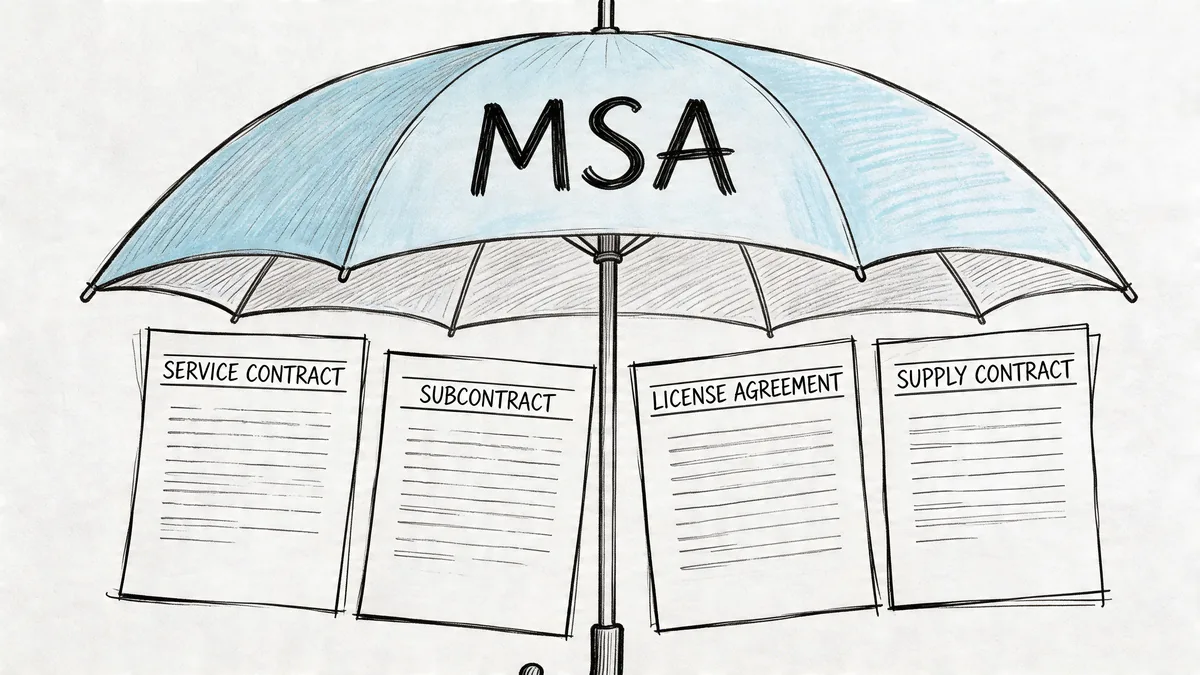
The MSA's core functions
An MSA usually covers the terms that vendors want to reuse across every deal and every expansion:
- Liability limits if the vendor causes loss, downtime, or a security issue
- Confidentiality for company data, customer data, and internal workflows
- IP ownership for integrations, reports, custom work, and documentation
- Payment rules such as invoice timing, dispute windows, and late charges
- Termination rights including what happens when the contract ends
- Dispute process such as venue, arbitration, or escalation steps
That structure saves time. It also creates risk if bad terms get locked in early.
For a Zendesk admin, the value of an MSA is not that it explains the relationship in legal language. The value is that it decides how much friction you will face when you need to change seat counts, add support services, bring in a third-party app, or challenge a charge that does not match usage.
A weak MSA turns routine contract admin into a budget problem.
Why companies use them
Companies use MSAs so they do not renegotiate the same base terms every time they buy something new from the same vendor. Legal reviews the framework once. After that, an order form or project document can move faster.
That is useful in SaaS. Zendesk environments rarely stay still for long. Teams add agents, remove light users, test add-ons, bring in consultants, and change support coverage. If the MSA is clean, those later purchases are easier to process. If it is vague or one-sided, every change can reopen a fight over access, billing, security, or ownership.
This is also where license waste starts to become contractual, not just operational. If your MSA and related papers only make it easy to add seats, but hard to remove them, the contract can preserve waste even after the usage problem is obvious in your tenant.
Where admins feel the impact
Legal may negotiate the clause. Your team lives with the result.
| Area | What the MSA controls | What you feel |
|---|---|---|
| Renewals | Notice windows, term length, auto-renewal rules | Whether you can cut unused seats before they roll over |
| Billing | Invoice timing, disputes, payment deadlines | Whether finance can challenge mismatched charges in time |
| Integrations | Data access, security obligations, ownership | Whether a vendor gets broader access than the work requires |
| Service quality | SLA structure and remedies | Whether slow response or downtime has any real consequence |
| Future work | Reuse of base terms | Whether every add-on needs another legal review |
The practical point is simple. If a clause affects seat count flexibility, vendor access, payment disputes, or renewal timing, it affects Zendesk operations and spend.
How often it should be revisited
An MSA is not a one-time filing exercise. It should be revisited when your Zendesk setup changes in a meaningful way, when the vendor changes packaging or support terms, or when the contract has been patched with enough exceptions that nobody is sure which rule applies anymore.
I usually treat side letters, pricing exceptions, and approval workarounds as warning signs. They often mean the base agreement no longer matches how the business buys or uses the tool.
For SaaS teams trying to control license waste, that matters. The older the MSA, the higher the chance it reflects an old buying model instead of your current Zendesk reality.
MSA vs SOW vs Order Form A Practical Comparison
A Zendesk admin usually sees the contract problem when something goes wrong. The invoice includes extra seats. A consulting partner says a dashboard rebuild was out of scope. Legal points to one document, finance points to another, and the vendor points to a third. That confusion usually comes from treating the MSA, SOW, and order form like they do the same job.
They do not.
- MSA = the standing rules between you and the vendor
- SOW = the statement of work for a specific project or service
- Order Form = the products, quantities, term, and pricing you bought
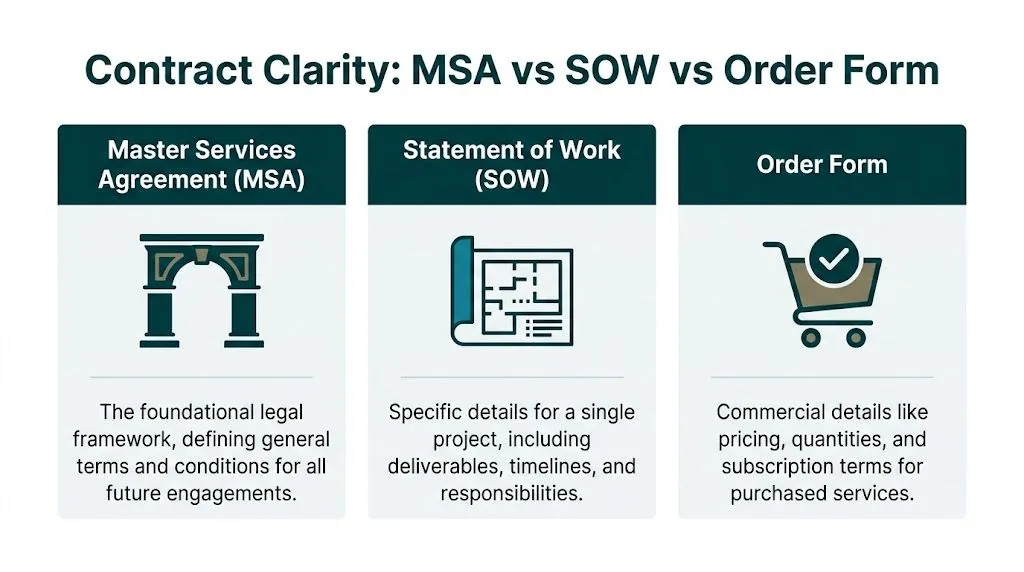
The three documents side by side
| Document | Main job | Typical contents | What it means for Zendesk license management |
|---|---|---|---|
| MSA | Sets the default relationship rules | Liability, confidentiality, security, data rights, termination, dispute process | Tells you how much room you have to challenge billing, limit vendor access, or exit cleanly |
| SOW | Defines a specific service or project | Deliverables, milestones, roles, acceptance criteria, timeline, exclusions | Tells you what the vendor will actually do in your Zendesk environment and what they can bill as extra |
| Order Form | Confirms the commercial deal | SKU, quantity, term, price, invoicing, renewal details | Tells you how many seats or services you bought, for how long, and at what cost |
The practical test is simple. If the question is "what are the base rules," check the MSA. If the question is "what work are they doing," check the SOW. If the question is "what did we purchase," check the order form.
Where teams get tripped up
The mistakes are predictable.
A finance lead reviews the order form for pricing but misses an auto-renewal clause buried in the MSA. A Zendesk admin assumes a partner will clean up unused licenses because the project sounds broad, but the SOW only covers workflow design. Procurement negotiates a discount on the order form, then accepts a document stack with conflicting terms about overages, notice periods, or billing disputes.
That is how license waste survives for another year.
The MSA and SOW structure is common in enterprise contracting. Monjur reports that 90% of Fortune 500 firms use the MSA/SOW framework, and that it cuts follow-on negotiation cycles by 50 to 70%. The benefit is real only if each document stays in its lane and the contract says which one controls when terms conflict.
A Zendesk example
Say you buy a Zendesk optimization package from a services partner and also add a separate app subscription.
The MSA should cover the standing rules. Security obligations. Data handling. Limits on liability. Termination rights. The process for billing disputes.
The SOW should cover the project work. Which Zendesk instance is in scope. Whether the partner will audit roles, automations, groups, and inactive agents. What reports they will deliver. Who signs off on completion.
The Order Form should cover the commercial details. App subscription fees. Service fees. Number of seats or usage units. Contract term. Renewal dates. Any committed minimums.
If your real goal is reducing wasted Zendesk licenses, the order form tells you what you are paying for, but the SOW tells you whether anyone is actually responsible for finding the waste. That distinction matters more than people expect.
What a clean contract stack looks like
A usable contract stack has three traits:
- Clear hierarchy. The contract says which document wins if terms conflict.
- No commercial surprises in the MSA. Pricing, quantities, and renewal specifics belong in the order form unless there is a good reason otherwise.
- No vague project language in the SOW. If a vendor claims they will optimize Zendesk usage, the SOW should say how, by when, and what evidence they will provide.
Here is the trade-off. Vendors like flexibility in the SOW because it lets them charge for change requests. Buyers like precision because it limits scope disputes. For Zendesk admins trying to control spend, precision usually wins. A vague SOW often turns license cleanup, role rationalization, and usage analysis into "advisory" work that costs extra.
Red flags to catch before signature
Watch for these issues before the contract is signed:
- Renewal terms in more than one document
- Different definitions of services across the SOW and order form
- Security promises mentioned in a sales email but missing from the contract
- No clause explaining which document controls if terms conflict
- Order forms that list quantities but not whether seats can be reduced at renewal
- SOW language that says "support as needed" instead of naming deliverables
One sentence can save weeks of internal back-and-forth. If a contract stack is clean, finance can verify charges, legal can resolve disputes faster, and the Zendesk admin does not have to act as interpreter between three versions of the deal.
Deconstructing the MSA Key Clauses You Cannot Ignore
A Zendesk admin usually feels the MSA only after something breaks. A renewal invoice lands with the wrong seat count. An integration fails and the vendor points to a liability cap. Security asks what happens to ticket data after termination, and nobody can find a clear answer.
That is why this section matters. The MSA decides who absorbs cost, who has to act, and how much room you have to fix license waste before it turns into locked-in spend.
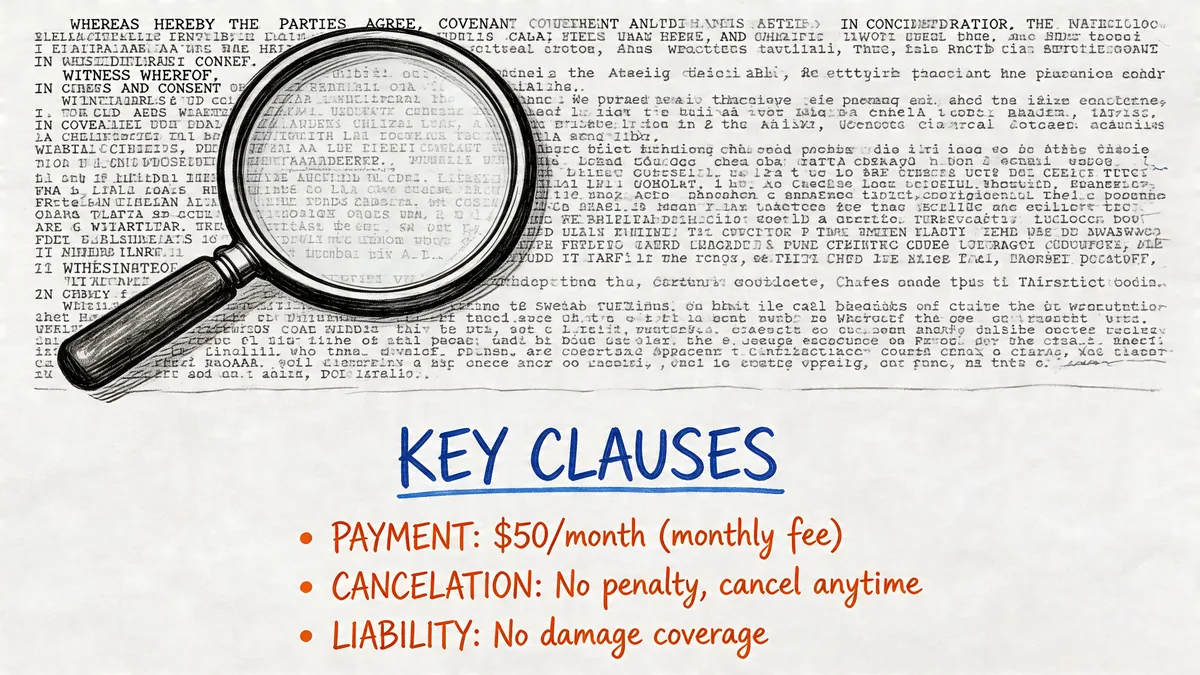
Liability caps
Liability caps set the financial ceiling if the vendor causes damage. In SaaS, the usual debate is not whether there will be a cap. It is how low the cap is, what claims sit outside it, and whether the cap matches the actual operational risk.
A 2025 Deloitte survey summarized by DocuSign found that 40% of SaaS disputes come from poorly defined clauses, especially around liability for API downtime, and recommends capping damages at 12 months’ fees plus arbitration language (DocuSign’s MSA overview).
For Zendesk teams, this clause matters most when a vendor touches provisioning, reporting, QA monitoring, call recording, or API-based automation. If the contract caps liability at fees paid under a small order form, but the outage affects your whole support operation, your remedy may be too small to matter.
One phrase deserves extra scrutiny:
“Liability limited to fees paid under the affected order form only.”
That can be reasonable for a narrow pilot. It is a bad fit when the vendor’s service influences multiple workflows or a large user base.
Check three points:
- What the cap is tied to. Total fees paid under the MSA or a defined period is usually better than one tiny order form.
- Which claims sit outside the cap. Confidentiality breaches, IP infringement, and gross negligence often need separate treatment.
- How damages are defined. If everything meaningful gets labeled “indirect,” the cap may look acceptable on paper and still leave you exposed.
Indemnification
Indemnity deals with third-party claims. If a vendor’s product infringes someone else’s IP or their conduct creates an external claim, this clause decides who defends the issue and who pays.
Procurement teams often focus on the headline promise and miss the operating details. Those details are what matter in practice. Who controls the defense. Whether the vendor can settle without your approval. How quickly your team has to notify them. What happens if your admins followed the vendor’s instructions and that use triggered the claim.
A workable clause states:
- what claims are covered
- who chooses counsel
- who approves settlement
- what cooperation your team must provide
Broad reciprocal indemnity can create more risk than protection for a buyer. If your Zendesk instance includes custom workflows, private apps, or internal data models, keep your obligations narrow and tied to things your company controls.
Data use and confidentiality
This clause has direct impact on license management. Vendors that help with Zendesk optimization often need access to usage metadata, role assignments, login history, and admin settings. They usually do not need broad rights to reuse ticket content, customer conversations, or account-level data for unrelated product development.
The contract should draw that line clearly.
Look for language that answers these practical questions:
- Can the vendor use your Zendesk data only to deliver the service, or for any internal business purpose?
- Who owns reports, dashboards, benchmarks, or derived analytics created from your account?
- How long does confidentiality survive after termination?
- Does the contract separate aggregated analytics from identifiable customer data?
Weak wording here creates two problems. First, security and privacy teams get stuck in review cycles. Second, procurement loses its advantage if the vendor builds renewal arguments from your own usage data but keeps the methodology opaque.
If you want a plain-language reference point before reviewing clauses, this sample SaaS contract structure helps show where data rights, confidentiality, and service terms usually sit.
Payment terms and invoicing
Payment language controls more than AP timing. It affects whether you can challenge incorrect bills, hold invoices during a dispute, and tie fees to what the vendor delivered.
Bad drafting leads to wasted Zendesk spend. If invoice terms are vague, finance may pay by default while your team is still proving that 40 inactive agents should not have renewed. If the dispute window is too short, you can lose the right to question overbilling before the usage review is finished.
Read this clause with a license manager’s eye:
- When billing starts
- How often invoices recur
- How long you have to dispute charges
- Whether disputed amounts can be withheld
- Whether service credits apply automatically or only if requested
- Whether renewal invoices can be issued before seat counts are validated
Watch for this phrase: “Fees are non-cancellable and non-refundable.”
Sometimes that is standard. Sometimes it blocks a clean correction when the vendor billed for licenses your team had already removed from use.
A good payment clause supports governance. It should let finance pause on a real billing issue instead of forcing everyone into a legal argument after payment is made.
Scope and change control
Scope language decides what work is included and what becomes a paid add-on. In Zendesk environments, that line gets expensive fast.
I see the same pattern often. The vendor says they will help improve usage, but the contract never states whether that includes role cleanup, light admin support, reporting changes, or periodic license reviews. Then a simple request becomes a statement of work change, a consulting fee, or a reason the project stalls.
A usable clause should require written approval before any scope change affects fees, timeline, or deliverables. It should also make clear who on your side can approve those changes. If every casual email from an operations manager can be treated as authorization, budget control disappears.
Test the clause against real work:
- adding a new usage report
- changing support hours
- updating a Zendesk integration
- revising seat review cadence before renewal
If the contract does not tell you whether those requests are included, expect friction later.
SLAs and service standards
Some MSAs keep service levels in a separate exhibit. Others bake them into the master agreement. Either way, the terms need to be measurable enough that ops can enforce them.
“Commercially reasonable efforts” is not a service level. “Priority 1 incidents get a response in one hour, 24/7” is.
For Zendesk-related vendors, useful SLA terms usually cover:
- system uptime
- support response times
- restoration targets
- maintenance windows
- reporting frequency
- service credits or another remedy when targets are missed
Here’s a useful explainer before you redline SLA language:
The trade-off is simple. Tighter SLAs give you an advantage, but vendors may charge more or narrow the remedy to service credits only. That can still be acceptable if the service is low risk. It is a poor trade if the tool sits in a workflow your support team depends on every day.
Term and termination
Term and termination clauses define your exit path. They also shape how much room you have to cut waste before renewal.
If your team discovers 15 percent of Zendesk seats are inactive 45 days before renewal, the contract determines whether you can reduce, whether you needed earlier notice, and whether any service component can end without collapsing the whole agreement.
Read for the operational details:
- initial term length
- renewal mechanics
- notice deadline
- termination for cause
- termination for convenience, if available
- effect of terminating one order form or SOW
- data return and deletion timeline
A poor clause traps budget in a product mix you no longer need. A fair clause gives your team time to review actual usage, reduce unnecessary licenses, and leave cleanly if the service no longer fits.
Dispute resolution and governing law
This clause rarely gets attention until a billing or service issue turns serious. Then cost and venue matter immediately.
If the vendor is in another state or country, a favorable legal position can still be too expensive to enforce. Arbitration may help on speed and privacy, but only if the process, location, and fee split are reasonable. Otherwise it becomes another barrier to getting relief.
Check:
- which law governs
- where disputes are heard
- whether mediation is required first
- who pays filing and hearing costs
- whether urgent court relief is still allowed for data misuse or confidentiality breaches
For a mid-market SaaS buyer, the wrong venue can make a valid claim impractical.
Insurance and security obligations
Security terms are not boilerplate if the vendor has access to Zendesk data, admin permissions, or production-linked workflows. They set expectations for breach notice, cooperation, audit support, and in some cases where data can be stored or processed.
Insurance matters for the same reason. If the vendor mishandles data or creates an outage with real financial impact, you want proof they carry coverage that matches the risk they are taking on.
Focus on concrete wording:
- what security controls the vendor must maintain
- how quickly they must notify you of a breach
- what cooperation they owe during incident response
- whether sub-processors are covered
- what insurance they carry and whether proof is available on request
This clause matters on ordinary days and on bad Fridays. If the language is vague, your legal team gets ambiguity, your security team gets extra work, and your Zendesk admins are left cleaning up the operational mess.
Redlining Your SaaS MSA Negotiation Tips for Zendesk Admins
You usually won’t get every edit you ask for. That’s fine. The goal is not to win every clause. The goal is to remove terms that don’t match how your Zendesk environment is managed.
The best advantage is operational evidence. If you know which agents are inactive, which teams overprovision licenses, and how often roles change, you can push back on rigid seat commitments with facts instead of opinion.
Where to push first
Start with the terms that affect renewal and spend the most.
- Auto-renewal notice: Ask for enough lead time to review usage before renewal.
- Seat flexibility: Push for the ability to reduce or reassign seats on a defined cadence.
- Data rights: Narrow vendor use of account data to service delivery only.
- Termination language: Avoid clauses that make exit possible only after severe breach.
- SLA remedies: Tie poor service to credits or another defined consequence.
What usually gets movement
Vendors resist broad rewrites. They often accept narrower, targeted edits.
Try asks like:
- Clarify that your company retains ownership of usage data and outputs tied to your Zendesk account.
- Add language that one terminated SOW does not automatically terminate the entire MSA.
- Require written approval for scope changes that affect fees.
- Define a review point before renewal for seat counts and service levels.
A well-built master agreement pays off later. Thomson Reuters explains that strong master terms can cut negotiation cycles for later SOWs from over a month to a few days.
That’s why early redlining matters. If you get the base document right once, the next project moves much faster.
Bring examples, not theories
Legal comments are stronger when they tie to actual workflow.
Instead of saying “the seat commitment is too rigid,” say your support org changes staffing during the year and needs periodic adjustment rights. Instead of saying “data rights are too broad,” say the vendor only needs read access to usage metadata, not broad reuse of service content.
If you want a practical baseline before markup, review a sample SaaS contract structure and compare it against your current stack.
Negotiation works better when you frame edits as operational alignment, not legal preference.
The MSAs Hidden Impact on Your Zendesk Spend
A Zendesk admin usually sees the waste before finance does. Ten paid agent seats sit inactive for months. A team downsizes, but the contract only lets you true up once a year. Support response times slip, yet the invoice still gets approved because the MSA never tied service failures to any credit or review right.
The MSA does not set every line-item price. It does decide how easy it is to cut waste once your Zendesk setup changes.
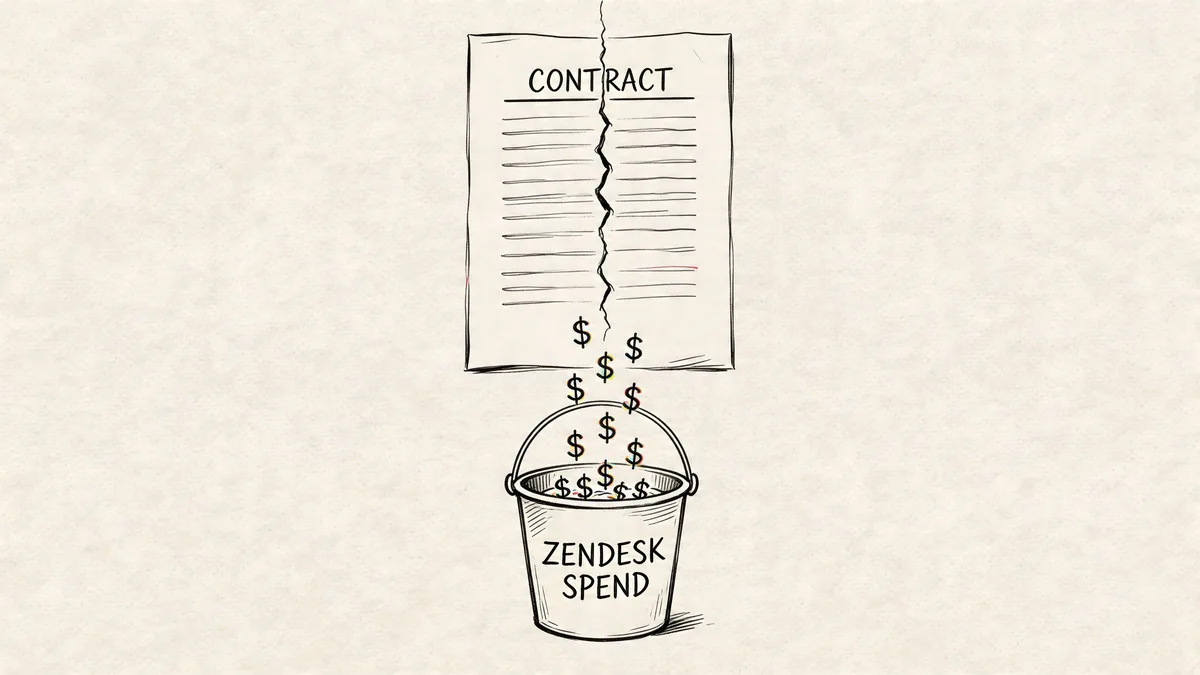
Where contract language turns into waste
Zendesk seats are expensive enough that small contract mistakes turn into real budget loss. The current annual-billing reference points in the brief are:
| Zendesk plan | Price per agent per month |
|---|---|
| Suite Team | $55 |
| Growth | $89 |
| Professional | $115 |
| Enterprise | $169+ |
On Professional, five unused seats can sit on the invoice month after month. On Enterprise, the problem gets harder to ignore fast.
The spend problem usually comes from several clauses working together:
- Auto-renewal windows that close before anyone checks actual usage
- Seat minimums or commit floors that no longer match your staffing model
- No refund or credit language that leaves you paying for licenses you stopped using
- Weak service terms that give ops no practical remedy when support quality drops
I see this most often when the order form gets all the attention and the base agreement does not. Teams negotiate price, then accept renewal and payment language that blocks cleanup later. The result is familiar. Finance asks why Zendesk spend stayed flat after headcount dropped, and the answer is sitting in the MSA.
Why admins should care
Zendesk admins usually hold the proof that supports a renegotiation. They know which agents have not logged in, which light-use users are sitting in full seats, and which teams changed structure since the deal was signed.
That operational detail matters because contract rights expire on a calendar, not when procurement finally has time to look. If the MSA requires notice before renewal, your usage review needs to happen early enough to act on what you find.
If you need a cleaner way to build that case, this license auditing software checklist is a practical starting point for finding inactive Zendesk licenses before the renewal window closes.
Your Pre-Renewal MSA Checklist
Don’t wait for legal to flag everything. Most savings opportunities are lost before the contract review even starts.
Ninety days before renewal
- Pull actual usage: Match paid seats against active Zendesk users.
- Find dormant accounts: Check for agents who no longer need full licenses.
- Read notice dates: Confirm the exact deadline for non-renewal or downsizing.
- Compare documents: Make sure the MSA, order form, and any SOWs don’t conflict.
During legal review
- Check liability language: See whether the cap is workable for the service risk involved.
- Narrow data rights: Confirm your company keeps ownership of account and usage data.
- Review termination rights: Make sure you have a realistic exit path.
- Tighten scope control: Require written approval for fee-impacting changes.
- Test dispute terms: Verify venue, law, and arbitration language are acceptable.
Before signing
- Confirm seat flexibility: Get any reduction or reassignment rights into writing.
- Tie payment to service: If the vendor promises measurable performance, reflect that in the contract.
- Write down owners: Assign one person in ops, one in finance, and one in legal.
- Store the contract stack together: MSA, SOWs, order forms, and amendments should live in one place.
If you need a reference point before your next renewal cycle, keep a set of SaaS contract templates and examples handy and compare your vendor paper against them clause by clause.
If you want a faster way to spot wasted Zendesk seats before renewal, LicenseTrim connects through Zendesk OAuth, flags inactive agents, and shows where you’re paying for licenses nobody is using. It gives admins and finance teams a cleaner fact base before they negotiate the next contract.