Your Zendesk bill goes up, but your support team size doesn't. That's the kind of spend creep that gets missed until renewal week, when finance asks why the cost climbed and nobody has a clean answer.
Usually, the waste isn't dramatic. It's a few inactive agents, a few seats kept "just in case," a few role changes nobody cleaned up. In Zendesk, proving that waste by hand is the painful part. You pull user lists, check last login dates, ask managers if an agent is still active, then try to turn that into something finance will trust.
That's where vendor relationship management best practices stop being abstract. For Zendesk admins, this is cost control work. You need a repeatable way to measure value, cut waste, document decisions, and go into renewals with evidence instead of guesses.
Start with the list. Keep what helps. Ignore the theory that doesn't survive real admin work.
Meta description: Zendesk costs keep rising? Use these vendor relationship management best practices to audit licenses, cut waste, and control renewal spend.
1. Establish Clear SaaS Vendor Performance Metrics and KPIs
A Zendesk renewal gets expensive fast when nobody can answer a basic question. Which licenses are helping the team do real work, and which ones are just sitting there on the invoice?
That answer starts with a scorecard. For a Zendesk admin, vendor performance is not just uptime and support response time. It is also seat efficiency, plan fit, and whether your spend still matches how the support org runs today.
Pick metrics that change a decision
If a metric does not help you remove a seat, defend a renewal number, escalate with Zendesk, or question your current plan, it is noise.
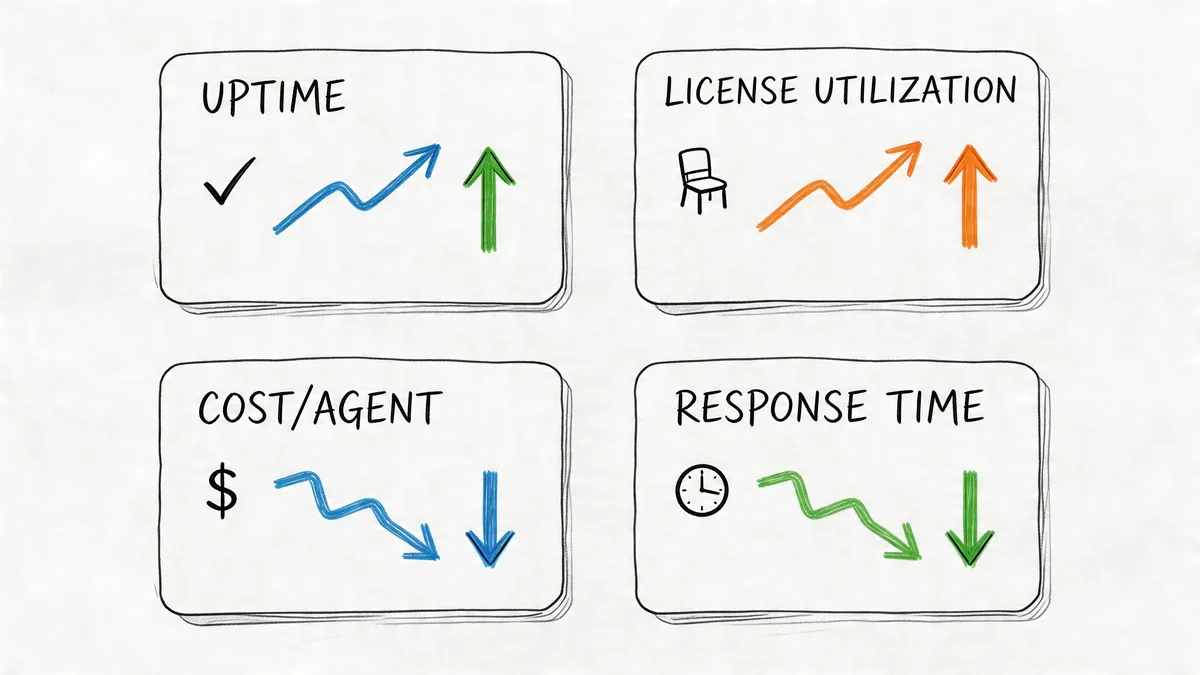
Use a short list you can review every month without creating extra admin work. I usually see the most value from metrics like these:
- License utilization: Paid agents versus agents who are logging in and handling work.
- Cost per active agent: Total Zendesk spend divided by the people who use it.
- Vendor support quality: How fast billing, technical, or account issues get resolved when you open a ticket.
- Plan fit: Whether you are paying for features your team uses, or carrying a higher tier out of habit.
- Admin exception count: Temporary seats, backup admins, training accounts, and edge cases that tend to survive longer than they should.
Keep the threshold simple. Your team should be able to look at the number and know what happens next.
Measure usage in a way finance will accept
Zendesk admins often get pulled into cleanup work with weak evidence. Someone says a seat is probably inactive. A manager says they might need it later. Finance asks for proof.
Use a consistent definition and stick to it. Active can mean recent login plus ticket work. In some teams, login alone is too loose because shared habits, light-touch roles, or temporary coverage can make a seat look alive when it is not contributing much. The point is not to find a perfect formula. The point is to use one standard every review cycle so trend lines mean something.
If you need a tighter process for that review, this guide to software license management practices for controlling SaaS waste gives a useful framework for turning activity data into cost decisions.
Build a Zendesk scorecard around trade-offs
Every metric has a trade-off. Aggressive cleanup saves money, but it can create friction for team leads who want spare capacity. A low cost per active agent looks good, but it can hide the fact that admins or specialists need paid access even if they are not handling queues all day. Vendor support quality matters, but it should not outweigh clear evidence that you are overlicensed.
That is why the scorecard needs both operational and cost measures. A practical setup usually includes:
- one usage metric
- one cost metric
- one vendor service metric
- one plan or feature-fit metric
That mix gives you a cleaner view than a generic vendor scorecard.
Set review thresholds before renewal pressure starts
Do this before your quote lands. Once renewal is in motion, every conversation gets harder.
Set target ranges for what healthy looks like in your instance. Define how much inactive seat drift is acceptable, what cost per active agent looks reasonable for your team, and how long vendor billing or support issues can stay unresolved before they need escalation. Review those numbers monthly with finance or operations, then revisit them quarterly with support leadership if staffing changes are coming.
This creates a paper trail and a decision trail. Both matter when you need to explain why Zendesk spend went up, stayed flat, or should come down.
2. Implement Regular Vendor Cost Audits and License Optimization Reviews
You usually notice Zendesk license creep after a staffing change, not when it starts. A team lead asks why the bill went up. Finance spots a renewal number that feels high. Then you pull the user list and find suspended workflows, backup coverage seats, old admins, and people who have not touched the instance in weeks.
That pattern is common because Zendesk access changes faster than ownership does. The fix is a scheduled audit with a clear review rule, not a once-a-year cleanup sprint.
Make audits part of monthly admin work
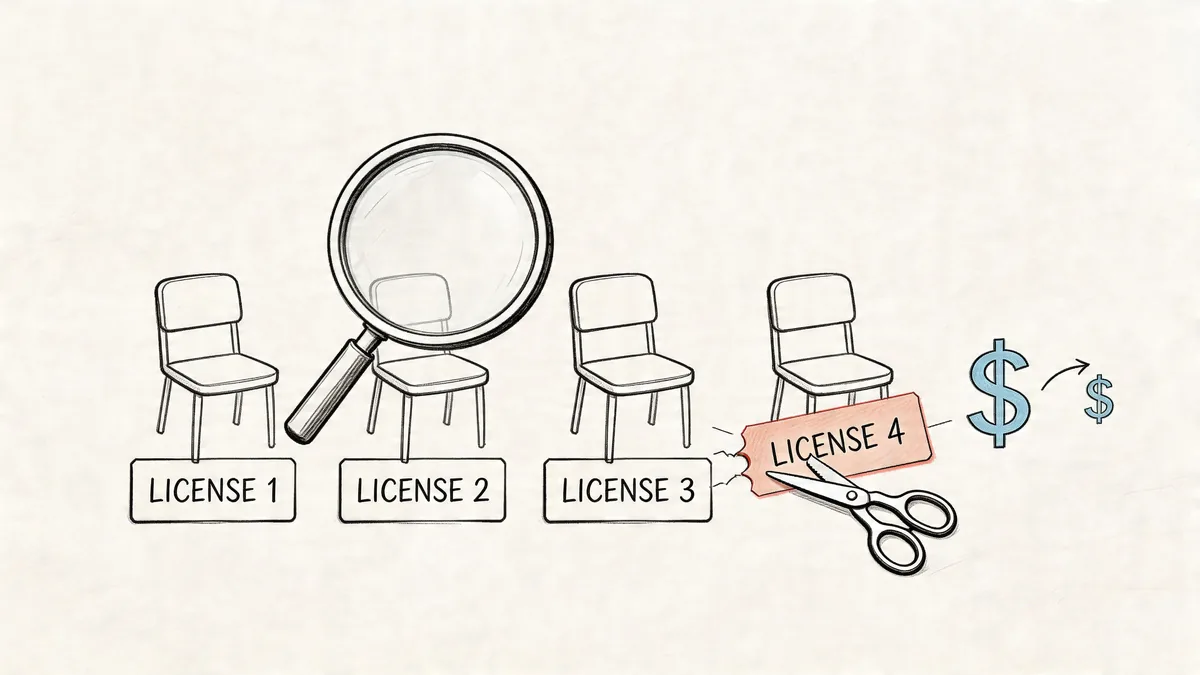
For Zendesk admins, the practical question is simple. Which paid seats still earn their cost?
Run the audit on a schedule that matches the risk. Monthly works for fast-changing support teams. Quarterly can work for stable environments, but only if headcount and role changes are tightly controlled. If your org hires in waves, uses seasonal agents, or grants temporary admin access during projects, quarterly is usually too slow.
A useful audit checks four things:
- Recent usage: who logged in, handled tickets, or used the parts of Zendesk that justify a paid seat
- Current role: whether the user's present job still requires that license type
- Known exceptions: training accounts, temporary coverage, integrations, and admin users who need access for configuration work
- Renewal exposure: which licenses will automatically roll into your next commit if you do nothing
The goal is not to remove every low-activity account. The goal is to separate justified exceptions from silent waste.
Set a threshold, then force an owner decision
Without a threshold, every review turns into opinion. One manager says keep the seat "just in case." Another says remove it. Nothing changes.
Pick a rule and document it. For example, review any paid user with low or no recent activity, then require a manager or system owner to confirm one of three actions: keep, downgrade, or remove. That gives you an audit trail and keeps cleanup from stalling in Slack threads.
If you need a stronger process around approvals and renewals, borrow a few ideas from this guide to contract management workflows for procurement teams. The useful overlap is ownership. Someone has to approve spend, justify exceptions, and confirm timing before renewal locks the cost in.
Focus on the seat types that drift first
In real Zendesk environments, a few categories create repeat overage.
Admin access is one. Teams grant privileged access for a migration, routing change, or reporting project, then leave it in place. Backup or overflow coverage is another. Those seats often stay active after the busy period ends. Training and sandbox-related users also blur the line between temporary need and permanent cost if nobody reviews them.
This is why raw exports are not enough. You need context beside the user list. Who requested the seat, why it was added, and when that reason should expire.
A spreadsheet can handle that for a while. Then someone misses an export, a filter breaks, or a manager changes teams and nobody knows who owns the exception anymore.
Idle Zendesk seats usually come from weak review habits, not from pricing alone.
Start with a repeatable manual review. Automation helps later. First, prove where the waste sits and which cleanup actions your team will follow through on.
For teams that want to see how automated review looks in practice, this walkthrough gives a useful reference point:
3. Develop a Vendor Contract Negotiation and Renewal Strategy
You find out your Zendesk renewal is 30 days out. Finance wants a number. Your account team wants a signature. You still have old admin seats, temporary agents from the last busy season, and add-ons nobody has reviewed since the last contract cycle.
That is how license cost creep gets locked in for another year.
For Zendesk admins, renewal strategy starts long before pricing talks. Key work involves deciding what should survive the renewal at all. If you walk into that conversation with a clean seat count, a clear view of feature use, and agreement on what the business needs, you have options. If you do not, the vendor's quote becomes the default.
Start the review before the quote shows up
Begin early enough to fix the count, not just explain it. Pull your current agent list, compare roles against actual job function, review add-ons, and flag anything that looks temporary but never got removed.
I usually want three things in hand before renewal discussions get serious:
- A current licensed user count
- A list of inactive, downgraded, or questionable seats
- A short record of plan features the team uses
That last point matters more than teams expect. Zendesk packages and add-ons look reasonable during rollout. A year later, you may be paying for capabilities that only mattered during implementation, a reorg, or a short-lived reporting project.
If your organization is still tightening its review process, these SaaS governance best practices help connect renewal prep with the broader controls around approvals, ownership, and spend visibility.
Negotiate around your real footprint
List price matters less than contract fit. Vendors do not need to be hostile for a renewal to get expensive. If your seat counts are inflated, your terms are vague, or your internal owners disagree on what stays, cost drift slips into the contract without much resistance.
Use the prep work to answer practical questions:
- How many paid seats are still justified today?
- Which roles can move to a lower-cost setup or come off the license count entirely?
- Which add-ons support daily operations, and which ones are legacy spend?
- What flexibility do you need if headcount changes mid-term?
For Zendesk, I push hardest on terms that affect future cleanup. Annual true-up language, downgrade timing, renewal notice windows, and seat minimums usually matter more than small headline discounts. A cheaper rate on the wrong volume still loses.
If you need a framework for the procurement side, contract management for procurement is a useful reference because it brings the business owner, system owner, and budget owner into the same discussion.
Strong renewals come from removing waste before you discuss price.
Also keep current plan pricing in view while you review scope. Zendesk Suite Team is $55 per agent per month, Growth is $89, Professional is $115, and Enterprise starts at $169 per agent per month on annual billing. A few unnecessary seats can wipe out the savings from a negotiated rate fast.
4. Create a Vendor Governance Framework with Clear Approval Workflows
A support manager needs three Zendesk seats before Monday. One is justified. One could be a light role. One is a backfill nobody plans to remove later. If your approval path does not force those distinctions up front, license creep starts before the invoice arrives.
A good governance framework keeps Zendesk access fast enough for operations and controlled enough for spend. The goal is simple: every paid seat has a named owner, a business reason, a license type that matches the work, and a review point.
Keep the path short
Heavy process slows support teams down. No process turns Zendesk into an expensive catch-all.
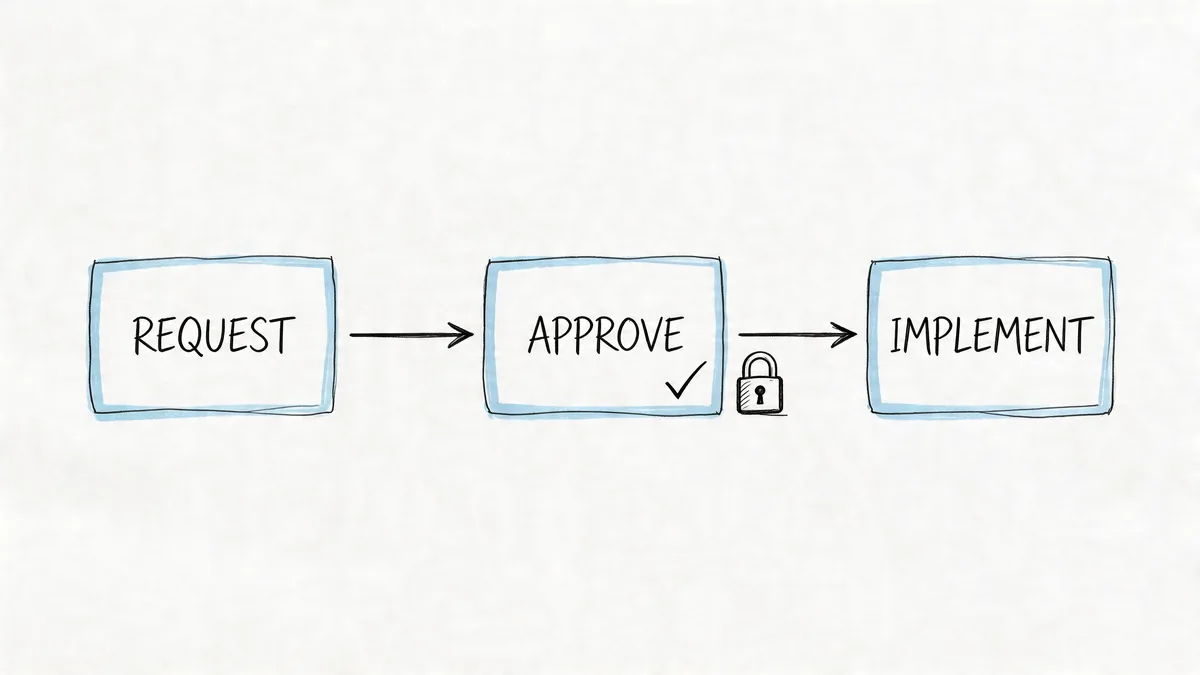
For most admin teams, three checks are enough:
- Requester: Explains the work this person needs to do in Zendesk and why an existing seat will not cover it.
- System owner: Reviews the right license level, checks for unused seats, and confirms the user really needs agent access.
- Budget owner: Approves the added cost or pushes the team to reuse capacity first.
That middle step matters most for cost control. I have seen plenty of requests for a full paid agent seat that should have been a lower-cost role, a temporary setup, or no Zendesk seat at all.
Tie every approval to a cleanup trigger
Approval should not stop at provisioning. The record needs an expiration point or a review event. Otherwise, temporary access becomes permanent spend.
Use triggers that match how teams change:
- New seats require a business reason and expected duration.
- Temporary coverage needs a review date.
- Role changes require a license check before access is updated.
- Departures require removal or reassignment within your offboarding workflow.
Governance pays for itself, as you stop treating seat creation as a one-time task and start treating it as a lifecycle you can manage.
If you want a practical model for mapping approvals, ownership, and review checkpoints, this guide to SaaS governance best practices is a useful reference.
Document who can say yes
A lot of approval systems fail for a boring reason. Nobody knows whose approval counts.
Set the rule in writing. Team leads can request. The Zendesk admin can approve configuration fit. Finance or the department owner can approve budget. Requests outside that path should be rejected, even if they arrive through Slack, email, or a side conversation after a meeting.
That discipline prevents the messy cases. Shared logins get proposed. Old seats get reassigned without review. Extra agents stay active because someone assumes another team is paying. Clear approval rights shut that down before it reaches the bill.
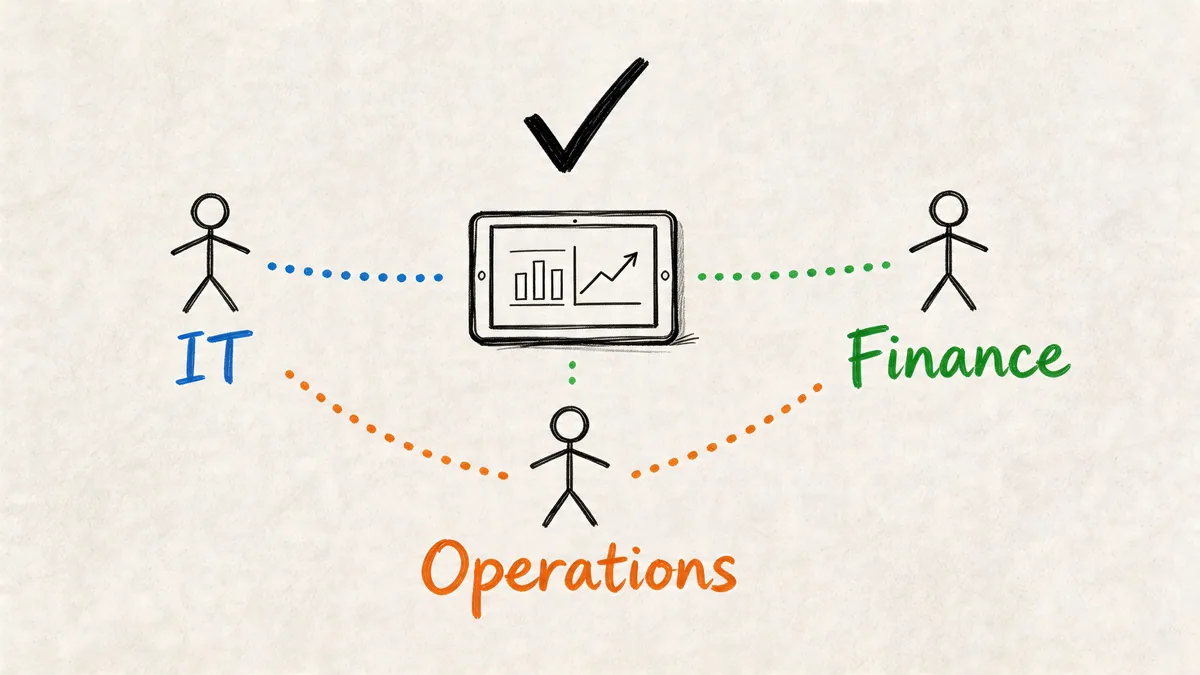
5. Build Cross-Functional Collaboration Between IT, Finance, and Operations Teams
You see it a week before renewal. Zendesk shows 142 agent seats. Support leadership says only 118 people need access. Finance is budgeting from a different number entirely. Nobody is wrong. Nobody is working from the same record.
That gap is where license cost creep gets expensive. Zendesk admins usually spot the drift first because you can see user state, role changes, and seat growth before the invoice lands. But cleanup stalls if finance does not know which seats are active and operations cannot explain which teams still need coverage.
Assign ownership by decision, not by department
Cross-functional work breaks down when teams attend the same meeting but assume someone else will make the call. Define ownership around the actual decisions that affect Zendesk spend.
- IT or systems: Maintain user records, role accuracy, integrations, and deprovisioning.
- Finance or procurement: Track contract terms, renewal dates, approved spend, and budget impact.
- Operations, support ops, or CX leadership: Confirm staffing demand, shift coverage, and whether inactive users still need a seat.
That split keeps reviews practical. You bring the usage data. Finance brings the contract and cost view. Operations brings the staffing reality. Together, you can decide whether a seat should stay, downgrade, transfer, or go.
Run one review with one dataset
Three exports from three teams turn a 20-minute review into an argument about whose spreadsheet is current.
Use one shared report for Zendesk decisions. Keep it tight: total paid seats, active agents, inactive agents, pending hires, recent leavers, plan type, and renewal date. If your finance team also tracks cost by department, add that too. That single addition makes it much easier to challenge seat growth that keeps showing up in one cost center.
I have seen this go sideways when support managers report headcount, finance reports billed licenses, and the Zendesk admin reports enabled agents. Those numbers sound similar, but they answer different questions. If you do not label them clearly, people approve spend just to end the meeting.
If finance and support are debating seat counts from different exports, the meeting is already off track.
Use a simple monthly cadence
This does not need a steering committee. It needs a short monthly review that happens before renewal pressure takes over.
A useful agenda looks like this:
- Review seat count changes since last month.
- Check inactive or low-activity users by team.
- Confirm planned hires, backfills, and seasonal coverage.
- Flag seats that can be removed, reassigned, or downgraded.
- Record the owner and due date for each cleanup action.
Small corrections each month are easier than a forced cleanup two weeks before renewal. They also give finance a cleaner forecast, which helps when budget owners question why Zendesk spend keeps climbing.
Give operations a voice, but require evidence
Operations teams often have legitimate reasons to keep extra capacity. Training overlap, weekend coverage, outsourced support transitions, and temporary escalation teams can all justify short-term seat growth.
The problem is duration. Temporary needs often become permanent costs because nobody sets an end date. Ask operations to attach a reason and a review month to every exception. That keeps the conversation grounded in service needs without letting placeholder seats live forever.
Cross-functional collaboration works when each team contributes a different piece of the truth, and all three are forced into the same view before the bill locks in.
6. Implement Continuous Monitoring and Alert Systems for Vendor Usage and Costs
A common Zendesk cost problem starts with a simple change. One team adds seats for a launch, another keeps temporary coverage longer than planned, and nobody notices the new baseline until the invoice hits. By then, the cleanup is harder because every manager has a reason to keep what they already have.
Continuous monitoring fixes that timing problem. Instead of waiting for a quarterly review, you track the few usage signals that reliably point to license waste while there is still time to act before the next billing cycle or renewal checkpoint.
For Zendesk admins, the goal is specific. Catch seat creep early, separate temporary usage from true demand, and give managers a short list of accounts to confirm instead of another spreadsheet to debate.
Set alerts around the signals that affect spend
Use alerts for changes that usually turn into avoidable cost:
- No recent login: Flag named users who have stopped signing in.
- Low or no ticket activity: Catch agents with a paid seat but little evidence of real work.
- Unexpected seat growth by group: Spot one team adding licenses faster than headcount or volume justifies.
- Approaching renewal milestones: Trigger a cleanup review early enough to remove or downgrade seats before terms lock in.
This does not require a large VRM rollout. In practice, a few well-chosen alerts beat a dashboard full of metrics nobody checks. I have seen teams spend weeks building reporting that looked polished and still missed the obvious issue: inactive agents staying paid for three straight months because no one owned follow-up.
Tune alerts so people keep using them
Bad alerting creates noise. Good alerting creates decisions.
Start with thresholds tied to money. For example, an idle-seat alert only matters if someone is expected to review it within a few days and either confirm the seat, downgrade it, or remove it. If every low-usage account generates a notification, managers will ignore the list by week two.
A practical ownership model works like this. The Zendesk admin handles first triage, removes false positives, and sends a shorter list to team managers. Managers confirm whether the user is on leave, in training, covering a temporary queue, or no longer needs the license. Finance only needs the output, not every raw alert.
Use read-only monitoring to reduce manual report work
For Zendesk, read-only API access is useful because it lets you inspect login and activity patterns without changing configuration. A tool like LicenseTrim can connect through OAuth, review usage data, and flag inactive agents so you do not have to rebuild the same export every month.
That still requires judgment. Low activity is not always waste. Training cohorts, outsourced transitions, backfill coverage, and specialized escalation roles can all look inactive for short periods. The point of monitoring is to surface the exception quickly, not auto-remove seats without context.
Review the alert rules every few months. Staffing patterns change. Support models change. If your thresholds stay frozen, you will either miss real license creep or flood the team with alerts that stop being useful.
7. Maintain Detailed Vendor Documentation and Change Management Records
A week before renewal, finance asks why your Zendesk seat count jumped, a manager says those extra licenses were temporary, and the admin who approved them has already left. If that history lives in email threads and old exports, you're guessing. Guessing is how license creep survives.
For Zendesk admins, documentation is cost control. You need a record that shows what changed, who approved it, when it happened, and whether the seat was meant to be permanent or temporary. Without that, temporary access inadvertently turns into recurring spend.
Document the changes that affect spend
Track the actions that change your bill or make renewal cleanup harder. Seat additions matter. So do downgrades that never happened, role changes that increased access, and short-term exceptions for training, BPO coverage, or seasonal support.
Keep the record simple enough that people will maintain it.
A useful vendor record usually includes:
- Current license inventory: Agent name, role, seat type, department, and owner
- Change log: Date, action taken, previous state, new state, and reason
- Approval trail: Requester, approver, and whether the change was temporary or ongoing
- Contract notes: Renewal date, billing terms, committed volumes, and any negotiated exceptions
- Evidence: Export, invoice note, ticket, or vendor confirmation tied to the change
That last item saves time. When a vendor invoice and your admin history do not match, you need proof fast.
Keep one source of truth, not three partial ones
Scattered spreadsheets create duplicate work and bad assumptions. Support ops updates one file. Finance keeps another for invoice checks. Procurement has a contract folder with none of the seat history attached. Then renewal arrives and nobody trusts the numbers.
Use one controlled location for Zendesk vendor records. A shared system is fine if ownership is clear and edit rights are limited. The important part is that license inventory, approval history, renewal terms, and supporting evidence stay together.
If you use a monitoring tool or monthly usage export, store the reviewed output with the same record. Raw usage data is helpful. Reviewed decisions are what prevent the same inactive seat from being "rediscovered" every quarter.
Good documentation does not cut spend on its own. It stops the same seat mistake from showing up again at the next invoice review.
This also protects handoffs. A new Zendesk admin should be able to see why a low-activity agent kept a paid seat, why a team was approved for temporary licenses, and when those exceptions should expire. If that context is missing, you either remove the wrong access or keep paying for licenses nobody still needs.
8. Establish Clear Communication Channels and Escalation Paths with Vendors
Your invoice lands two weeks before renewal. The seat count is higher than your admin export, your rep is out of office, and finance wants an answer today. If you do not already know who handles billing, who can confirm contract terms, and who owns support escalation, you lose time right when Zendesk costs are hardest to control.
For Zendesk admins, communication paths are a cost control tool, not just a relationship nicety. The goal is simple. Get the right issue to the right person fast, and get written answers before invoice errors roll into the next term.
Separate contacts by decision type
Do not run product questions, billing disputes, and renewal terms through one account rep email thread. That setup creates delays and weak paper trails.
Use a simple split:
- Admin contact: Product behavior, access changes, provisioning, and technical tickets
- Finance contact: Invoice questions, tax details, credits, payment status, and billing corrections
- Business owner or procurement lead: Renewal terms, committed volumes, amendment approvals, and commercial exceptions
This matters most during seat cleanup. If you remove inactive Zendesk licenses and the next quote still reflects the old count, you need the commercial owner involved immediately, not after three rounds of back-and-forth with support.
Define the escalation trigger before you need it
Good escalation paths are specific. "Reach out if there is a problem" is too vague to help under pressure.
Set clear triggers for escalation, especially around spend:
- Invoice count does not match your reviewed license inventory
- Renewal quote ignores recent deprovisioning or contract terms
- A billing correction is not confirmed in writing
- Support delays block seat changes before a billing cutoff
- Your rep gives verbal guidance that affects price or license commitments
That last one catches a lot of teams. Verbal reassurance does not help when the order form says something else.
Keep escalations short, documented, and tied to money
A useful escalation email includes three things. The issue, the financial impact, and the date you need a correction. Attach the invoice line, usage export, or ticket history that supports your position.
For example: "Our July invoice shows 148 agent licenses. Our approved license review on June 28 closed 17 inactive seats, bringing the expected total to 131. Please confirm the corrected bill and effective date by Friday so finance can approve payment."
That format gets better results than a long thread that mixes history, frustration, and unrelated support issues.
Run check-ins with an agenda, not a vague catch-up
Quarterly vendor calls still help, but only if you treat them like an operating review. Cover open billing issues, seat trend changes, support cases that affected admin work, and any contract dates that could lock in unnecessary Zendesk spend.
Keep the meeting notes. Record who agreed to what, by when, and whether follow-up needs written confirmation from the vendor. If your account team only hears from you at renewal, you will spend those calls rebuilding context instead of fixing cost problems.
A healthy vendor relationship is clear, documented, and fast under pressure. That is what keeps small Zendesk admin issues from turning into another year of license cost creep.
9. Conduct Regular Vendor Consolidation and Tool Stack Optimization Reviews
You approve a Zendesk renewal, then notice the team is still paying for a separate reporting tool, a routing app, and an old QA product nobody wants to own. That is how license cost creep hides. It rarely sits in one invoice. It spreads across the stack.
A useful consolidation review starts with one question. Which tools still solve a real problem that Zendesk does not already cover well enough?
Cost control gets easier once you review the stack as a system instead of arguing over one vendor at a time. If Zendesk reporting now covers what a separate dashboard tool used to do, cancel the extra tool. If a marketplace app replaced manual admin work and still saves time every week, keep it. The point is not to force everything into Zendesk. The point is to stop paying twice for the same outcome.
Audit overlap before you negotiate pricing
Discount discussions matter, but they do not fix duplication. I have seen teams spend weeks negotiating a better rate on an add-on that should have been removed six months earlier.
Look closely at three areas where overlap shows up fast:
- Reporting and dashboards. Check whether teams still log into outside BI or support analytics tools for metrics Zendesk Explore already covers.
- Routing and workflow automation. Review triggers, automations, and side apps that exist because of an old process, not a current requirement.
- Quality assurance and support operations tools. Confirm that QA, scheduling, or ticket review products still have active owners and active usage.
That review usually exposes one of two problems. You are carrying duplicate tools, or you are paying for a higher Zendesk plan while still buying side tools that should have made that upgrade unnecessary.
Recheck plan fit after every major stack change
Consolidation also means reviewing whether your Zendesk plan still matches the way the team works.
Zendesk annual pricing starts at $55 per agent per month for Suite Team, $89 for Growth, $115 for Professional, and $169+ for Enterprise. Those numbers only matter in context. A higher tier can be cheaper than a lower tier plus two add-ons and extra admin overhead. The reverse is also true. If you moved workflows out of Zendesk or reduced complexity, you may be carrying features your team no longer uses.
Use a short checklist during the review:
- Which tools overlap with Zendesk right now?
- Which add-ons are tied to active workflows and named owners?
- Which manual tasks exist only because data or processes are split across tools?
- What breaks if you remove this product?
- What is the monthly cost of keeping the tool, including licenses and admin time?
That last question matters. A tool can look cheap on paper and still cost you money if it creates extra user management, invoice review, and support overhead.
Run this review before renewal season, not during it. Once contracts auto-renew, stack cleanup turns into next year's problem. For Zendesk admins trying to control spend, consolidation is one of the few reviews that cuts cost, reduces admin drag, and gives finance a cleaner story about why each tool stays.
9-Point Vendor Relationship Management Comparison
| Practice | Implementation Complexity 🔄 | Resource Requirements ⚡ | Expected Outcomes 📊 | Ideal Use Cases 💡 | Key Advantages ⭐ |
|---|---|---|---|---|---|
| Establish Clear SaaS Vendor Performance Metrics and KPIs | Moderate, define metrics, dashboards, recurring reports | Low–Medium, analytics tools, IT/Finance time | Better visibility into usage; data-driven cost decisions | Organizations needing ROI justification and usage visibility | Quantifiable metrics, benchmarking, predictive budgeting |
| Implement Regular Vendor Cost Audits and License Optimization Reviews | Moderate, periodic audits plus automation/integration | Medium, audit tools, analyst time, initial setup | Immediate cost reductions (commonly 30–40%); fewer manual errors | Firms with recurring license spend seeking quick savings | Fast financial impact, real-time savings detection, auditability |
| Develop a Vendor Contract Negotiation and Renewal Strategy | Medium, prepare data, timelines, negotiation playbook | Medium–High, procurement, legal, detailed usage reports | Improved pricing and renewal terms; fewer surprise increases | Contracts approaching renewal or high-seat agreements | Data-backed leverage, stronger negotiation position, strategic planning |
| Create a Vendor Governance Framework with Clear Approval Workflows | High, design roles, policies, automated workflows | High, training, workflow systems, governance roles | Controlled spend, traceable changes, compliance readiness | Decentralized purchasing or regulated organizations | Prevents unauthorized spend, audit trails, reduced operational risk |
| Build Cross-Functional Collaboration Between IT, Finance, and Operations Teams | Low–Medium, set cadences and shared dashboards | Medium, meeting time, shared tooling and dashboards | Aligned decisions balancing cost, capability, and operations | Organizations suffering from siloed decisions or rollouts | Shared accountability, improved adoption, balanced trade-offs |
| Implement Continuous Monitoring and Alert Systems for Vendor Usage and Costs | High, real-time integrations, anomaly detection setup | Medium–High, monitoring tools, maintenance, tuning | Proactive detection of waste; faster response to anomalies | Large or dynamic license environments needing immediacy | Immediate detection, proactive optimization, improved forecasting |
| Maintain Detailed Vendor Documentation and Change Management Records | Medium, central repository, versioning, change logs | Medium, admin effort, secure storage, ownership | Audit readiness; historical context for decisions and disputes | Regulated environments or teams needing clear audit trails | Clear documentation, faster onboarding, compliance support |
| Establish Clear Communication Channels and Escalation Paths with Vendors | Low, define contacts, SLAs, and meeting cadence | Low–Medium, relationship management and regular reviews | Faster issue resolution; stronger vendor partnerships | Critical vendor dependencies or high-support needs | Reduced resolution time, priority support, better coordination |
| Conduct Regular Vendor Consolidation and Tool Stack Optimization Reviews | High, assessments, migrations, integration planning | High, migration costs, change management, training | Reduced tool sprawl and TCO; potential large savings | Organizations with overlapping tools or high tool count | Lower TCO, simplified stack, negotiation leverage |
What to Do Before Your Next Zendesk Renewal
Don't wait for the renewal email. By then, the internal scramble has already started. Finance wants a number, support wants flexibility, and you're stuck trying to explain seat count with incomplete data.
Start with one action that gives you a baseline. Pull your current Zendesk users and separate active agents from inactive ones. If you're doing it manually, use Admin Center and your available reporting to review user status, recent access patterns, and role assignments. If you want less manual work, use a read-only monitoring tool that checks activity continuously and keeps the evidence in one place.
That first baseline matters because it changes every conversation after it. Without it, you can't tell whether your issue is too many seats, the wrong plan, poor cleanup habits, or weak internal ownership. With it, the next steps become obvious.
Here is the order I'd use.
First, confirm who needs a paid Zendesk seat today. Not last quarter. Not according to an old org chart. Today.
Second, review every exception. Backup coverage, training access, temporary projects, and admin-only users often have a reason to exist. Some do not. The point isn't to remove aggressively. It's to stop paying by accident.
Third, document what you found. If you remove a seat, note why. If you keep an inactive user for a business reason, note that too. The record matters later when someone asks why the count changed or why it didn't.
Fourth, pull finance and support leadership into the same short review. Show the current seat picture, planned changes, and renewal timing. Don't turn it into a broad procurement meeting. Keep it anchored to actual Zendesk use.
Fifth, decide what kind of vendor conversation you need. Sometimes the right move is cleanup only. Sometimes you also need a plan change, contract adjustment, or a broader stack review because Zendesk is carrying work that should be consolidated elsewhere.
A lot of vendor relationship management best practices sound bigger than they need to be. For Zendesk admins, the useful version is more grounded. Know who is active. Know what you're paying for. Know who approves changes. Keep records you can trust. Review before renewal, not after.
If your team is busy, don't try to implement all nine practices at once. Pick the one that closes your biggest visibility gap. Often, that's the audit. Once you can see inactive seats clearly, governance gets easier, negotiations get cleaner, and cost conversations get less political.
The key point is boring, and that's why it works. Zendesk cost control is not mostly about clever negotiation. It's about repeatable admin discipline. The teams that keep spend under control usually aren't doing anything magical. They review usage on a cadence, involve the right people, and act before the contract rolls over.
If you do nothing else this week, get your active versus inactive user baseline in place. That's the number you'll use in every other decision.
If you want that baseline without spending hours in exports and spreadsheets, LicenseTrim connects to Zendesk with read-only OAuth access, flags inactive agents, and shows the wasted spend tied to idle seats. You stay in control of every change, but you get a faster way to find savings before your next renewal.