Meta description: Zendesk renewals keep climbing when vendor oversight is weak. Learn a practical vendor management in IT playbook to cut SaaS waste and tighten control.
Your Zendesk renewal lands in your inbox. The total is higher than you expected. Finance asks what changed. Support says headcount only moved a little. Nobody has a clean answer.
That usually isn't a pricing problem. It's a vendor management in IT problem.
Teams don't lose control in one dramatic moment. They lose it a little at a time. A few extra agent seats stay assigned after role changes. A contractor account never gets removed. Another team buys a tool that overlaps with one you already pay for. By renewal time, the invoice is just the visible part.
That Surprise Renewal Invoice Is a System Failure
A renewal invoice should confirm what you already know. Too often, it becomes the first time anyone checks what you're paying for.
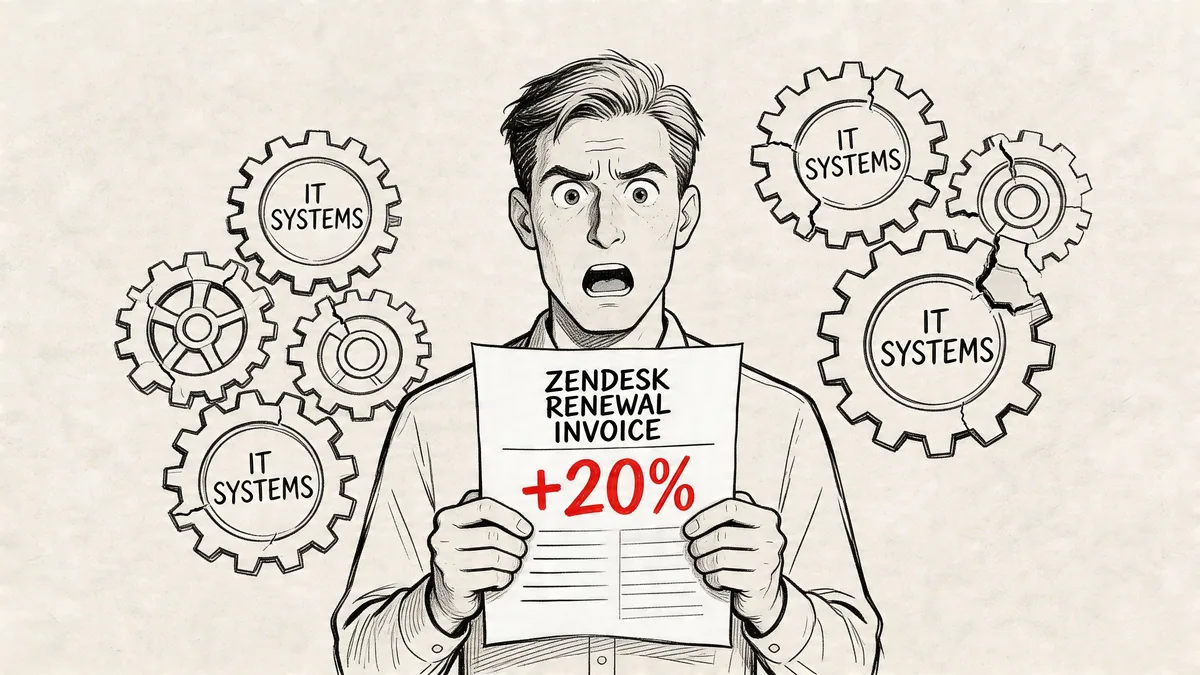
I've seen the same pattern across IT teams. Billing is owned by finance. User access sits with admins. Department leads request seats when they need them. Nobody owns the full picture from purchase to renewal. The result is predictable. You keep paying, but you can't explain why the spend moved.
That gets harder as your stack grows. A Fortune Business Insights summary of the vendor management software market notes that 65% of organizations rely on more than three vendors for IT needs, and 18% of enterprises manage about 1,000 third-party vendors. Once you operate across that kind of mix, scattered spreadsheets and inbox reminders stop working.
What the invoice is really telling you
A bad renewal surprise usually points to one or more of these failures:
- No owner: Nobody is accountable for the vendor after the contract is signed.
- No inventory: Contracts, contacts, renewals, and seat counts live in different places.
- No usage check: Your team reviews cost, but not actual adoption.
- No exit process: Users leave projects or teams, but licenses stay assigned.
Practical rule: If your first serious review happens when the renewal quote arrives, you're already late.
Why reactive management costs more than money
The extra spend hurts, but the bigger issue is control. When you don't know who uses a tool, who approved it, or whether the vendor is meeting expectations, you also can't judge risk, service quality, or replacement options.
Paying the bill keeps the lights on. It doesn't tell you if the vendor still fits your needs.
What IT Vendor Management Actually Means Today
Modern IT vendor management isn't mainly about buying servers, signing a long contract, and reviewing it once a year. It's about managing a moving set of SaaS products, outsourced services, integrations, and support agreements that change faster than most approval processes.
For teams running Zendesk, Okta, Microsoft 365, Slack, Jira, and a pile of niche apps, vendor management now sits across IT, finance, security, and business owners. The old purchasing-only model doesn't hold up.
The three jobs your process has to do
A workable program covers three things at once.
| Focus area | What you're managing | What usually goes wrong |
|---|---|---|
| Cost control | Licenses, renewals, duplicate tools, contract terms | Spend creeps up because nobody checks usage before renewal |
| Risk control | Security posture, data access, compliance terms, third-party exposure | Vendors get approved without enough review or follow-up |
| Performance control | Uptime, support quality, issue handling, adoption | Teams complain, but nobody tracks evidence |
One reason this matters so much in a SaaS-heavy environment is waste. According to HCMWorks on the history and current state of vendor management, businesses worldwide waste an average of $135,000 annually on completely unused SaaS services because of shadow IT and duplicate tools.
That number lands because it reflects what many IT managers already know from experience. Software doesn't need to be broken to be expensive. It only needs to be forgotten.
What modern ownership looks like
Good vendor management in IT is cross-functional, but it still needs a clear owner. Without that, every vendor becomes "shared," which usually means unmanaged.
A practical split looks like this:
- IT owns access, integrations, operational fit, and offboarding.
- Finance owns spend visibility, invoice review, and budget tracking.
- Security or compliance owns due diligence for sensitive vendors.
- Department leads own business need and day-to-day value.
A vendor relationship doesn't become healthy because the contract is signed. It becomes healthy when somebody checks whether the tool is still worth paying for.
What changed from the old model
The old model assumed fewer vendors, slower change, and more centralized buying. Today's stack changes every quarter. Trials become production tools. Team leads buy software on cards. Users need access fast, then stop using it just as fast.
That shift is why vendor oversight now has to include usage data, not just contract files. If your process ends after purchase approval, you're managing intake, not vendors.
Building Your Vendor Management Governance Framework
A good framework starts with one boring but necessary move. Put every IT vendor in one place.
Not in someone's finance sheet. Not in a shared drive full of PDFs. One living repository with contract details, renewal dates, pricing notes, owner names, security review status, and current usage context.
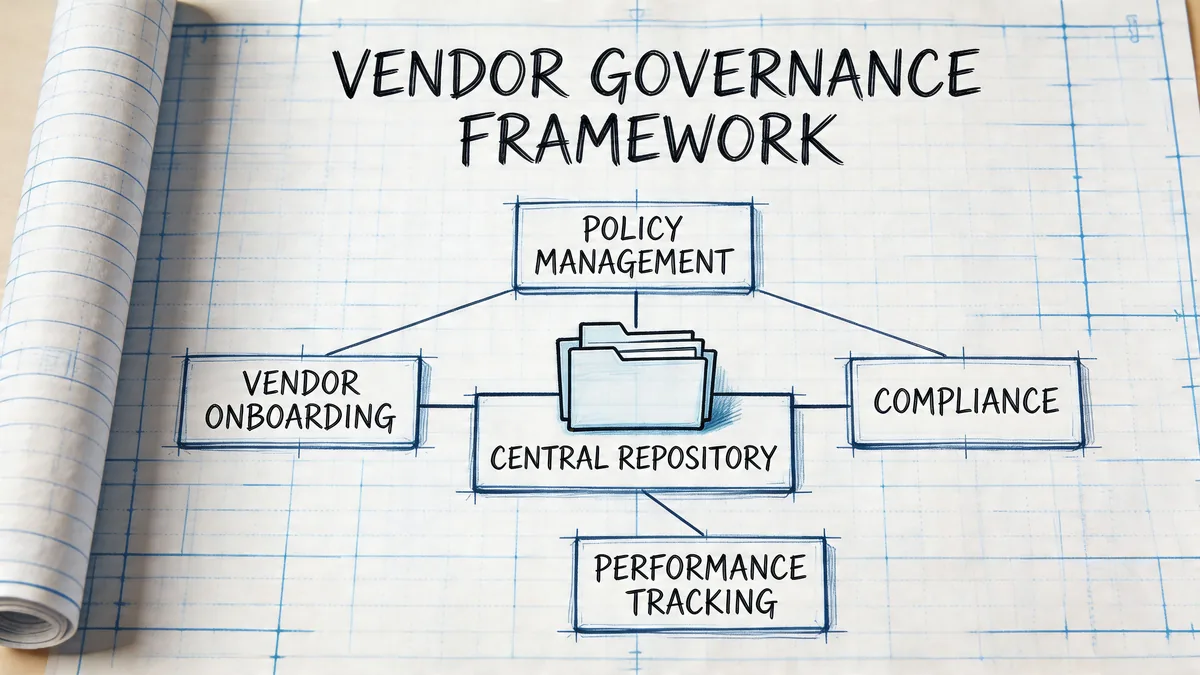
Start with a vendor master record
Each vendor should have a single record. At minimum, include:
- Business owner: The person who asked for the tool and still needs it.
- Technical owner: The admin who manages access, setup, and integrations.
- Commercial details: Contract term, renewal date, billing basis, and notice window.
- Risk notes: Security review, data handling, and compliance documents.
- Status: Active, inactive, on hold, terminated, or pending review.
That structure lines up with Onspring's guidance on Vendor Master Data Management, which describes mature VMDM as a single source of truth using automated status identification like active, inactive, and terminated to reduce compliance errors and renewal delays.
A lightweight RACI works better than a committee
You don't need a giant governance board for every app. You need a clear answer to "who does what?"
| Task | Responsible | Accountable | Consulted | Informed |
|---|---|---|---|---|
| New vendor request | Department lead | IT manager | Finance, security | Procurement |
| Security review | Security or IT | Security lead | Vendor owner | Finance |
| Renewal review | Vendor owner | Budget owner | IT, finance | Department lead |
| License cleanup | System admin | IT manager | Department lead | Finance |
| Offboarding | IT admin | Vendor owner | Security, finance | Stakeholders |
The point isn't bureaucracy. It's preventing orphaned vendors.
What works and what doesn't
What works:
- One repository: Every vendor has a record, even small tools.
- Named ownership: Shared ownership only after one person is accountable.
- Status discipline: Vendors move through defined states, not vague memory.
- Review triggers: Renewals, spend spikes, incidents, and usage drops trigger checks.
What doesn't:
- Spreadsheet sprawl: Multiple versions, no audit trail, stale data.
- Inbox governance: Renewal emails are not a system.
- One-time onboarding: Vendors drift after setup if nobody revisits them.
- Procurement-only oversight: IT and finance need visibility after signature.
Field note: The first version of your framework should be usable, not perfect. If it takes six approvals to add a vendor record, your team will bypass it.
The Four Stages of the Vendor Lifecycle
Vendors don't need the same kind of attention at every point. The work changes depending on where they are in the lifecycle. That's useful, because it gives you a repeatable operating model instead of one vague instruction to "manage vendors better."
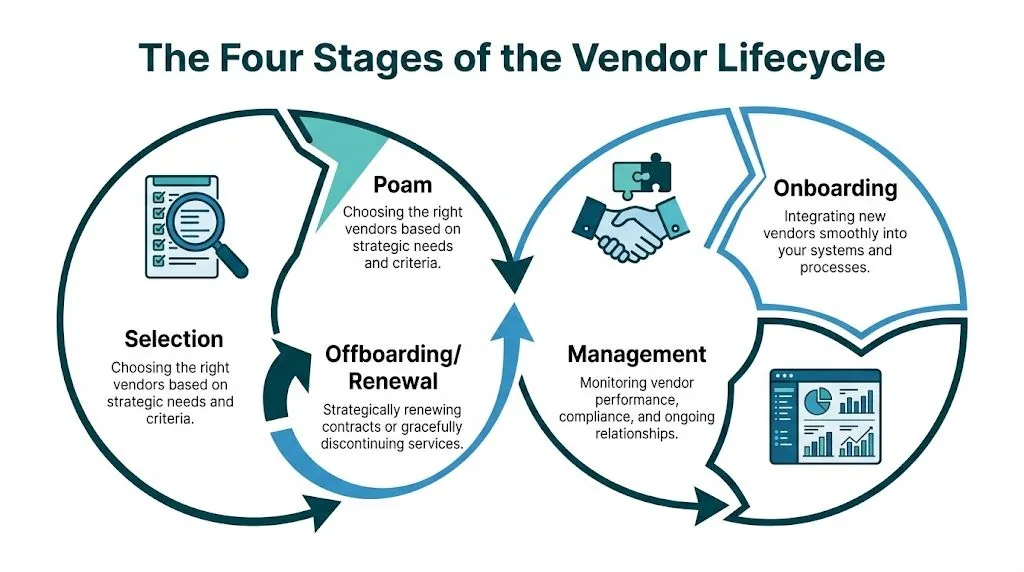
Selection
Many teams often focus too much on price and too little on fit. A cheaper tool can still become expensive if it creates admin overhead, weak reporting, or support pain.
For SaaS vendors, check these points before you buy:
- Security fit: What data will the vendor touch, and what evidence do they provide?
- Technical fit: Does it integrate with your stack without custom workarounds?
- Commercial fit: Are seat rules, renewal terms, and upgrade paths workable?
- Operational fit: Will your admins be able to govern it after launch?
Selection should also force one uncomfortable question. If the tool works and adoption grows, who will own it six months from now? If that answer is fuzzy during evaluation, it will be worse after launch.
Onboarding
The contract is signed. The core work begins.
Onboarding is where teams set up the vendor record, assign owners, capture contract terms, document support contacts, and map the tool into your joiner, mover, leaver process. For Zendesk and similar platforms, that also means deciding who can create users, who approves seat increases, and how inactive accounts will be reviewed.
A clean onboarding checklist usually includes:
- Admin setup: Access roles, SSO, API permissions, and billing contacts
- Policy alignment: Security requirements, data handling rules, and retention terms
- Usage baselines: What counts as active use, and who checks it
- Escalation path: Named contacts on both sides for service issues and billing disputes
Performance monitoring
This is where most vendor programs either become real or fall apart. If you only talk to the vendor when something breaks, you're not managing performance. You're reacting to it.
Eagle Point's best practices for IT vendor management are useful here because they frame SLAs as the core enforcement tool. For a SaaS vendor like Zendesk, that includes metrics such as system uptime, API latency, and ticket resolution times. Those metrics matter because they turn complaints into evidence.
If a vendor says service is "within expectations" but your dashboard says otherwise, the dashboard wins.
Formal monitoring also changes renewal conversations. You're not arguing from frustration. You're pointing to service history, support responsiveness, and usage quality.
Offboarding and renewal
Many teams treat renewal as a finance event. It should be an operational and risk review.
Before you renew, check whether the vendor is still used, still needed, still priced fairly, and still meeting expectations. If the answer is no, you need an exit plan. That includes removing access, exporting needed data, closing integrations, and documenting what broke or worked.
Offboarding is where weak process creates hidden risk. Forgotten API connections, stale admin accounts, and undocumented data retention can outlive the contract. A proper exit closes those gaps.
The Biggest Vendor Blind Spot SaaS License Sprawl
Most vendor reviews look respectable on paper. Contract terms are filed. Security questionnaires are done. Renewal dates are tracked. Then the company still overpays every month because assigned seats no longer match real use.
That's the blind spot.
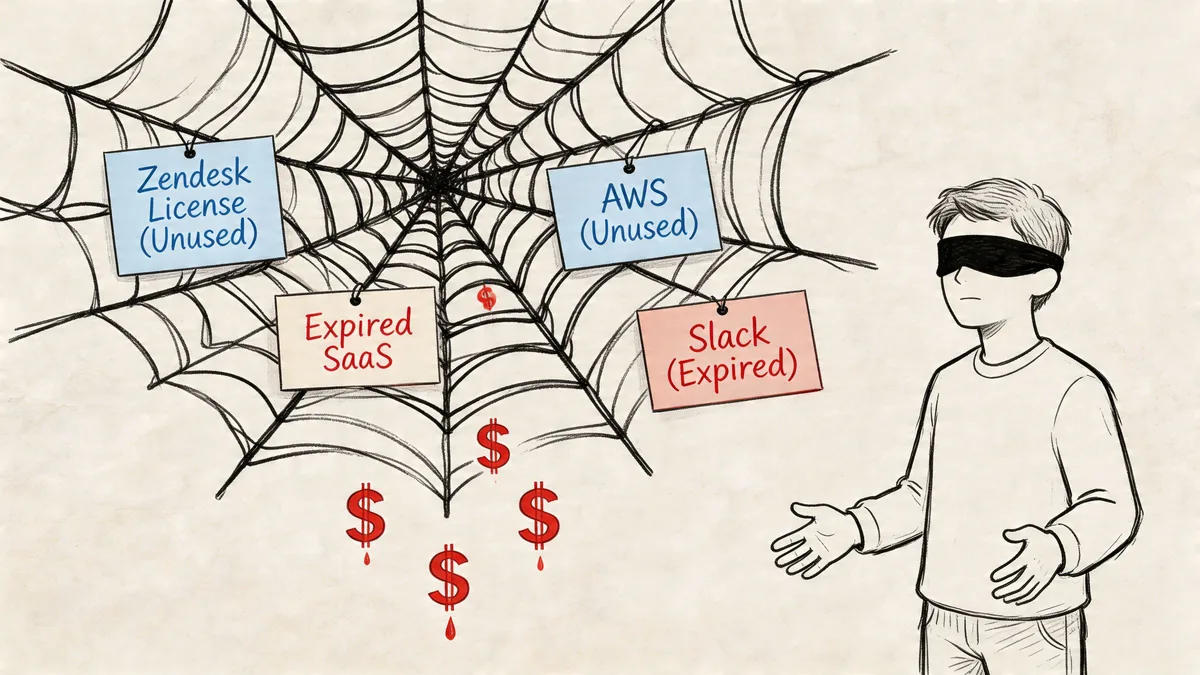
For Zendesk, the problem is easy to understand and hard to control manually. You pay per agent. Teams change fast. Support managers want to keep people moving, not pause for seat cleanup. So licenses accumulate around edge cases. Leave of absence. Internal transfer. Contractor exit. Temporary project. Shift in responsibilities. Nobody intends to waste money, but the seats stay assigned.
Why normal vendor reviews miss it
Traditional reviews focus on the contract and the relationship. They ask:
- Is the vendor secure?
- Are support tickets getting answered?
- Is the service generally fine?
- Should we renew?
Those are valid questions. They just don't tell you whether paid seats are active today.
According to Technology Match on IT vendor management challenges and SaaS waste, manual audits fail to capture real-time usage data, which leads to an estimated 30-40% overspend on unused SaaS agent seats. That's why generic best-practice guides often miss the issue. They treat the vendor as a contract object when the spend leak lives in daily usage.
Why spreadsheets break down
A manual spreadsheet audit sounds reasonable until you try to keep it current.
You export users. You compare names. You check last login dates. You ask managers if those agents are still active. A week later, the list is stale again.
That doesn't make manual review useless. It still helps as a reset. But it doesn't work as a control system in a fast-moving support org. If you want a broader handle on this part of your stack, a guide to cloud-based software asset management is a good next read because it addresses the inventory and monitoring side that most SaaS teams skip.
A quick visual makes the point well:
Broad vendor governance can look healthy while license governance is still weak. Those are related problems, not the same problem.
The trade-off most teams get wrong
Teams often keep extra seats assigned "just in case" because they don't want to disrupt support operations. That's understandable. But a seat should be kept intentionally, not by accident.
The better trade-off is to define inactivity rules, review exceptions, and keep a short list of accounts you retain for real operational reasons. Everything else should earn its cost.
A Practical Playbook for Zendesk License Optimization
If you're trying to cut Zendesk waste, start with the manual path once. It teaches you where the mess is. Then stop pretending it scales.
Do one manual audit the hard way
Pull your current user list from Zendesk. Review role, status, and last activity indicators available to your admin team. Compare that against reality on the ground.
Look for patterns like:
- Former users still assigned: People who changed teams or left the company
- Temporary access that became permanent: Contractors and project users
- Over-licensed users: People who still have agent access but no longer need it
- Quiet accounts: Users who haven't shown meaningful activity in a while
After that, sit down with the support lead and finance owner. Decide which accounts should be removed, downgraded, or kept for a documented reason. If you skip that conversation, the same accounts usually survive to the next renewal.
Why the manual method fails after the first cleanup
The problem isn't that spreadsheets are bad. The problem is timing.
A spreadsheet is a snapshot. Zendesk usage changes continuously. New users are added, teams shift, and project work ends. The moment your audit is exported, it starts aging.
That creates a familiar failure pattern:
| Audit approach | What you get | Where it breaks |
|---|---|---|
| Spreadsheet review | One-time visibility | Outdated as soon as users change |
| Manager confirmation | Good business context | Slow replies and inconsistent decisions |
| Renewal-time audit | Last-minute cleanup | No time to negotiate or fix process |
| Continuous API monitoring | Ongoing usage visibility | Requires setup and ownership |
What a better process looks like
The fix is continuous, API-driven monitoring with read-only access and clear rules for inactivity. For Zendesk admins, that matters because you need current usage evidence without creating more manual admin work.
Done well, the process is tight:
- Connect your Zendesk instance securely
- Set inactivity rules that match your team
- Review flagged accounts
- Approve removals or downgrades
- Keep monitoring running between renewals
That gives you a living control instead of a heroic cleanup project every quarter.
Where automation earns its place
This is one of the few SaaS admin problems where automation is usually the practical answer, not a nice extra. You're trying to track behavior that changes constantly. Humans are bad at that when the process depends on exports, reminders, and manager follow-up.
LicenseTrim is built for this exact job. It connects to Zendesk via OAuth with read-only access, flags inactive agents based on the rules you set, and shows the cost tied to idle licenses so you can act before renewal. It doesn't make changes automatically. Admins stay in control.
Working rule: Use manual review to validate policy. Use automation to enforce it over time.
If your Zendesk spend keeps drifting upward and nobody can explain which seats still earn their cost, that's the signal to stop relying on audits by spreadsheet.
Key KPIs for Measuring Vendor Performance
Cost matters, but it shouldn't be your only score. A vendor can be cheap and still waste your team's time every week.
The fix is a short scorecard for active review. Not a giant dashboard full of vanity metrics. For most vendors, a handful of operational, support, and compliance measures is enough to make renewal discussions more objective. If you want a deeper view of the contract side, this piece on service agreement management is worth reading alongside your scorecard.
Essential Vendor Performance KPIs
| KPI Category | Metric | What It Measures | Target Goal |
|---|---|---|---|
| Availability | System uptime | Whether the service is reliably accessible | Match the agreed SLA threshold |
| Performance | API latency | Speed and consistency of integrations | Stay within agreed response expectations |
| Support | First response time | How quickly the vendor acknowledges issues | Match the support commitment in contract |
| Support | Resolution time | How long it takes to fix a problem | Trend downward over time |
| Service quality | Ticket resolution times | Operational speed for end-user issues | Stay aligned with agreed service levels |
| Adoption | User adoption | Whether your team is actually using the product | Stable or improving among intended users |
| Security | Compliance status | Whether required certifications and obligations remain current | No expired or missing evidence |
| Risk | Incident response time | How fast the vendor acts during security events | Match the documented incident process |
The underlying idea matches the guidance in the SLA section earlier. Use measurable terms, not vague impressions.
Keep the scorecard usable
I've seen teams overbuild this. They track too much, then stop looking at any of it. Keep your review practical.
Use these rules:
- Tie each KPI to a contract term: If it isn't actionable, drop it.
- Assign an owner: Every metric needs a person who checks it.
- Review on a cadence: Quarterly works for important vendors.
- Keep evidence handy: Support logs, incident notes, and admin data should be easy to pull.
What good KPI use looks like in practice
Say your Zendesk admin team hears repeated complaints about slowness or support quality. Don't carry that into the vendor meeting as a general frustration. Bring the incident dates, the support response history, and the pattern.
A scorecard should help you decide something. Renew, renegotiate, escalate, or replace.
Once you do that a few times, vendor conversations change tone. You spend less time debating opinions and more time deciding what to do next.
Your Next Steps Before the Next Renewal
You don't need a big transformation project to get control back. You need a short list and an owner.
Start this week.
The five moves that change the picture
- Build one vendor list: Put every IT vendor, renewal date, owner, and contract location into one shared record.
- Pick your top five vendors: Start with the tools that cost the most or carry the most risk.
- Check Zendesk usage now: Compare assigned agents to actual active need, not assumed need.
- Assign one accountable owner: Even if vendor management isn't their full-time job, someone must own the process.
- Set a renewal review rule: No renewal happens without a usage check, owner sign-off, and business justification.
A small checklist beats a big intention
If your process is still informal, don't wait for the perfect system. Use a lightweight workflow and tighten it over time.
A practical first pass:
| Task | Owner | When |
|---|---|---|
| Create master vendor register | IT or ops lead | This week |
| Flag top-cost vendors | Finance partner | This week |
| Review Zendesk seat usage | Zendesk admin | Before next billing cycle |
| Define approval path | IT manager | This month |
| Add renewal reminders and notice windows | Vendor owner | This month |
One more thing helps a lot. Put your contract process next to your vendor process, not in a separate universe. If you need a template for that side, this guide to contract management for procurement is a useful operational reference.
A cleaner renewal starts long before the quote shows up. Once you know what you own, who owns it, and whether people still use it, the renewal invoice stops being a surprise.
If you want to see wasted Zendesk seats before the next renewal, LicenseTrim connects through OAuth, checks real usage, and shows where inactive agent licenses are still costing you money. It's a practical way to replace spreadsheet audits with ongoing visibility while keeping admins in control.