Meta description: Rising Zendesk bills usually come from idle seats and hidden AI fees. Audit usage, right-size licenses, and negotiate renewal with real data.
Your Zendesk bill went up again. Finance wants a reason. Support says they need the seats. Admin Center shows users, roles, and activity, but not the wasted spend in a way that helps you make a clean decision.
That’s the usual pattern when teams try to reduce Zendesk cost. The problem usually isn’t one bad buying decision. It’s drift. People change teams, managers ask for extra access, contractors stay provisioned too long, and occasional users get full agent seats because nobody has time to sort it out.
The fix is part technical audit, part operating discipline, part renewal prep. If you do all three, you stop paying for access your team doesn’t use, and you stop walking into contract talks blind.
The Unseen Cost of Idle Licenses
A lot of Zendesk waste hides in plain sight.
An employee leaves, but their seat stays assigned. A team lead asked for five extra licenses during a busy month, and nobody pulled them back. A subject matter expert logs in once in a while, yet still holds a full paid seat. None of that looks dramatic on its own. On the invoice, it adds up fast.
Per-agent pricing makes this easy to miss because the spend feels operational, not accidental. You approve seats one by one. Months later, finance sees the total and asks why the bill doesn’t match current headcount or actual workload.
Why Admin Center rarely gives you the full answer
Zendesk does show users and roles. What it doesn’t do well on its own is answer the question finance cares about, which is who is costing us money without creating enough value to justify that seat.
That’s why idle licenses are different from normal software spend. They’re not a strategic investment. They’re pure waste.
A broader SaaS bill often has the same pattern. If you’ve ever reviewed the cost of SaaS sprawl across a growing team, Zendesk usually lands near the top because seat costs are visible, recurring, and easy to over-assign.
Idle seats aren’t a tooling problem. They’re a visibility problem.
What you’re actually trying to fix
You’re not trying to cut needed support capacity. You’re trying to pay only for active usage.
That distinction matters when you talk to support leaders. Nobody wants a blind cost-cutting exercise that removes access people need to do their jobs. A usage audit works because it starts with evidence, not assumptions.
How to Run a Usage Audit and Find the Waste
The first pass is often manual. It works, but it’s slow.
You export users. You check roles. You cross-reference login history, ticket assignments, and recent activity. Then you dump it all into a spreadsheet and try to decide who still needs a paid seat.
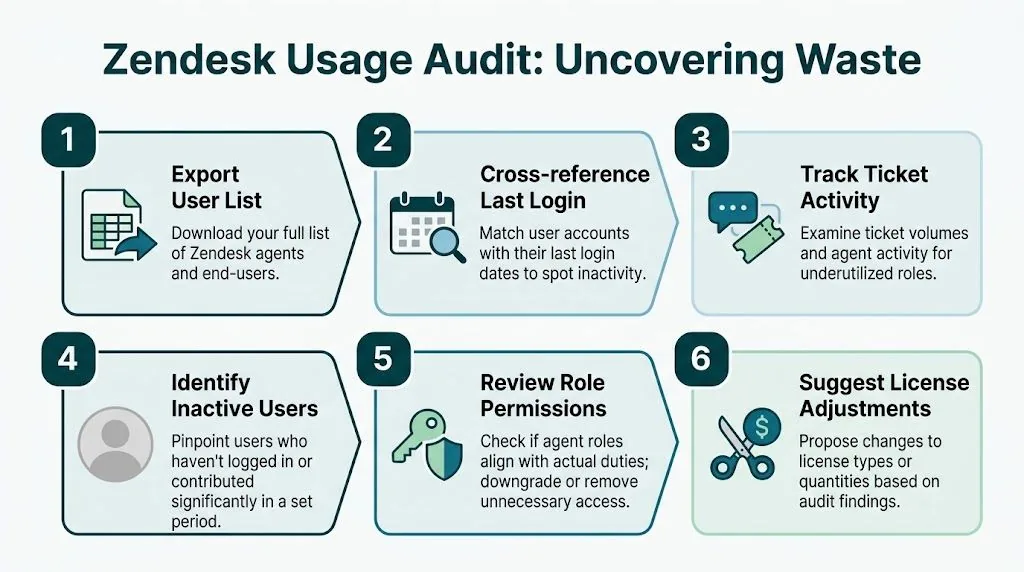
The manual audit path
If you want a clean starting point, use this order:
- Export users: Pull your full list of agents and admins.
- Check recent access: Look for last login and last activity.
- Review work output: Compare tickets handled and general participation.
- Flag low-use accounts: Set a clear threshold before you look at names.
- Review role fit: Decide whether the person needs a full seat, a lighter role, or no access.
- Price the waste: Turn flagged seats into annual dollars.
That process can work. This is also a common obstacle.
Spreadsheets age fast. Last login doesn’t tell you the whole story. Ticket counts can miss users who only jump in occasionally. And by the time you finish, the picture is already old.
What better audit data looks like
A stronger approach is to connect through the Zendesk API and pull 90-day activity data. The audit method described by CloudNuro uses read-only access to gather user and assigned ticket data, apply inactivity thresholds such as no logins for more than 30 days, and then quantify the cost of flagged seats. That process can produce 8-12% cost savings, and mid-sized organizations average 15-25% idle licenses according to CloudNuro’s Zendesk license audit methodology.
Here’s the practical rule. Don’t judge seats on one metric.
Use a mix of:
- Login activity: Who hasn’t accessed Zendesk recently
- Ticket contribution: Who handles work
- Role fit: Whether the current permission level matches the job
- Recency: Whether the inactivity is temporary or persistent
Practical rule: A paid seat should survive only if recent activity and role requirements both support it.
Why automation beats quarterly spreadsheet cleanup
Manual audits are point-in-time. Automated audits are ongoing.
A tool connected through OAuth and the official API can keep checking for inactive agents, role mismatches, and stale assignments without making you rebuild the same report every quarter. LicenseTrim is one example. It connects to Zendesk, detects inactive agents, and shows the wasted spend tied to unused licenses. That’s useful if you want an audit trail and a dollar figure before you touch access.
You don’t need automation to start. You do need it if you want the savings to stick.
Making Safe Downgrades and Removals
Finding waste is the easy part. The risky part is changing access without breaking someone’s workflow.
The safest way to handle cleanup is to treat each flagged seat as one of three cases: remove it, downgrade it, or reassign it.
A decision matrix that won’t cause support tickets
| User situation | Best action | Why |
|---|---|---|
| Former employee or contractor with no current need | Remove or suspend access | You stop paying for an abandoned seat and reduce offboarding risk |
| Occasional internal collaborator | Downgrade to a lighter role if your plan supports it | They keep visibility without consuming a full agent seat |
| Active hire replacing a departed user | Reassign the seat | You avoid buying new capacity before using what you already have |
That middle category is where teams overspend most often. People who only need to view tickets, leave internal notes, or give occasional input often don’t need the same paid access as a frontline agent.
Put a review gate in front of every change
Before you remove or downgrade anything, send a short review list to the team manager. Keep it boring and concrete.
Include:
- User name and role: Current assignment in Zendesk
- Recent activity: Last login and work pattern
- Recommended action: Remove, downgrade, or keep
- Cost impact: Annual savings if approved
If offboarding is part of the problem, tie this to your employee off-boarding checklist for SaaS access cleanup. Zendesk waste often starts there.
Don’t ask managers, “Can I remove these?” Ask, “Do any of these people still need full agent access?” You’ll get better answers.
Turn the audit into a finance-ready number
Forrester’s Total Economic Impact study on Zendesk found a composite organization saved $1.3 million over three years by reallocating four full-time employees from manual work and saving $250,000 in legacy licensing costs after implementation, according to Forrester’s study of Zendesk economics. The lesson for admins is clear. Process cleanup and license cleanup belong in the same business case.
Use a basic annual savings table when you present your findings.
Example Annual Savings Calculation
| Zendesk Plan | Seats to Remove | Cost per Seat/Month (Annual) | Estimated Annual Savings |
|---|---|---|---|
| Suite Team | 3 | $55 | $1,980 |
| Growth | 4 | $89 | $4,272 |
| Professional | 5 | $115 | $6,900 |
| Enterprise | 2 | $169+ | $4,056+ |
You don’t need a complicated model. Multiply seat count by monthly cost by twelve. That’s enough to move a finance conversation forward.
Beyond Licenses Operational Cost Savings
Seat cleanup gives you immediate savings. It doesn’t fix the operating cost of support.
If you want to keep lowering spend, look at ticket volume and handle time next.
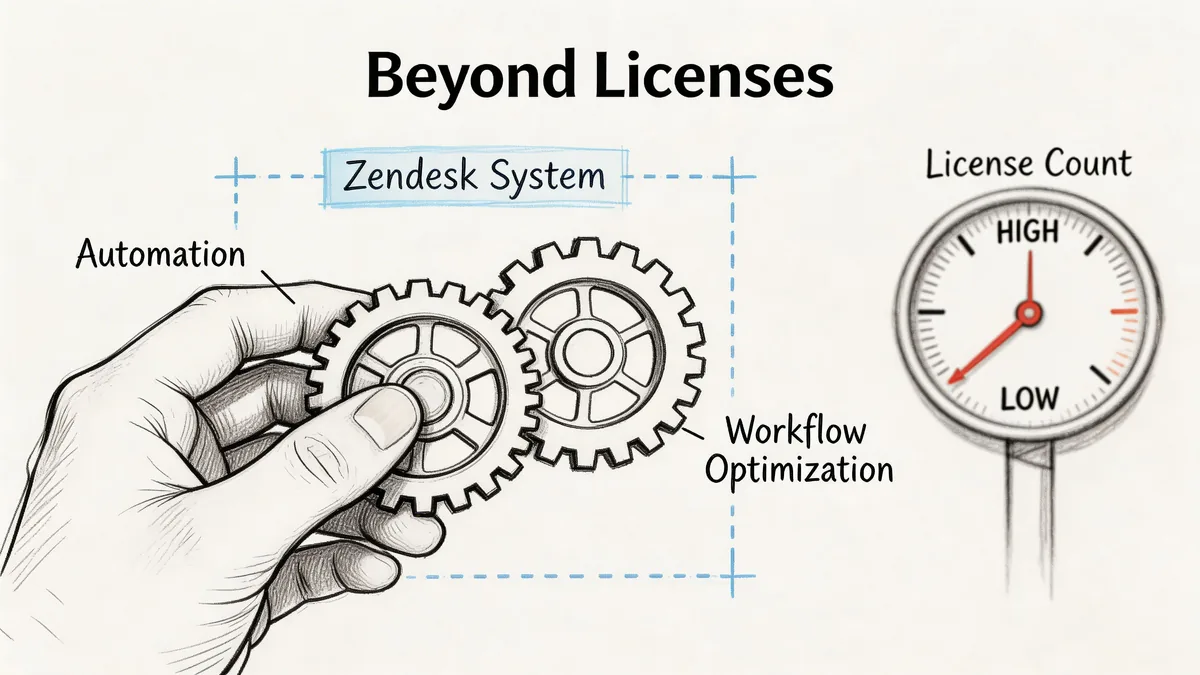
Zendesk’s own cost-savings guidance says AI-enhanced self-service can deflect 35% of ticket volume and cut handle time by 40%. It also cites companies such as Peek and Liberty using that approach to save up to $1.3 million annually through knowledge base improvements and automated resolutions, as described in Zendesk’s operational improvement article.
Start with self-service, not more seats
If your first answer to ticket growth is “buy more agent licenses,” you’ll keep chasing the same problem.
A better sequence is:
- Clean up help center content: Fix stale or thin articles first
- Target repetitive contacts: Shipping, password, billing, account access
- Use AI where the answer is stable: High-volume questions with clear outcomes
- Watch deflection quality: Don’t count a deflected ticket as a win if it comes back angrier
The trade-off is real. AI and self-service work best when your knowledge base is current and specific. If your content is weak, automation just fails faster.
Agent productivity matters too
Ticket deflection gets the attention, but workflow cleanup matters on the floor.
Macros, triggers, routing logic, and better context inside the workspace all lower the time agents spend doing repetitive work. That doesn’t always show up as a smaller invoice right away. It shows up as slower hiring, less overtime pressure, and less chaos during peak weeks.
A quick explainer is worth watching before you change too much at once:
Good cost control in Zendesk usually comes from fewer avoidable tickets and fewer wasted agent minutes, not from one dramatic settings change.
Automate Governance and Prepare for Renewal
One cleanup cycle helps. Ongoing governance is what keeps the bill from creeping back up.
The easiest policy to start with is inactivity review. If an account has no meaningful use for a defined period, flag it. Don’t wait for annual renewal to notice a seat nobody touched for months.
Set rules before the waste returns
Your governance policy doesn’t need to be heavy.
Use a few rules:
- Inactive account flag: Review any paid user with no login beyond your set threshold
- Role mismatch check: Look for occasional users on full seats
- Joiner and leaver review: Tie provisioning and deprovisioning to HR changes
- Monthly owner check: Make one person accountable for cleanup
If you want that process tracked outside Zendesk, a dedicated SaaS license management software workflow can help centralize the review.
Go into renewal with evidence, not opinions
Start your renewal prep well before the contract date. Ninety days is a good operating window, but the key is to show up with hard usage data before pricing is already framed.
Bring:
- Actual active seat count: Not the purchased count
- Role distribution: Full seats versus lighter access
- Unused or downgraded seat history: Proof that you’ve cleaned house
- Add-on usage data: Especially any AI-related consumption
That last one matters more now. A hidden cost in Zendesk is AI resolution pricing. Some plans include automated resolutions, but excess usage can be billed at up to $1.50 per resolution. A team that exceeds its cap by 5,000 resolutions could add $7,500 to the annual bill, according to Hiver’s write-up of Zendesk pricing details.
That changes the renewal conversation. You’re not only negotiating seat count. You’re also managing variable spend.
What to ask for
Keep your ask practical:
- Right-sized seat baseline: Match the contract to current active use
- Flexibility on changes: Especially if your staffing shifts during the year
- Clear AI billing terms: Know the cap, overage rate, and reporting path
- Consolidated pricing view: Seat cost plus any usage-based charges
Procurement likes clean numbers. Zendesk account teams respond better when you show them where the current contract no longer matches reality.
Your First Step to Lower Zendesk Spend
Don’t start with a big renewal fight. Start with an audit.
Use this checklist:
- Pull a 90-day usage view: Look at login history, ticket activity, and role fit
- Flag seats for action: Remove abandoned accounts, downgrade occasional users, reassign where needed
- Check operational waste: Reduce repetitive tickets before buying more seats
- Review AI billing exposure: Don’t let resolution overages erase the savings
Unity saved $1.3 million by implementing Zendesk automations and self-service, largely by deflecting nearly 8,000 tickets in a year, according to Zendesk’s write-up on Unity’s support savings. That’s the bigger lesson. Cost control works best when license cleanup and support operations improve together.
If you want a faster way to spot inactive Zendesk agents before renewal, LicenseTrim connects through OAuth, reads usage data, and shows where paid seats are sitting idle. It’s a practical starting point if you need a report finance and support can both act on.